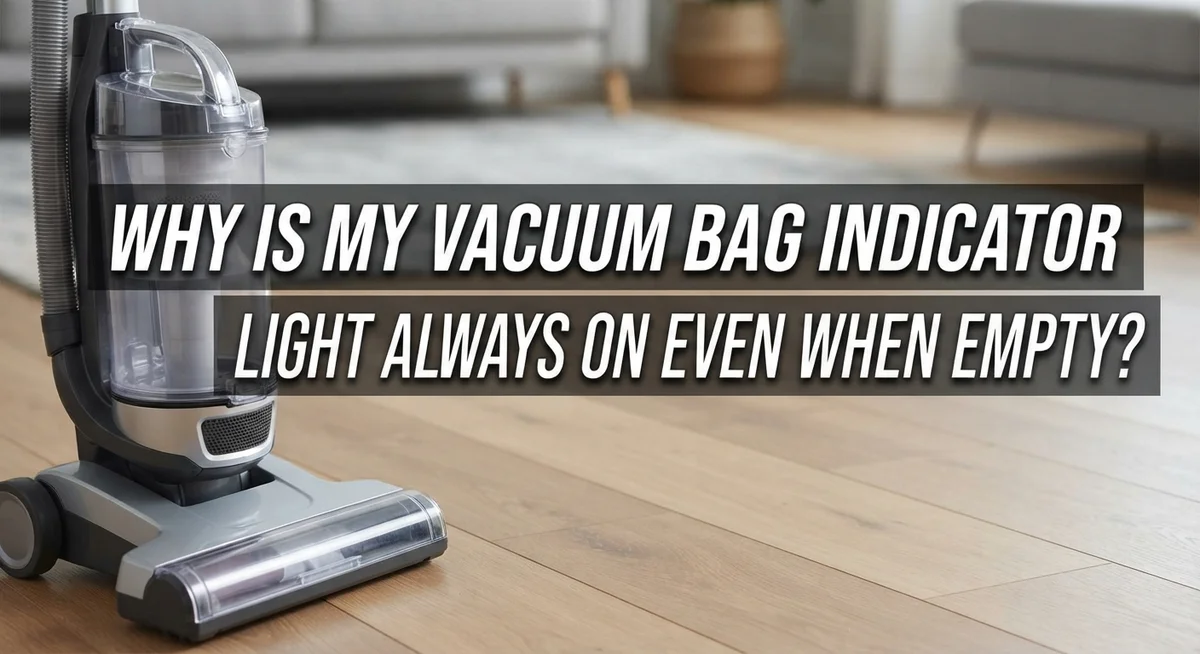
Why Is My Vacuum Bag Indicator Light Always On Even When Empty?
Does your vacuum keep telling you the bag is full, even after you just changed it? You are not alone.
This is one of the most annoying vacuum problems out there. You empty the bag, put it back in, and the light still glows red.
Here is the truth: that light does not actually measure how full your bag is. It measures airflow. When air cannot move freely through your vacuum, the indicator turns on, whether your bag is empty or overflowing.
Many things can block that airflow. A clogged hose, a dirty filter, or even a stuck control valve can trick the sensor. Sometimes the fix is as simple as adjusting a small dial.
In a Nutshell
- The light senses airflow, not bag fullness. It turns on when air movement drops, even if your bag is empty.
- Blockages are the main culprit. Clogged hoses, dirty filters, or stuck attachments can all trigger a false alert.
- Check the dial setting first. Many vacuums need manual adjustment after every bag change. Skipping this step keeps the light stuck on.
- Test with a bare hose. Remove all attachments and hold the hose up. If the light turns off, your attachment was the problem.
- Inspect for hidden debris. Socks, tissues, and fine dust often hide inside the hose or filter area.
- Replace the control valve if needed. If nothing else works, a faulty valve might be sending the wrong signal to your indicator.
How the Vacuum Bag Indicator Light Actually Works
Your vacuum’s bag indicator light works very differently than you might think. It does not measure how full your bag actually is. Instead, it monitors airflow moving through the machine.
Here is how it operates. A sensor detects the air pressure inside your vacuum. When air flows smoothly, the sensor reads normal conditions and the light stays off. When something blocks that airflow, the sensor detects increased resistance. The light turns on automatically to warn you.
This system exists because a completely full bag would damage your vacuum’s motor. Restricted airflow causes the motor to overheat. The sensor protects your machine by alerting you before serious damage happens.
The problem is that many things can block airflow besides a full bag. A clogged exhaust filter restricts air just as much as a stuffed bag does. A kinked hose creates the same pressure change. Even a sock stuck in the hose triggers the alert.
Your vacuum also has a control valve that works with this system. This valve opens and closes to regulate air pressure. If this valve becomes faulty or stuck, it sends incorrect signals to your indicator light. The light stays on even when airflow is actually fine.
The indicator dial on your machine also plays a role. This dial needs adjustment after you install each new bag. If you skip this step, the sensor reads the wrong baseline pressure. It thinks your bag is full when it is actually empty.
Understanding this airflow system is key to fixing false alerts. The light is not broken most of the time. Instead, something is genuinely blocking air movement. Your job is finding what that blockage is. Once you remove it, your light will turn off and stay off.
Top Reasons the Indicator Light Stays On with an Empty Bag
Your vacuum bag indicator light stays on for one main reason: airflow restriction. The light measures air pressure and movement, not actual bag fullness. When airflow drops below normal levels, the light turns on automatically. This system protects your motor from damage, but it creates false alerts when other problems block air.
A faulty control valve is often the culprit. This valve regulates air pressure inside your vacuum. When it fails or gets stuck, it sends the wrong signal to your indicator light. The light stays on even though air moves normally through an empty bag.
Your exhaust filter can also trigger false alerts. Fine dust and debris accumulate on this filter over time. A clogged exhaust filter blocks air just as much as a full bag does. Your vacuum cannot tell the difference between a blocked filter and a packed bag.
The indicator dial itself might be set incorrectly. Many vacuums require manual adjustment after you install a fresh bag. If you skip this step, the light will stay on no matter how empty your bag is. Check your manual for the exact adjustment procedure.
Blockages inside your hose or attachments cause airflow problems too. A sock, tissue, or clump of hair can lodge deep inside the hose. You might not see it from the outside. This hidden debris restricts air and triggers the light.
Attachments and floor surfaces can also restrict airflow. Some carpet types create more suction resistance than others. Heavy attachments like motorized brush heads demand more air pressure. This extra demand can fool the sensor into thinking your bag is full.
The key is testing with a bare hose. Remove all attachments and hold just the hose in the air. If the light turns off, you have found an attachment or surface problem. If the light stays on, look at the filter, control valve, or dial setting.
Step-by-Step: Testing Airflow to Isolate the Problem
Testing airflow is the fastest way to find out what’s actually blocking your vacuum. This method isolates whether the problem comes from your bag, filter, hose, or attachments.
Start with the simplest test first. Remove every attachment from your vacuum. Take just the bare hose and hold it straight up in the air. Turn on your machine. Watch the indicator light carefully. If the light turns off, you’ve found your answer: something attached to the vacuum was restricting airflow. If the light stays on, move to the next step.
Now test the hose itself. While holding the bare hose up, feel for strong suction at the opening. Place your hand over the hose end. You should feel powerful pull. Weak suction means the hose has a blockage inside. Disconnect the hose and look through it toward a light source. You might see debris, a sock, or tissue stuck inside. Use a broomstick or plumbing snake to push out any obstruction.
Check your exhaust filter next. This is often overlooked but causes many false alerts. Remove the filter and hold it up to light. If you see dust caked on the surface or blocking the holes, your filter is clogged. A dirty exhaust filter cuts airflow just like a full bag would.
Test each attachment separately. Attach one tool at a time and check if the light comes on. This tells you which attachment causes the problem. Some floor attachments don’t seal properly on certain surfaces, creating air leaks that trigger the sensor.
Document your findings. Write down what happens at each stage. This information helps you decide whether you need a new filter, hose cleaning, or valve replacement. Testing systematically saves time and money by preventing unnecessary part replacements.
How to Properly Adjust the Bag Indicator Dial
The indicator dial is a physical adjustment on your vacuum that tells the sensor when to trigger the light. Think of it as a sensitivity setting. If it’s set too high, the light turns on even when your bag has plenty of room left.
Finding your indicator dial is the first step. Check your vacuum’s manual to locate it. Most models have this dial near the bag compartment or on the motor housing. The dial typically has markings like “empty” and “full” or numbered settings.
Before adjusting anything, install a completely fresh bag. An old bag can leave residue that affects how the sensor reads airflow. Once the new bag is in place, you’re ready to make changes.
Start with the lowest setting. This means turning the dial toward the “empty” mark. Your indicator light should turn off when you do this. If it doesn’t, you have a different problem like a clogged filter or blocked hose.
If the light turns off with a lower setting, gradually increase the dial toward “full.” Run your vacuum on a test surface. Keep adjusting until you find the sweet spot where the light stays off during normal cleaning but comes on when the bag actually needs changing.
Document the correct position. Once you find the right setting, remember where it is. You might want to take a photo or make a note in your manual.
Test your adjustment on different surfaces. Some areas create more airflow restriction than others. Your vacuum should perform consistently across carpets and hard floors without false alerts.
If adjusting the dial doesn’t solve the problem, the issue lies elsewhere. Move on to checking your exhaust filter and hose for blockages. A faulty control valve might also need replacement if other solutions fail.
Checking the Hose, Attachments, and Exhaust Filter for Blockages
A blockage anywhere in your vacuum system stops air from flowing freely. When airflow gets restricted, the sensor thinks your bag is full, even when it’s empty. This is why checking for clogs is so important.
Start by examining your hose carefully. Look through it from both ends while holding it up to a light source. You might see dust buildup, debris, or even small objects stuck inside. Socks and hair wrap around the hose interior and create tight blockages. Run your fingers along the outside to feel for dents or kinks that pinch the tube closed.
Next, inspect all your attachments. Remove the brush head, crevice tool, and upholstery brush one at a time. Look inside each opening for clogs. Dust can pack tightly in narrow spots. Shake each attachment gently to dislodge trapped material. Even a small blockage in an attachment you rarely use can trigger the false alert.
Your exhaust filter deserves close attention too. This filter sits at the back or bottom of your vacuum and lets air escape. When it gets clogged with fine dust, airflow slows dramatically. Check if the filter looks gray or dark instead of white or light colored. A dirty exhaust filter is one of the most common reasons for false indicator lights.
Clean your hose with warm water if you find dust buildup. Let it dry completely before reattaching. Rinse your attachments the same way. For the exhaust filter, tap it gently over a trash can to release loose dust. Some filters need replacement rather than cleaning, so check your manual.
After cleaning everything, test your vacuum again with a fresh bag. The indicator light should turn off if blockages were the problem. If the light stays on after clearing all these areas, move forward with other troubleshooting steps.
When the Control Valve Is to Blame
A faulty control valve is one of the most common reasons your indicator light stays on. The control valve regulates airflow pressure inside your vacuum. When this valve fails, it sends incorrect signals to your indicator system.
The control valve works like a gatekeeper. It opens and closes to manage how much air flows through your machine. If it gets stuck or stops working properly, your vacuum thinks there’s an airflow problem even when there isn’t one.
You’ll know the control valve is the issue after ruling out other causes. First, test with a bare hose and a fresh bag. If the light still stays on, the problem likely isn’t blockages or your indicator dial. This points directly to the control valve.
A failing control valve usually shows one clear sign. The indicator light remains on constantly, no matter what you do. You might also notice weaker suction or hear unusual sounds from your vacuum.
Replacing the control valve is straightforward for most vacuums. You’ll find it near the motor or bag compartment. Check your manual for the exact location on your specific model. The valve itself is typically inexpensive and easy to swap out.
Before you replace it, make absolutely sure you’ve completed all other checks. Test your exhaust filter. Verify your hose is clear. Adjust your indicator dial correctly. These steps take only minutes and save you unnecessary replacement costs.
Once you’ve confirmed everything else works fine, the control valve replacement becomes your next step. This single fix often solves persistent indicator light problems. After installation, your light should respond normally to actual airflow changes. Your vacuum will work as intended again.
Common Mistakes That Lead to Misdiagnosis
Many people jump to conclusions when the indicator light won’t turn off. They assume the bag is full or the sensor is broken. This quick thinking often leads them down the wrong path. The real issue usually sits somewhere else entirely.
One major mistake is replacing parts without testing first. You might swap out the bag, adjust the dial, and still see that light glowing. Then you buy a new control valve. But the actual problem could have been a clogged hose the whole time. You’ve now spent money and effort on unnecessary replacements.
Another common error is ignoring airflow completely. The indicator light responds to air restriction, not bag fullness. If you don’t check for blockages, you’ll keep chasing false leads. Dust buildup in your hose or exhaust filter creates the same signal as a full bag. Your vacuum thinks something is wrong with airflow, so the light stays on.
People also forget to test with bare attachments. You connect your hose to the vacuum and assume everything works fine. But that brush attachment or upholstery tool might be restricting airflow on its own. The light could be telling you the truth about that specific tool, not about your entire system.
Many users skip the manual entirely. Your vacuum’s indicator dial needs adjustment after you install a fresh bag. Not doing this is a quick way to trigger false alerts. The dial position directly controls when the sensor activates the light.
Finally, folks often assume the control valve failed without checking anything else first. This part does fail sometimes, but it’s usually the last culprit, not the first. Test your hose, clean your filter, and adjust your dial before considering valve replacement. This logical approach saves you time and money while actually solving your problem.
Final Thoughts
Your vacuum bag light stays on for a simple reason. It reacts to airflow, not actual bag space.
This one fact changes everything about how you troubleshoot the problem. Once you understand this, the fix becomes much easier.
Start with the basics every time. Remove attachments and test with a bare hose. This step alone solves many cases.
Check your indicator dial next. Many vacuums need manual adjustment after each bag change. Skipping this step causes false alerts constantly.
Look for blockages in your system. Hose clogs and dirty exhaust filters restrict airflow easily. These small issues create big frustrations.
Debris hides in unexpected places too. Socks, fine dust, and small objects block airflow silently. Always check these spots first.
The control valve comes last on your list. Only replace it after ruling out everything else. This part fails less often than people think.
Avoid common mistakes during troubleshooting. Don’t skip steps or guess randomly. Test each part before moving to the next one.
Patience matters here more than speed. Rushing leads to wrong conclusions and wasted money. Take your time with each check.
Your manual holds valuable clues too. Different vacuum models have different reset methods. Always consult it before making changes.
Regular maintenance prevents most indicator problems. Clean filters and check hoses often. This simple habit saves you future headaches.
Remember this key truth: an always-on light rarely means a full bag. It usually means airflow needs attention somewhere in your machine.
Follow these steps in order. Test first, adjust second, clean third. Replace parts only as a last resort.
Trust the process, not assumptions. Your vacuum will run smoothly once you find the real airflow issue. Most fixes take less time than you expect.
Frequently Asked Questions
Why does my indicator light stay on when the bag is clearly empty?
Your vacuum’s indicator light measures airflow restriction, not actual bag fullness. When air cannot flow properly through your machine, the light activates. This happens even with an empty bag because the sensor detects blocked airflow, not bag capacity.
Common culprits include clogged hoses, dirty exhaust filters, or blocked attachments. The light is doing its job correctly. Your vacuum is telling you something restricts the airflow path.
How do I know if the problem is my attachments or the vacuum itself?
Remove all attachments from your vacuum. Hold the bare hose in the air and run your machine. If the indicator light turns off, your attachments are the problem.
If the light stays on with just the hose, the issue lives inside your vacuum. This simple test saves you time and prevents unnecessary part replacements.
Should I replace my bag if the light won’t turn off?
Not immediately. First, install a fresh bag and adjust your indicator dial according to your manual. Many vacuums require manual dial adjustment after each bag change.
If the light still stays on after these steps, look for blockages. Check your hose, exhaust filter, and air pathways for debris before considering replacement parts.
What if I’ve tried everything and the light remains on?
You’ve likely found a faulty control valve. This part manages airflow through your machine. After ruling out clogs, attachments, and filter issues, a failing control valve is the remaining cause.
Contact your vacuum manufacturer for replacement guidance. They can confirm the valve failure and provide the correct part for your model.

Hi, I’m Grace Bell, the founder of CleanFloorVault.com, where I personally test and review vacuum cleaners to help you find the perfect tool for a spotless home.