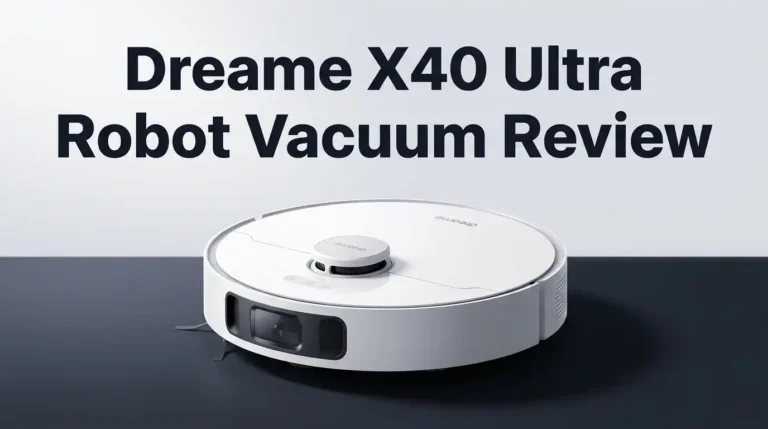
Roborock Q5 Robot Vacuum Review 2026: Still Worth It?
Robot vacuums get cheaper and smarter every year, yet the Roborock Q5 keeps showing up in shopping carts. This machine launched back in April 2022 as the first model in Roborock’s Q series. Four years later, it still sells, still gets firmware updates, and still beats plenty of newer budget bots in raw cleaning tests.
So why do people keep buying an older robot? The short answer is value. The Q5 gives you LiDAR navigation, a three hour battery, and strong carpet cleaning for a price that keeps dropping. The longer answer involves a few real weaknesses that nobody mentions in the product listing.
I spent time with this vacuum, read hundreds of owner reports, and compared lab results from independent testers. This review covers what works, what frustrates owners, and whether the Q5 deserves your money in 2026.
Key Takeaways
- Cleaning power punches above its price. The Q5 pushes 2700Pa of suction and scored 84 in deep clean carpet testing, which beat several Roborock flagship models that cost three times more.
- Battery life is the standout feature. A 5200mAh cell delivers up to 180 minutes of runtime, enough for roughly 3230 square feet in one session. Most Roomba models die after 75 minutes.
- It does not mop at all. This is a vacuum only machine. If you want wet cleaning, you need the Q5 Pro, the Q5 Max, or the Q7 series instead.
- The brushroll is old technology. Roborock used a three generation old single roller here. Long hair wraps around it and you will cut tangles free with scissors.
- Navigation remains excellent. PreciSense LiDAR maps a home in minutes, supports multi level maps, no go zones, and recharge and resume.
- Buy the Q5 only on sale. At full price the newer Q5 Max or Q7 M5 make more sense. At a discount, the Q5 stays one of the smartest budget picks available.
Roborock Q5 Robot Vacuum Overview

Last update on 2026-10-18 / Affiliate links / Images from Amazon Product Advertising API
The Roborock Q5 is a vacuum only robot built around one idea: strip away the extras and keep the parts that matter. You get PreciSense LiDAR navigation, 2700Pa of suction, a 470ml dustbin, and a 5200mAh battery rated for three hours.
Roborock positioned the Q5 as the replacement for the discontinued S4 Max. The company kept the same navigation hardware found in premium S series robots and removed the mopping tank, the fancy brushroll, and about three pounds of weight.
The robot measures 13.78 inches across and stands 3.78 inches tall. That height clears most sofas and beds. It weighs 7.05 pounds, so carrying it upstairs takes no effort.
Think of the Q5 as a stripped down flagship rather than a cheap bot. The brain is premium. The body is basic. That tradeoff defines the whole experience.
The Unboxing Experience
Opening the Q5 box feels pleasant without feeling fancy. Roborock packs everything in molded cardboard instead of foam, which cuts waste and still protects the robot well.
Inside the standard Q5 package you find the robot, a slim charging dock, a power cord, and a short manual. That is it. No spare filter, no extra side brush, no cleaning tool. Roborock expects you to buy consumables later.
The Q5+ package adds the Auto Empty Dock Pure, two dust bags, and a small screwdriver. That screwdriver attaches the dock tower to its base, which takes about ninety seconds.
Setup is genuinely simple. Plug in the dock, let the robot charge, download the Roborock app, scan the QR code under the lid, and connect to 2.4GHz WiFi. The whole process took me under ten minutes. No assembly happens on the robot itself.
Design and Build Quality
The Q5 wears a matte black shell that hides dust better than the white models Roborock sells elsewhere. The LiDAR turret sits on top and spins quietly behind a clear window.
Three physical buttons live on the lid: power, spot clean, and dock. The lid lifts to reveal the dustbin and the WiFi reset button. The bin slides out with one pull and empties cleanly.
Build quality feels solid rather than luxurious. The plastic has no creaks. The bumper has decent travel. The side brush attaches with a simple push.
One small complaint: the glossy top panel collects fingerprints fast. A microfiber cloth fixes that in seconds, but it bothers people who like a spotless look.
Nothing about the design screams premium, and nothing about it feels cheap either. Roborock spent the budget where it counts.
Top 3 Alternative for Roborock Q5

Last update on 2026-10-17 / Affiliate links / Images from Amazon Product Advertising API
Roborock Q5 Max+ Robot Vacuum with Self Empty Dock

Last update on 2026-10-18 / Affiliate links / Images from Amazon Product Advertising API
Roborock Q7 Max+ Robot Vacuum and Mop

Last update on 2026-10-18 / Affiliate links / Images from Amazon Product Advertising API
Dreame D10 Plus Robot Vacuum and Mop with Self Emptying Base
Suction Power and Cleaning Tests
Roborock rates the Q5 at 2700Pa, which sounds modest next to 2026 robots advertising 20,000Pa. Numbers on a box mislead buyers, though. Independent airflow testing placed the Q5 in the same range as the older Roborock S5, S6, and S7 flagships.
On hard floors the Q5 picks up almost everything in one pass. Cereal, rice, sand, and cat litter all disappear in the default power mode. The adaptive brushroll housing seals well against flat surfaces, which helps with fine debris.
Edge pickup is where things slip. Like every round robot, the Q5 leaves a thin line of dust in sharp corners. Testers measured up to two inches of missed debris in corner tests.
Real world result: the Q5 handles daily floor dust easily, but you still need a handheld vacuum for corners and stairs.
Carpet Cleaning Performance
Carpet is the Q5’s best trick. In standardized deep clean testing, which measures embedded sand removal from medium pile carpet, the Q5 scored 84 out of 100. That figure beat the Roborock S7 MaxV flagship at the time of testing.
The robot uses a feature called Carpet Boost. Its onboard sensor detects pile and raises suction automatically, then drops back to normal on hard floors. This saves battery and improves results at the same time.
Owners with low pile and medium pile carpet report consistently good outcomes. High pile shag is a different story. The Q5 can struggle to climb thick rugs and sometimes gets stuck on tassels or loose bathroom mats.
Practical tip: draw no go zones around shag rugs in the app and the problem disappears for good.
Pet Hair and Tangle Issues
Here is the honest weak spot. The Q5 ships with Roborock’s older single brushroll, not the DuoRoller found on the Q5 Max and newer models. Long human hair and pet hair wrap around it.
In multi week testing, the brushroll collected visible hair tangles that needed scissors to remove. The dustbin evacuation also clogged when too much hair built up during a single long run.
Two fixes work well. First, run the robot three times a week instead of once, so hair never accumulates in large clumps. Second, buy Roborock’s newer style brushroll separately. It fits the Q5 and handles pet hair noticeably better.
If you own a shedding dog or a long haired cat, factor the upgraded roller into your budget. Without it, hair maintenance becomes a weekly chore.
Battery Life and Runtime
The 5200mAh lithium ion battery is the same cell Roborock puts in pricier models. On the quiet setting it runs for roughly three hours and covers around 3230 square feet.
In balanced mode, expect about 120 to 150 minutes. On max suction, around 60 to 70 minutes. Those numbers crush what most Roomba models deliver.
Recharge and resume works reliably. When the battery drops low, the Q5 drives back to the dock, charges to the level it needs, and returns to the exact spot where it stopped. Large homes get cleaned in one scheduled run without any input from you.
A full recharge takes roughly four to six hours. Battery degradation shows up after two or three years of daily use, which is normal for every robot vacuum. Replacement cells are available and cost far less than a new machine.
LiDAR Navigation and Mapping
PreciSense LiDAR is the reason this robot still competes in 2026. The spinning laser builds an accurate floor plan and the Q5 cleans in tidy parallel rows instead of random patterns.
Coverage is close to perfect. Testers found almost no difference between the Q5 and high end Roborock models in both speed and thoroughness. Dark floors, glossy tile, and dim rooms cause no confusion because lasers do not need light.
The Q5 supports multi level mapping, so a two story home only needs one robot. Carry it upstairs and it recognizes the correct map.
There is a mapping only mode that scans your home in a few minutes without cleaning. One important gap: the Q5 has no camera and no AI obstacle avoidance. It will push socks, charging cables, and pet accidents around the room.
Roborock App Features
The Roborock app remains one of the best in this category, and the Q5 gets nearly all of it. You can set no go zones, invisible walls, and zone cleaning areas by drawing directly on the map.
Room by room cleaning works after the app splits your map automatically. You can rename rooms, merge them, split them, and assign different suction levels to each one.
Scheduling allows multiple timers per day. The app also tracks consumable life for the filter, side brush, main brush, and sensors, then reminds you when parts need attention.
The Q5 was among the first Roborock models to receive 3D mapping, a feature previously limited to the S line. It works with Amazon Alexa, Google Assistant, and Siri Shortcuts. Apple HomeKit is not supported.
Self Emptying Dock on the Q5 Plus

Last update on 2026-10-16 / Affiliate links / Images from Amazon Product Advertising API
The Q5+ bundle adds the Auto Empty Dock Pure. The robot itself is identical. Only the dock changes.
When cleaning finishes, a motor in the tower pulls debris from the 470ml onboard bin into a 2.5 liter disposable bag. Roborock claims seven weeks of hands free use, and that estimate holds up in homes without heavy pet shedding.
The emptying cycle is loud. It runs for about ten seconds and sounds like a shop vacuum. Schedule cleaning for daytime hours if you sleep lightly.
Bags cost a few dollars each and last around six to eight weeks. Some owners report hair clogging the evacuation port when runs get too dirty.
You can buy the plain Q5 now and add the dock later. The dock also works with other Q series robots, which protects your investment.
What the Roborock Q5 Does Not Do Well
Authentic reviews name the flaws, so here they are plainly.
The Q5 does not mop. No water tank, no pad, no option to add one. That alone disqualifies it for many buyers in 2026.
It does not avoid obstacles. Without a camera, the robot drives into shoes, cords, and pet waste. One bad night with a puppy can ruin your carpet.
It does not clean corners well. The round body and single side brush leave debris in tight angles.
The brushroll tangles with long hair. The stock roller is outdated.
It does not have a camera for home monitoring, voice feedback is basic, and the dock takes up noticeable floor space.
The Q5 is a good vacuum, not a complete cleaning system. Buyers who understand that stay happy.
Maintenance and Running Costs
Upkeep is straightforward. The washable filter needs rinsing every two weeks and full replacement every three to six months. Never scrub it with a brush, since that damages the pleats.
The side brush bends over time and costs a few dollars to swap. The main brushroll lasts six to twelve months depending on hair load.
Sensors on the underside need a dry wipe monthly. Dirty cliff sensors cause odd behavior like refusing to leave the dock.
Dust bags for the Q5+ run about four to six dollars each. Budget roughly forty to sixty dollars per year for all consumables combined.
Roborock sells genuine parts, and third party packs cost less. Genuine filters perform better in my experience, though generic side brushes work fine. The one year warranty covers manufacturing defects only.
Pros and Cons
Pros
- Outstanding carpet cleaning with a deep clean score of 84, beating several flagship robots
- Three hour runtime from the 5200mAh battery, covering up to 3230 square feet
- Accurate PreciSense LiDAR navigation with multi level mapping and near perfect coverage
- Excellent app offering no go zones, zone cleaning, room editing, and scheduling
- Low height of 3.78 inches slides under most furniture
- Optional self emptying dock can be added later instead of upfront
- Frequent discounts make the price very competitive
Cons
- No mopping function at all, which newer rivals include as standard
- Outdated single brushroll tangles easily with long hair
- No obstacle avoidance means cables and pet messes cause problems
- Corner cleaning is weak because of the round shape
- Loud auto empty cycle on the Q5+ dock
- Only a one year warranty
Who Should Buy the Roborock Q5
The Q5 fits a specific person well. You have carpet or a mix of carpet and hard floor. You want strong vacuuming with no mopping. You keep your floors reasonably tidy before cleaning runs.
It suits apartments and medium homes between 800 and 2500 square feet. The battery handles larger spaces too, just with a recharge pause.
Pet owners can use it, but only with the upgraded brushroll and a three times weekly schedule.
Skip the Q5 if you have small children leaving toys everywhere, an untrained puppy, or lots of thick shag rugs. Skip it if mopping matters to you. In those cases the Q5 Max, the Q7 Max+, or a Qrevo model serves you better.
Buy the base Q5 if you do not mind emptying a bin. Buy the Q5+ if you travel often.
Is the Roborock Q5 Still Worth It in 2026?
Yes, with one condition: buy it on sale.
The robot vacuum market moved fast since 2022. Models now ship with dual rollers, mop lifting, hot water washing, and AI cameras. Judged against those, the Q5 looks basic.
Judged on cost per unit of cleaning power, the Q5 still wins often. The navigation remains current, the app keeps improving through updates, and the carpet results hold up against machines costing twice as much.
At full list price, newer Roborock models give you more. At a discount of thirty percent or greater, the Q5 becomes one of the smartest purchases in the category.
My verdict: a reliable, no nonsense vacuum that does one job properly. Know its limits and it will serve you for years.
Frequently Asked Questions
Does the Roborock Q5 mop floors?
No. The Q5 is a vacuum only robot with no water tank and no mop attachment. If you need mopping, look at the Q5 Pro, the Q5 Max, or the Q7 series.
What is the difference between the Q5 and the Q5+?
The robot is identical in both packages. The Q5+ adds the Auto Empty Dock Pure, two dust bags, and a screwdriver. You can buy the dock separately later if you prefer.
How long does the Roborock Q5 battery last?
Up to 180 minutes in quiet mode, roughly 120 to 150 minutes in balanced mode, and about 60 to 70 minutes on maximum suction. Recharge and resume lets it finish large homes automatically.
Is the Roborock Q5 good for pet hair?
It picks up pet hair well, but the stock brushroll tangles. Buying Roborock’s newer style brushroll and running the robot three times weekly solves most complaints.
Can the Roborock Q5 work without WiFi?
Yes, but barely. Without WiFi you lose scheduling, mapping, suction adjustment, no go zones, and zone cleaning. The physical buttons still start a basic clean.
Does the Q5 avoid obstacles like cables and socks?
No. The Q5 uses LiDAR for navigation only and has no camera or AI obstacle recognition. Pick up loose items before each run.
How many floors can the Roborock Q5 map?
The Q5 stores multiple maps, so it handles multi story homes. Carry it to another floor and it recognizes the saved map automatically.

Hi, I’m Grace Bell, the founder of CleanFloorVault.com, where I personally test and review vacuum cleaners to help you find the perfect tool for a spotless home.