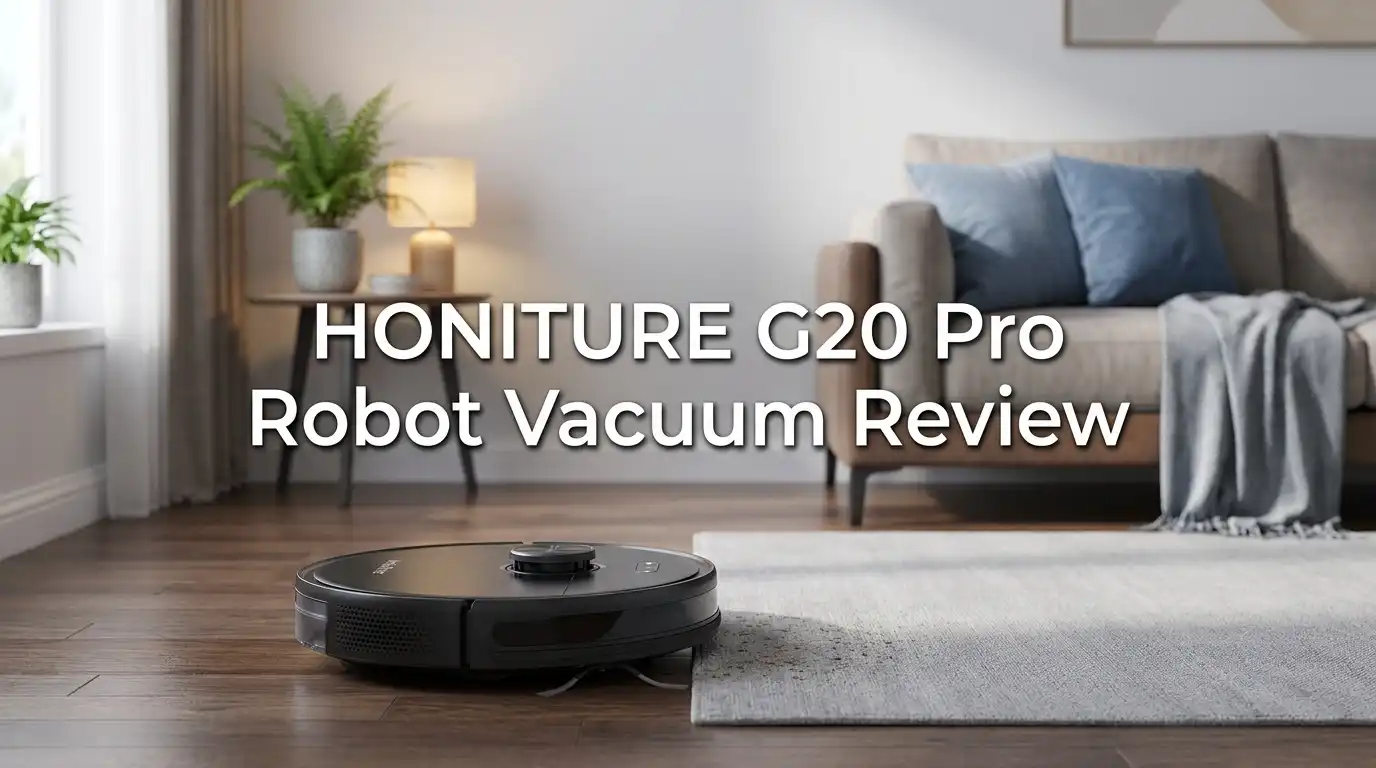
HONITURE G20 Pro Robot Vacuum Review 2026: Worth Buying?
Do you want clean floors without picking up a broom every day? The HONITURE G20 Pro promises exactly that. It vacuums, sweeps, and mops in a single pass, and it costs a lot less than premium brands.
But does a budget robot vacuum really deliver in 2026? I looked at its specs, setup, cleaning results, and real owner feedback. Some parts impressed me. Other parts let me down.
This review covers everything honestly, including the weak spots most reviews skip. Read on before you spend your money.
In a Nutshell
- Strong suction for the price: The G20 Pro offers 4500 Pa of suction and a Carpet Boost mode. It picks up dust, crumbs, and pet hair well on hard floors and low pile carpets. Few robots at this price match that number.
- 3 in 1 cleaning: It vacuums, sweeps, and mops at the same time. A 450 ml dustbin and a 250 ml water tank fit together. The mopping is light, though, and works best for daily dust, not sticky stains.
- Long battery life: HONITURE rates the battery at up to 180 minutes. That covers up to about 200 square meters in quiet mode. Charging takes around 5 to 6 hours, so it’s slow to refill.
- Basic navigation: The robot uses a gyroscope and 23 sensors, not LiDAR or a camera. It cleans in a zigzag path but struggles with smart room mapping. Some owners say it wanders and bumps around while it looks for its dock.
- Easy controls: You can run it from the app, the included remote, Alexa, or Google Assistant. It only works with 2.4 GHz WiFi.
- Best for: Small to medium homes, apartments, renters, and first time robot vacuum buyers. It suits people who want simple daily cleaning and a two year warranty without paying premium prices.
HONITURE G20 Pro Robot Vacuum Overview

Last update on 2026-11-20 / Affiliate links / Images from Amazon Product Advertising API
The HONITURE G20 Pro is a budget 3 in 1 robot vacuum and mop combo. It upgrades the original G20 with more suction, going from 4000 Pa to 4500 Pa.
The robot targets busy households, pet owners, and people new to robot vacuums. It cleans hardwood, tile, laminate, rugs, and low pile carpets. The Carpet Boost feature raises suction on its own when it detects carpet.
You get app control, voice control, and a physical remote. That mix makes it easy for anyone in the family to use, even grandparents who hate apps.
The G20 Pro usually sells for around $200 to $300, and it often goes on sale. That puts it firmly in budget territory. You should set your expectations to match that price.
Unboxing the HONITURE G20 Pro
The box arrives compact and well packed. Foam holds the robot firmly in place, and every accessory sits in its own small slot.
Inside, you find the robot, the charging dock, and the power adapter. You also get the water tank, a dustbin with a HEPA filter already fitted, the mop holder with a cloth, and side brushes.
HONITURE also adds a remote control with batteries, magnetic boundary strips, cable ties, and a cleaning brush. A user manual and quick start guide round out the package.
I liked the remote and boundary strips most. Many budget brands skip them. The boundary strips matter here because the robot lacks virtual no go zones based on a smart map.
First impressions are good. The robot feels solid, and nothing looks cheap or flimsy straight out of the box.
Design and Build Quality
The G20 Pro has a classic round shape and a sleek black finish. It measures about 32 cm wide and only 7.6 cm (3 inches) tall.
That slim height is a real advantage. The robot slides under most beds, sofas, and cabinets, where dust bunnies love to hide.
It weighs about 2.6 kg, so you can carry it from room to room easily. The top panel stays simple, with a single power button.
On the underside, you see a main brush, side brushes, drop sensors, and wheels with decent grip. The wheels climb small thresholds and rug edges without much trouble.
The plastic shell feels sturdy for the price. It won’t feel as premium as a high end Roborock, but it looks clean and modern in any living room.
Top 3 Alternative for HONITURE G20 Pro
iRobot Roomba Combo Essential Robot Vacuum and Mop

Last update on 2026-11-20 / Affiliate links / Images from Amazon Product Advertising API
Lefant M210 Pro Robot Vacuum

Last update on 2026-11-20 / Affiliate links / Images from Amazon Product Advertising API
ILIFE V5s Max Robot Vacuum

Last update on 2026-11-20 / Affiliate links / Images from Amazon Product Advertising API
Key Specifications at a Glance
Here are the main specs in plain terms. The suction power reaches 4500 Pa in Max mode. The battery is a 3200 mAh lithium ion pack.
Runtime goes up to 180 minutes, and the robot covers up to around 200 square meters per charge. Charging takes about 5 to 6 hours.
The dustbin holds 450 ml, and the water tank holds 250 ml. You get three water flow levels through the app.
The robot uses gyroscope navigation with 23 sensors. It filters air through a HEPA filter. HONITURE rates the noise at about 40 dB in its quietest mode.
Connectivity includes 2.4 GHz WiFi, the app, a remote, Alexa, and Google Home. The warranty lasts two years. These numbers look great on paper, but real use tells a fuller story.
Setup and App Experience
Setup is quick and simple. You place the dock against a wall and leave about one meter of clear space in front. Then you leave about half a meter clear on each side.
Next, you fully charge the robot before the first run. Then you download the Honysmart app, create an account, and connect to your WiFi.
Important note: the G20 Pro only works on 2.4 GHz WiFi. If your router uses a combined 5 GHz band, the connection may fail. Many people get stuck on this step.
The app lets you pick modes, set schedules, adjust suction, and change water flow. It works fine, but it feels basic. You won’t find room by room editing like on LiDAR robots.
Owners say setup takes only minutes. The remote is a nice backup when the app acts up.
Suction Power and Vacuum Performance
Vacuuming is the strongest part of the G20 Pro. The 4500 Pa suction picks up dust, cereal, sand, and crumbs on hard floors with ease.
The Carpet Boost feature works well. When the robot rolls onto a rug, it raises suction automatically. This helps it pull pet hair and fine dust from low pile carpets.
Two side brushes sweep debris from corners and along baseboards. The edge cleaning mode adds extra attention to walls and furniture legs.
Thick, high pile carpets are a different story. The robot struggles to deep clean them, and long hair can wrap around the main brush.
Owners agree that it does a pretty good job vacuuming daily messes. For quick everyday upkeep, it performs above its price.
Mopping Performance
The G20 Pro mops with a flat microfiber pad and an electronically controlled water tank. You can pick from three water flow levels in the app.
You can install the dustbin and water tank together. This lets the robot vacuum and mop in one pass, which saves time.
Here’s the honest truth: the mopping is a gentle wipe. It doesn’t scrub, rotate, or apply pressure. It removes light dust and footprints from tile and laminate.
Dried coffee spills, sticky juice, and muddy paw prints will likely stay put. You’ll still need a real mop for those.
You also need to remove the mop holder before it cleans carpets. The robot can’t lift its mop. Some owners report an annoying “attach the mop bracket” error even after they install it correctly.
Navigation and Obstacle Handling
The G20 Pro uses gyroscope navigation with 23 sensors. It cleans in a zigzag pattern, which HONITURE says boosts efficiency by about 50% compared to random bouncing.
The drop sensors work well. The robot stops at stairs and avoids falls reliably. Bumpers protect your furniture from hard hits.
Navigation is the biggest weakness. The robot lacks LiDAR and a camera. It doesn’t build a smart, editable map of your home.
Owners report that it wanders and bumps into things while looking for its dock. It also tends to leave a room half done and drift through an open door.
If you pick it up and move it, the map can get confused. One owner reset it by switching it off, placing it on the dock, and restarting auto clean.
Battery Life and Charging
Battery life is a real highlight. HONITURE rates the G20 Pro at up to 180 minutes in its quietest mode.
That runtime easily covers a large apartment or a medium house on one charge. In Max mode, expect much less time, because stronger suction drains power faster.
When the battery runs low, the robot returns to its dock automatically to recharge. In theory, this keeps cleaning fully hands free.
The downside is slow charging. A full recharge takes around 5 to 6 hours. Premium robots refill much faster.
Some owners also say the robot keeps running until the battery is nearly empty, even after it finishes a small room. A few report trouble finding the charger at the end of a scheduled clean.
Noise Level
The G20 Pro is fairly quiet for a robot vacuum. HONITURE rates it at about 40 dB in its quiet mode.
At that level, you can watch TV, take calls, or work from home while it cleans. Pets usually stay calm too, which matters for nervous cats and dogs.
Max mode and Carpet Boost get louder. You’ll clearly hear the motor when it pushes through rugs, but it never sounds harsh or screechy.
Schedule cleaning while you’re out or at work. That way, noise never bothers you.
Compared with older budget robots, the G20 Pro sounds smoother and less rattly. Noise is not a reason to avoid this model.
Maintenance and Upkeep
Maintenance is simple and quick. You should empty the 450 ml dustbin after each run. The bin slides out easily and empties straight into the trash.
The HEPA filter traps fine dust and allergens. You tap it clean or brush it off with the included tool. Never wash the HEPA filter with water.
After mopping, empty the water tank. Then rinse the mop pad and let both air dry fully.
Check the main brush often for tangled hair. Pet owners should do this weekly. Wipe the sensors and charging contacts with a dry cloth now and then.
There is no self emptying base. You handle the dust yourself every time. Replacement filters, brushes, and pads are easy to find and cheap.
What the HONITURE G20 Pro Does Not Do Well
Every honest review should list the downsides. Here’s what this robot does not do well.
First, navigation feels dumb. It lacks LiDAR, smart maps, and room editing. It bumps around and sometimes struggles to find its dock.
Second, mopping is weak. It wipes but doesn’t scrub. Stubborn stains stay behind.
Third, it can’t avoid small objects like socks, cables, and pet toys. You must tidy the floor first.
Fourth, there is no self emptying station and no mop lifting. Thick carpets also challenge it.
Some owners report reliability problems, such as repeated errors, false “place on floor” messages, and stock gaps on Amazon. A few returned their units. The two year warranty helps, but customer support experiences vary.
Pros and Cons
Pros
- Strong 4500 Pa suction cleans hard floors and low pile carpets well for the price.
- Long 180 minute runtime covers large spaces on one charge.
- Slim 3 inch body slides under beds and sofas easily.
- Multiple controls include the app, a remote, Alexa, and Google Home.
- Quiet operation at around 40 dB in quiet mode.
- Two year warranty gives extra peace of mind.
- Boundary strips and remote come in the box at no extra cost.
Cons
- Basic gyroscope navigation causes wandering and bumping.
- Light mopping won’t remove dried or sticky stains.
- No self emptying base means manual dustbin emptying.
- Slow charging takes around 5 to 6 hours.
- Only 2.4 GHz WiFi works with the app.
- Mixed reliability reports and app errors from some owners.
Who Should Buy the HONITURE G20 Pro
The G20 Pro suits a specific type of buyer. It’s a smart pick for first time robot vacuum owners who want to test the idea without a big spend.
It works well in apartments, condos, and single floor homes with mostly hard floors. Renters will like the easy setup and portable size.
Pet owners with short haired animals can use it for daily hair pickup. Just clean the brush often.
Skip it if you want smart room mapping, strong scrubbing, a self emptying base, or multi floor maps. Large homes with many rooms and thick carpets need a LiDAR robot.
If you treat it as a daily maintenance helper, not a deep cleaning machine, you’ll likely feel happy with it.
Final Verdict
So, is the HONITURE G20 Pro worth buying in 2026? For the right person, yes, with clear limits.
It delivers strong suction, long battery life, quiet operation, and easy controls at a budget price. The slim body and included remote add real value.
But it’s not smart. Gyroscope navigation leads to bumping, wandering, and dock hunting. The mopping only wipes. Some owners also face errors and support issues.
My advice is simple. Buy it on sale if you want an affordable robot for daily dust and crumbs on hard floors. Pick a LiDAR model instead if you need precise mapping or serious mopping.
Rating: 3.5 out of 5. It’s a solid budget helper that does the basics well.
FAQs
Does the HONITURE G20 Pro empty itself?
No. The G20 Pro has no self emptying base. You empty the 450 ml dustbin by hand after each cleaning run.
Can the HONITURE G20 Pro mop and vacuum at the same time?
Yes. You can install the dustbin and water tank together. The robot then vacuums, sweeps, and mops in one pass.
Does the G20 Pro work with 5 GHz WiFi?
No. The robot only connects to 2.4 GHz WiFi. Switch your router to a 2.4 GHz band if setup fails.
Is the HONITURE G20 Pro good for pet hair?
Yes, for short pet hair on hard floors and low pile carpets. Carpet Boost helps a lot. Clean the main brush weekly, because long hair can tangle.
Does the G20 Pro work with Alexa and Google Home?
Yes. It supports Alexa and Google Assistant voice commands. You can also use the app or the included remote.
How long does the battery last?
HONITURE rates the battery at up to 180 minutes in quiet mode. A full recharge takes about 5 to 6 hours.
Can it map multiple floors?
No. The G20 Pro uses gyroscope navigation and doesn’t save multi floor maps. Moving it between floors can confuse its cleaning path.
What warranty does HONITURE offer?
HONITURE offers a two year warranty on the G20 Pro. Customer support experiences vary between owners, so keep your proof of purchase.

Hi, I’m Grace Bell, the founder of CleanFloorVault.com, where I personally test and review vacuum cleaners to help you find the perfect tool for a spotless home.