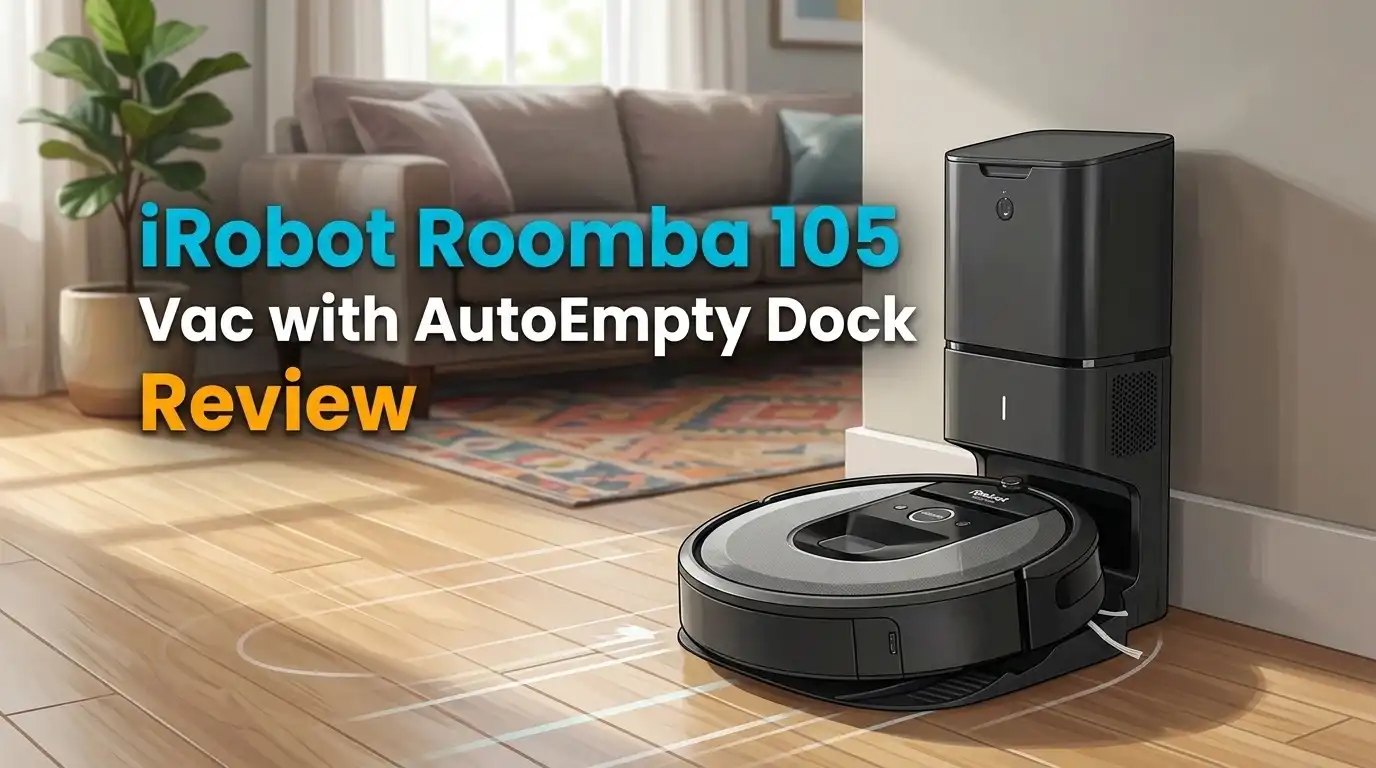
iRobot Roomba 105 Vac with AutoEmpty Dock Review 2026: Worth It?
Do you hate finding crumbs under your bare feet every evening? Does emptying a tiny robot bin every day annoy you? The iRobot Roomba 105 Vac with AutoEmpty Dock promises to fix both problems at a low price.
This robot is the cheapest Roomba in the lineup that empties itself. It offers LiDAR mapping, 7,000 Pa of suction, and a dock that holds dirt for up to 75 days. That sounds great on paper.
But does it clean well in a real home? Does it handle pet hair? Is it still a safe buy after iRobot’s bankruptcy? This review covers the good, the bad, and the honest truth, so keep reading before you spend your money.
Key Takeaways
- Strong carpet cleaning for the price: The Roomba 105 Vac pulls deep grit out of carpet better than many budget robots. In testing, it removed about 82% of embedded sand from medium pile carpet, which beats the typical budget average.
- Hands free emptying for up to 75 days: The AutoEmpty Dock sucks the dirt out of the robot after each run. The sealed bag traps 99% of allergens as small as 0.7 microns, so emptying stays clean and dust free.
- Smart LiDAR navigation: ClearView LiDAR maps your home fast and cleans in neat rows, even in the dark. You can save up to 3 maps, set keep out zones, and pick specific rooms in the app.
- Weak on pet hair and long hair: This is the biggest flaw. The robot picked up only about 29% of flattened pet hair in testing, and long hair wraps around its brush often. Pet owners should look elsewhere.
- Shorter real coverage than claimed: iRobot lists 200 minutes of runtime, but real coverage was about 630 square feet per charge. Recharge and Resume helps larger homes finish the job.
- Best for small, tidy homes without pets: At around $279 on sale, it suits apartments and small homes with hard floors and rugs. It has no mopping and no obstacle avoidance, so you must tidy up cords and socks first.
What Is the iRobot Roomba 105 Vac with AutoEmpty Dock?


Last update on 2026-11-21 / Affiliate links / Images from Amazon Product Advertising API
The Roomba 105 Vac with AutoEmpty Dock is a vacuum only robot from iRobot’s newer lineup. It sits at the entry level of the brand’s range. Its main selling point is simple: a self emptying Roomba at a budget price.
It launched with a list price of $449.99. Today it often sells for around $279.99, which makes it far more appealing.
Do not confuse it with the Roomba 105 Combo. The Combo adds mopping. The 105 Vac has no mopping hardware at all.
The robot uses a 3 Stage Cleaning system. This includes strong suction, a Multi Surface bristle brush, and an Edge Sweeping side brush. It also brings ClearView LiDAR, which is new for budget Roombas. Older cheap Roombas bumped around randomly, so this is a big step up.
Unboxing the Roomba 105 Vac: First Impressions
The box arrives fairly large because the dock is tall. Inside, you find the robot, the AutoEmpty Dock, a power cord, a side brush, and a quick start guide. A disposable bag already sits inside the dock, so you can start right away.
You also get a small hair removal tool. That tool is a hint about one of the robot’s weaknesses, which we cover later.
Setup takes about 15 minutes. You attach the side brush, plug in the dock, and place the robot on it. Then you download the Roomba Home App and connect to WiFi.
One note matters here. The robot needs a 2.4 GHz WiFi network. Many modern routers default to 5 GHz, so you may need to adjust settings. After setup, your phone can return to 5 GHz. The first mapping run starts soon after, and it feels quick and easy.
Design and Build Quality
The Roomba 105 Vac looks clean and modern. iRobot gave it soft finishes and textures that blend with most home décor. The dock looks tidy and does not scream “gadget” in your living room.
The robot feels solid in the hand. The plastics seem durable, and the bin clicks in firmly.
However, the robot is tall. It stands about 4.1 inches high because of the LiDAR turret on top. Many rival robots sit lower. For example, some slim models measure under 3 inches.
This height causes a real problem. The Roomba may not fit under low sofas, beds, or cabinets. Measure your furniture gaps before you buy. If your couch sits low, dust under it will stay put.
The robot offers three ways to control it: physical buttons, the app, or your voice assistant.
Top 3 Alternative for iRobot Roomba 105 Vac
eufy C10 Robot Vacuum Self Emptying

Last update on 2026-11-21 / Affiliate links / Images from Amazon Product Advertising API
roborock Q7 M5+ Robot Vacuum and Mop

Last update on 2026-11-19 / Affiliate links / Images from Amazon Product Advertising API
iRobot Roomba 205 DustCompactor Vac Robot Vacuum

Last update on 2026-11-21 / Affiliate links / Images from Amazon Product Advertising API
Suction Power and Carpet Cleaning
Here the Roomba 105 Vac shines. iRobot claims 70X more power lifting suction than its older 600 series. The official rating is 7,000 Pa.
Real tests back up the strength. Sealed suction measured about 2.16 kPa, which is far higher than the budget average of around 0.83 kPa. That is a big gap.
On carpet, the robot pulled out about 82% of embedded sand from medium pile carpet. The budget class average sits near 75%. So it digs deeper than many rivals at this price.
The robot also has Carpet Boost. It raises suction when it rolls onto rugs. This helps with ground in dirt and pet dander.
Airflow is a bit lower than average, though. Still, for everyday crumbs, dust, and grit on rugs, this robot cleans well.
Hard Floor Performance
On hard floors, the Roomba 105 Vac does a good job with daily mess. It picks up crumbs, dust, cereal, and dirt without much trouble. The bristle brush and edge brush work together to sweep debris into the path.
The edge sweeping brush helps near walls and baseboards. It flicks dust out of corners so the main brush can grab it. Corners are never perfect on round robots, but results are decent for the price.
One thing to watch is scatter. The side brush can sometimes flick larger bits across the floor before the robot sucks them up. This is common on budget robots.
The spot cleaning feature helps with spills of dry food. The robot cleans one area repeatedly for up to 5 minutes. This works great after breakfast when kids drop cereal near the table.
Overall, hard floors with a few rugs are the ideal setting for this robot.
Pet Hair and Hair Tangles: The Weak Spot
This is where honesty matters most. The Roomba 105 Vac struggles with hair. If you own a shedding dog or cat, pay close attention.
In flattened pet hair tests, it collected only about 29% of the hair. The average robot vacuum collects around 81%. That is a huge gap.
Long hair is also a problem. In a 7 inch hair test, about 79% of strands wrapped around the brush. The typical robot wraps only around 38%. The 105 Vac lacks an active detangling system.
This is why iRobot includes a hair removal tool in the box. You will likely need it every week or two if anyone in your home has long hair.
Bottom line: this robot is a poor match for pet homes. Rivals with anti tangle brushes do much better here.
ClearView LiDAR Navigation and Mapping
Budget Roombas used to clean in random patterns. The 105 Vac changes that. ClearView LiDAR scans your home with a laser and builds an accurate map fast.
The robot cleans in neat, straight rows. This is more efficient than bouncing around. Testing showed above average efficiency at about 0.74 square meters per minute.
LiDAR also works in the dark. You can run it at night without lights on.
You can save up to 3 maps, even on different floors. In the app, you can split rooms, name them, and create keep out zones.
However, LiDAR is not obstacle avoidance. The robot will not spot cords, socks, or pet waste. It may run over them or get stuck. Some owners report the robot getting lost or stuck on rugs and cables. A quick tidy before each run fixes most of these problems.
AutoEmpty Dock Performance
The AutoEmpty Dock is the reason most people buy this model. After each run, the robot docks and the base sucks the dirt out of its bin. You hear a loud whoosh for a few seconds, then quiet again.
The bag holds up to 75 days of debris. Your real number depends on home size, pets, and how often you run it.
The bag traps 99% of allergens as small as 0.7 microns. When it fills, you pull it out and toss it. No dust cloud. No dirty hands. Allergy sufferers will love this.
There are some downsides. The emptying is quite loud, though brief. A few owners report the dock making noise without pulling debris out. Cleaning the evacuation port and rebooting the robot usually fixes this. You also need to buy replacement bags over time.
Battery Life and Real Coverage
iRobot lists the runtime at up to 200 minutes. That number sounds huge. Real coverage tells a different story.
In testing, the robot covered about 630 square feet per charge. The average robot covers around 1,015 square feet. Battery efficiency is clearly below average.
Why the gap? Higher suction and Carpet Boost drain the battery faster. Carpeted homes will see shorter runs.
The good news is Recharge and Resume. When the battery runs low, the robot returns to the dock, charges up, and goes back to finish where it stopped. You do not need to restart anything.
For an apartment or small home, one charge is often enough. For larger homes, expect two sessions for a full clean. You can also clean different rooms on different days with the app scheduler.
Roomba Home App and Smart Features
The Roomba Home App covers the basics well. You can start a clean, pause, or send the robot home with one tap. You can see time estimates and check filter life.
Scheduling is simple. Set cleanings by day and time to match your routine. You can also adjust the number of cleaning passes and suction levels.
Room targeting is useful. Clean just the kitchen after dinner. Skip the bedroom while the baby naps.
Voice control works with Alexa and Google Assistant. Say “clean the living room,” and the robot gets going.
The app is not perfect. It lacks some premium extras that rival apps offer. Some users find it less polished than competitors. Still, for daily use, it does the job without fuss.
Noise Levels During Cleaning
The robot itself runs at a normal volume for a robot vacuum. On standard suction, you can talk or watch TV nearby without much trouble. Carpet Boost makes it louder when it hits rugs.
The dock is a different story. The emptying cycle is loud. It sounds like a short burst from a full size vacuum. It lasts only a few seconds, though.
If you run the robot at night, this burst may wake light sleepers. Schedule cleanings while you are at work or out shopping. That way, noise never bothers you.
Some owners say the robot has minimal noise during normal cleaning. That matches general feedback. Overall, noise is acceptable for most homes, with the dock burst being the only real issue.
Maintenance and Running Costs
Every robot vacuum needs care. The Roomba 105 Vac is fairly easy to maintain. But you should plan for it.
Here is what you will handle. Replace the dock bag every 1 to 2 months. Clean or replace the filter every few months. Remove hair from the brush often, especially with long haired family members. Replace the side brush when it wears out.
Third party filter and bag packs are cheap and easy to find online. Official iRobot parts cost more.
Wipe the dock’s charging contacts too. Dirty contacts can cause charging errors. Also wipe the LiDAR sensor and cliff sensors with a dry cloth monthly.
Expect to spend roughly $40 to $80 per year on parts, depending on use. That is fair for a self emptying robot. Just remember that bags are an ongoing cost you would not have with bagless docks.
What the Roomba 105 Vac Does Not Do Well
Every honest review should list the weak points clearly. Here they are.
Pet hair pickup is poor. It collects far less hair than most rivals. Long hair wraps around the brush often.
No obstacle avoidance. It cannot see cables, socks, or toys. You must tidy up first.
It is tall. At 4.1 inches, it misses dust under low furniture.
No mopping. It is vacuum only. Need mopping? Look at the 105 Combo or other models.
Real coverage is low. It covers about 630 square feet per charge, despite the 200 minute claim.
Company uncertainty. iRobot filed for Chapter 11 bankruptcy in December 2025. Its manufacturer, Picea, agreed to take over. iRobot said apps and support would continue. Still, some buyers worry about long term software updates. Customer service complaints also show up in owner reviews.
Pros and Cons
Pros
- Strong carpet deep cleaning that beats many budget robots at pulling out embedded grit and sand.
- AutoEmpty Dock holds up to 75 days of debris and traps 99% of allergens for clean, dust free emptying.
- ClearView LiDAR navigation cleans in neat rows, works in the dark, and saves up to 3 maps.
- Room targeting, keep out zones, and scheduling let you control exactly where and when it cleans.
- Recharge and Resume lets it finish large jobs automatically.
- Works with Alexa and Google Assistant for easy voice control.
- Good sale price of around $279, which is cheap for a self emptying Roomba.
Cons
- Weak pet hair pickup and frequent hair tangles around the brush.
- No obstacle avoidance, so it can get stuck on cords and socks.
- Tall 4.1 inch body will not fit under many low couches and beds.
- Below average battery efficiency with about 630 square feet of real coverage per charge.
- No mopping feature at all.
- Loud emptying burst from the dock.
- Ongoing bag costs and some concern about long term support after the bankruptcy.
Who Should Buy the Roomba 105 Vac?
This robot suits a specific type of home. Buy it if you match most of these points.
You live in an apartment or small home. You have mostly hard floors with a few area rugs. You do not have shedding pets. Your family members have short hair, or you do not mind clearing the brush.
You want a robot to handle daily crumbs and dust, not replace deep cleaning. You like the idea of not touching a dirty bin for weeks. You prefer the Roomba brand and its simple app.
Skip it if you own a dog or cat that sheds a lot. Skip it if your furniture sits very low. Skip it if you want mopping or smart obstacle avoidance.
Parents with kids who drop food often will love the spot cleaning and room targeting. It makes after meal cleanup quick and easy.
Final Verdict: Is the Roomba 105 Vac Worth It in 2026?
The iRobot Roomba 105 Vac with AutoEmpty Dock is a solid budget robot with clear limits. It cleans carpets well. Its LiDAR mapping is a big upgrade over older cheap Roombas. The self emptying dock is convenient and hygienic.
But it is not a great choice for pet owners. Hair pickup is weak, and tangles are common. Battery coverage is lower than the specs suggest. The tall body misses spots under low furniture.
At the full $449 price, it is hard to recommend. At around $279 on sale, it becomes a fair deal for small, pet free homes.
If pet hair is your main concern, rivals with anti tangle brushes will serve you better. If you want a simple, hands off Roomba for crumbs and dust, this robot does the job well. Just tidy up before each run, and it will keep your floors barefoot clean.
Frequently Asked Questions
Does the Roomba 105 Vac mop floors?
No. The Roomba 105 Vac is vacuum only. It has no water tank or mop pad. If you want mopping, look at the Roomba 105 Combo instead.
How often do I need to empty the AutoEmpty Dock bag?
The bag holds up to 75 days of debris. Homes with pets or heavy use may need to change it sooner. The app lets you track usage.
Is the Roomba 105 Vac good for pet hair?
Not really. It picks up far less pet hair than most rivals. Long hair also wraps around the brush often. Pet owners should consider models with anti tangle brushes.
Does the Roomba 105 Vac avoid obstacles like cords and socks?
No. LiDAR helps it map rooms and avoid walls and furniture. It cannot detect small objects like cables, socks, or pet waste. Tidy the floor before each run.
Will the Roomba 105 Vac fit under my couch?
It stands about 4.1 inches tall. Measure the gap under your furniture. If the gap is lower than about 4.2 inches, the robot will not fit.
Does it work with 5 GHz WiFi?
No. The robot needs a 2.4 GHz WiFi network for setup and operation. Your phone can use 5 GHz after setup is done.
Is it safe to buy a Roomba after iRobot’s bankruptcy?
iRobot filed for Chapter 11 in December 2025, and its manufacturer Picea agreed to take over. The company said apps and product support would continue. Long term software support is still a fair concern for some buyers.
How long does the battery last?
iRobot claims up to 200 minutes. Real coverage is closer to 630 square feet per charge. Recharge and Resume lets it charge and finish bigger homes automatically.

Hi, I’m Grace Bell, the founder of CleanFloorVault.com, where I personally test and review vacuum cleaners to help you find the perfect tool for a spotless home.