Xiaomi Robot Vacuum X20+ Review 2026: Worth Buying?
Robot vacuums used to be toys that pushed crumbs around. That era ended. The Xiaomi Robot Vacuum X20+ arrived as a value pick with a full self emptying, self washing base station at a price that undercuts most big brands.
Two years later it still sells, still gets firmware updates, and still tempts buyers who refuse to spend flagship money.
So the real question in 2026 is simple. Does a 6000Pa robot from the previous generation still clean a real home with pets, crumbs, and hair? Or has the market moved so fast that this machine now feels slow, weak, and dated?
In A Nutshell:
- The base station does the boring work. The dock empties the dustbin in about 10 seconds, washes the two spinning mop pads, and air dries them afterwards. Xiaomi rates the dust bag for up to 75 days of use. In a three room home with daily runs, expect roughly a month before the bag looks full.
- Suction is adequate, not amazing. The X20+ peaks at 6000Pa. That number handled dust, cereal, sand, and pet hair on hard floors in my testing. It now sits well behind 2026 rivals that advertise 10,000Pa to 20,000Pa, so deep pile carpet is not its strength.
- Mopping is the surprise winner. Two pads spin at 180rpm and scrub sticky kitchen floors properly. The 4L clean water tank covers up to 280 square metres of mopping, and pads lift up to 7mm to protect rugs.
- Navigation is excellent for the price. LDS laser mapping plus the S Cross structured light system gives millimetre level obstacle awareness, multi floor maps, and clean room by room control. Switch the cleaning strategy to wide coverage and edge results improve a lot.
- The annoyances are real. There is no onboard water tank, no heated mop washing, no mop extension arm, and no true automatic carpet detection without map editing. The dock tray still needs a hand wipe.
- Value remains the headline. For medium and large homes on hard flooring, the X20+ still delivers flagship convenience for mid range money.
What Is the Xiaomi Robot Vacuum X20+?

Last update on 2026-09-25 / Affiliate links / Images from Amazon Product Advertising API
The Xiaomi Robot Vacuum X20+ is a vacuum and mop combo robot with an all in one base station. It replaced the popular X10+ and raised suction from 4000Pa to 6000Pa. The robot cleans, then drives home, then hands over the dirty work to the dock.
The dock holds four things. A dust bag sits behind a magnetic lid. A white 4L tank holds clean water. A black 4L tank collects dirty water. A removable tray underneath handles the mop washing. That layout is the reason people buy this model.
The robot itself is a standard round puck with a spinning laser turret on top. A structured light module and a camera sit in the front bumper. Underneath you get one side brush, one rubber and bristle main brush, and two round mop pads on spinning plates.
Cleaning happens in four modes. Vacuum only, mop only, vacuum and mop together, or vacuum first and then mop in a second pass. The second pass mode gives the best results on kitchen floors, because the robot removes crumbs before water touches them.
Smart control runs through the Xiaomi Home app. Alexa and Google Assistant both work for basic voice commands. Firmware arrives over the air, and Xiaomi has kept pushing updates, which matters for a model this old.
Battery capacity sits at 5200mAh for up to 140 minutes of runtime in standard mode.
Unboxing the Xiaomi Robot Vacuum X20+
The box is large and heavy, mostly because the station takes up so much space. Two people make the carry easier. Inside, Xiaomi packs everything in moulded pulp trays rather than loose foam, so nothing shifts in transit.
You get the robot, the base station, the removable ramp, one dust bag already installed, two mop pads, one spare side brush, a cleaning tool with a hidden blade for hair, a power cable, and a printed manual.
Setup took me eleven minutes. The steps feel almost too easy. You clip the ramp onto the station base, slide the tray into place, plug in the power cable, fill the white tank at the sink, and press the power button on the robot for three seconds.
The app pairing worked on the first attempt over 2.4GHz WiFi. The robot then asked for a mapping run. I followed it around for that first lap and moved a laundry basket and two charging cables out of the way. Xiaomi recommends this, and the advice is honest, because a tidy first run produces a much better map.
First impressions were good. The matte white plastic resists fingerprints. The tanks have proper handles and lift out smoothly. The lid hinges feel light but not cheap. The robot body creaks slightly if you squeeze it, which reminds you of the price bracket, and the ramp is a plastic part that will scuff over time.
Design, Size, and Build Quality
The station stands tall. Mine measures roughly 44cm high, 42cm wide at the base, and it needs clear space in front for the robot to line up. That footprint is the first thing many buyers underestimate. A narrow hallway is not a good home for this dock.
The robot measures about 35cm across and roughly 9.7cm tall because of the laser turret. That height blocks it from sliding under low sofas and some bed frames, which is normal for laser robots but still worth knowing.
Material quality sits above the price. The white panels wipe clean. The tanks use thick plastic with good seals and no drips. The clean water tank has a printed maximum fill line, which stops the overfilling mistake people make once and never forget.
Underneath, the design is conventional. One side brush means one sided edge sweeping. The single brush works, but two brushes would sweep corners faster. The main brush uses a mixed rubber and bristle pattern. Hair wraps around the ends of its axle and around the swivel wheel, so plan on a monthly check with the included tool.
The two mop plates pop off with a firm tug and clip back with a click. Mop pads attach with velcro. Alignment is forgiving, which is good, because you will remove them for a deep wash every few weeks.
Colour options stay limited to white, which shows scuffs on the bumper.
Xiaomi Robot Vacuum X20+ Suction Power Tested
Last update on 2026-09-25 / Affiliate links / Images from Amazon Product Advertising API
Xiaomi rates the fan at 6000Pa maximum. That figure comes from a sealed inlet measurement, so treat it as a comparison number rather than a promise. What matters is behaviour on real floors.
On tile and laminate, the X20+ performed well. It cleared flour, rice, oats, coffee grounds, and cat litter in a single pass on the standard setting. Fine dust along baseboards needed the wide coverage setting to fully disappear. Debris pickup on hard floors is genuinely strong for this class.
On low pile rugs, results were decent. Sand and crumbs came out of the surface layer, and the turbo setting removed most embedded grit after two passes. On thick or plush carpet, the machine struggles. Deep fibres hold onto dust that a 15,000Pa 2026 flagship pulls out easily.
Pet hair is a mixed story. The brush lifts hair off hard floors without trouble. Long human hair wraps around the brush ends, and the X20+ has no anti tangle cutting system. This is one of its clearest weaknesses against newer competitors.
Edge cleaning improves dramatically with one setting change. The app offers a cleaning strategy choice between avoiding obstacles and increasing coverage. Coverage mode brings the robot within roughly a centimetre of furniture and skirting. I recommend it unless you own wobbly plant stands.
Noise on standard mode measured close to 59dB. Turbo is loud enough to interrupt a phone call.
Top 3 Alternatives for Xiaomi Robot Vacuum X20+

Last update on 2026-09-25 / Affiliate links / Images from Amazon Product Advertising API
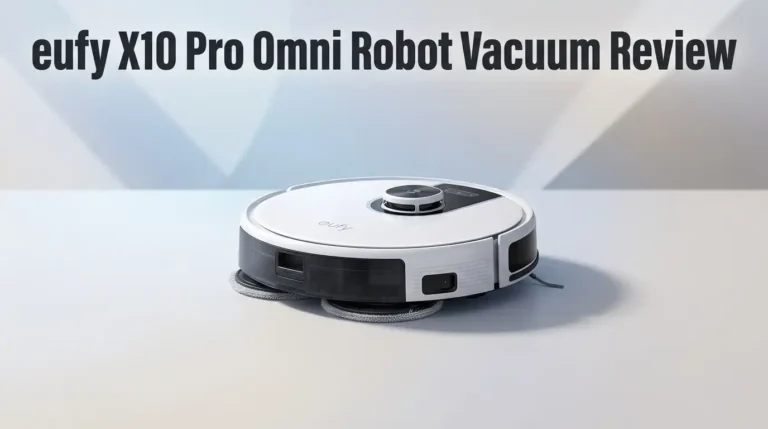
eufy X10 Pro Omni

Last update on 2026-09-25 / Affiliate links / Images from Amazon Product Advertising API
Xiaomi Robot Vacuum X20 Max

Last update on 2026-09-25 / Affiliate links / Images from Amazon Product Advertising API
roborock Q7 Max+
Mopping Performance on Hard Floors
Mopping is where the X20+ earns its keep. Two round pads spin at 180rpm while the robot applies steady downward pressure. That motion scrubs rather than smears, and the difference against older single pad robots is obvious.
My kitchen tile is textured and traps grease near the stove. Before the robot, that floor needed a proper mop every second day. After daily runs in vacuum then mop mode with maximum water, I only mop by hand once a week now. That is a real change in household workload.
Dried coffee rings, juice drips, and milk splashes came up cleanly. Old sticky spills needed two runs. The pads stay damp, not soaking, so laminate dries in a few minutes without streaking.
The dock washes the pads with jets of clean water every eight square metres by default. You can change this to five or ten square metres. Frequent washing keeps the pads looking surprisingly clean, which is not true of robots that only rinse at the end.
Air drying happens after every cycle. It prevents that musty smell that older mopping robots develop. There is no heated drying, so drying takes longer in humid rooms.
Now the limitation. The X20+ has no mop extension arm. The pads reach roughly to the edge of the body, so a thin strip against walls and inside corners stays untouched. Flagship robots with swing out mops beat it there.
Carpet Handling and Mop Lifting Limits
The mop plates lift automatically in three situations. They lift during pad washing, during air drying, and when the robot enters an area marked as carpet. Maximum lift height is 7mm.
That height sounds fine until you read Xiaomi’s own guidance. For carpets thicker than 5mm, the company suggests choosing avoid carpets mode instead. In plain terms, the lift protects thin rugs and nothing more. Plush carpet owners should use no go zones or skip this model.
Carpet detection is the bigger gap. The X20+ relies mainly on map editing rather than a dedicated carpet sensor. You open the map editor, draw the carpet areas, and choose the behaviour. Options include vacuum only with pads raised, boosted suction on carpet, or complete avoidance.
Once configured, the system behaves predictably. The setup effort is the problem, not the result. If you move rugs around seasonally, you will edit that map again. Newer robots detect carpet on the fly with ultrasonic or pressure sensors and need no input.
Suction boost on carpet works well enough for low pile. I set boost plus double pass for the living room rug and it looked clean.
One more note for pet owners. The robot cannot tell the difference between a rug fibre and a stray sock. Loose items on carpet cause stalls. Tidy the floor before a scheduled run.
S Cross Obstacle Avoidance and Navigation
The X20+ uses two systems together. LDS laser navigation builds the room map, and the S Cross wide area structured light system spots low obstacles in front of the robot.
The laser works fast. My first map of a three room apartment completed in one run and matched my actual floor plan closely. Multi floor maps save separately, so carrying the robot upstairs is not a problem. The robot also resumes cleaning where it stopped after recharging.
Obstacle avoidance impressed me more than expected. Structured light works in darkness, so night runs behave the same as day runs. Shoes, pet bowls, cables, and chair legs all registered. Small dropped items like earbuds still get pushed around, so this is not a flawless system.
Xiaomi advertises millimetre level sensor precision. In practice, the accuracy depends entirely on the cleaning strategy setting. In default avoidance mode, the robot keeps a cautious gap of roughly one centimetre. In coverage mode, it eases right up to furniture without knocking things over.
Room recognition has quirks. My robot mapped the space under a large bed as a separate room because it found no clear boundary. Merging areas is not possible in the way some rival apps allow, and you cannot draw new walls freely.
Virtual walls and no go zones work reliably. Threshold climbing is limited, so raised door strips above 2cm stop it.
Xiaomi Home App: Setup and Features
The app is the strongest part of the package. Xiaomi gives this robot a settings list that spans three phone screens, which is more depth than most competitors at any price.
Room level control is the headline. You pick four cleaning modes, four suction levels, and four water levels per room, giving 48 combinations. My kitchen runs maximum suction, maximum water, and two passes. My bedroom runs standard with a double pass. Everywhere else stays on automatic.
Scheduling is flexible. You choose days, times, mode, and area. One limitation appears here. A single schedule accepts either one zone or the whole house, not a custom group of rooms. That forces multiple schedules for complex routines.
Other useful tools include consumable life tracking, cleaning history logs, child lock while docked, find my robot voice alerts, volume control, language packs, and family sharing through a Xiaomi account.
Automation scenarios link the robot to other Xiaomi devices or trigger notifications. Alexa and Google Assistant handle start, stop, and dock commands. Voice control depth is basic, not room specific.
Setup stability was good over several months. The app occasionally takes a few seconds to wake the map view, and the interface buries some features in submenus. Nothing broke, nothing lost the map, and remote start worked every time I tried it from outside the house.
Battery Life and Cleaning Coverage
The 5200mAh battery delivers up to 140 minutes in standard vacuum and mop mode. That rating comes from Xiaomi’s own lab, so treat it as a best case.
My real world numbers landed lower but still fine. A full vacuum and mop pass of roughly 75 square metres of hard floor consumed about 60 percent of the charge and took just over an hour, including two trips home for pad washing. Turbo suction with maximum water drains the battery much faster.
Recharge and resume works properly. When the battery drops low, the robot docks, charges, then returns to the exact spot it left. Large homes are handled, just not in one session. A full charge from empty takes several hours.
Water capacity affects coverage more than battery does. The 4L clean tank supports up to 280 square metres of mopping according to Xiaomi. I got several full house runs from one fill, which is genuinely convenient.
Here is the catch that surprises new owners. The X20+ carries no onboard water tank. All water comes from the dock, applied to the pads during each wash stop. The pads gradually dry as the robot works, so the last stretch before each return trip mops with less moisture than the first.
That design also means more travel time back and forth. Efficiency suffers slightly in long narrow layouts.
Noise Levels and Living With It Daily
Noise matters more than spec sheets suggest, because a loud robot ends up switched off. The X20+ is pleasant here.
Standard mode sits near 59dB, which is quieter than most upright vacuums. I held phone calls in the next room without complaint from the other side. On tile, the rolling sound of the wheels carries more than the fan itself.
Turbo mode is a different animal. It rises enough to dominate a room, so I schedule high power runs while nobody is home. Mop only mode is the quietest setting and works fine for a quick evening freshen up.
The dust extraction burst is the loudest event of the whole cycle. It is genuinely sharp, close to a handheld vacuum at full tilt, but it lasts only about 10 seconds. You can disable automatic emptying and trigger it manually at a better time.
Air drying runs a fan for a long stretch afterwards. It is low and steady, similar to a small desk fan. In a bedroom that hum would annoy light sleepers, so put the dock in a hallway, kitchen, or utility space.
Voice prompts start at 75 percent volume and can be lowered or muted. The robot announces errors clearly, which saves you hunting for a blinking light. Stall alerts arrive on your phone too.
Maintenance, Running Costs, and Consumables
Automation reduces work but never removes it. Knowing the real maintenance routine prevents disappointment.
Weekly tasks are small. You refill the clean water tank, empty and rinse the dirty water tank, and glance at the mop pads. Dirty water starts to smell after a few days, especially in summer. A rinse with any foaming soap fixes it, and daily emptying avoids the problem entirely.
Monthly tasks take longer. You pull hair from the main brush axle, unclip the swivel wheel and clear the fibres, tap out the filter, and wipe the dock tray. The tray is the sore spot. Xiaomi offers a self cleaning station function, but it simply floods the tray and vacuums the water back after three minutes. You still need a cloth and a bend of the knees for a genuinely clean tray.
Dust bags last a long time. My month of daily cleaning in a three room home filled one bag. Xiaomi claims up to 75 days for a two person household.
Consumable costs stay low because third party kits are widely available. Expect to replace the main brush, side brush, filters, and mop pads roughly once a year with heavy use. The app tracks remaining life for each part, which removes the guesswork.
Budget a modest yearly amount for parts plus bags.
What the Xiaomi X20+ Does Not Do Well
Honest reviews list failures. Here are the X20+ weaknesses I met repeatedly.
Suction now lags the market. 6000Pa was competitive in 2024. In 2026, similarly priced robots advertise 10,000Pa and higher. Deep carpet cleaning is the clearest casualty.
Hair tangling continues. There is no cutting blade or anti tangle comb on the main brush. Long hair households will do manual cleanup regularly.
Edge mopping leaves a strip. Without an extending mop arm, wall edges and corners stay slightly dirty. You will still wipe corners by hand.
Mop washing uses cold water only. No heated wash and no heated drying means greasy pads take longer to come clean, and drying is slower in humid climates.
Carpet detection depends on map editing rather than a sensor. Move a rug and the configuration no longer matches your floor.
The dock needs manual attention. Tray wiping, tank rinsing, and odour control are all on you.
There is no automatic water refill option. The dock does not connect to plumbing, so tank trips to the sink continue forever.
Obstacle avoidance misses tiny items. Earbuds, coins, and cable ties get shoved around.
Finally, the dock is bulky and tall. Small apartments pay a real space cost, and that undermines the value argument for compact homes.
Pros and Cons of the Xiaomi Robot Vacuum X20+
Pros
- Full featured base station at a mid range price, with 10 second dust emptying, automatic mop washing, and air drying included.
- Two spinning mop pads at 180rpm scrub hard floors properly and cut manual mopping to about once a week.
- 4L clean water tank supports up to 280 square metres of mopping per fill, so refills stay rare.
- LDS laser mapping builds accurate multi floor maps fast, with resume after charging and reliable no go zones.
- S Cross structured light avoidance works in complete darkness, so scheduled night runs behave normally.
- 48 cleaning combinations per room give unusually deep control for the price.
- Quiet standard mode near 59dB, plus manual control over the loud emptying burst.
- Long dust bag life, up to 75 days by Xiaomi’s rating, with cheap third party consumables.
- Works with Alexa, Google Assistant, and the Xiaomi Home ecosystem, with ongoing firmware updates.
Cons
- 6000Pa suction now sits behind 2026 rivals, and deep pile carpet shows it.
- No onboard water tank, so mopping depends on dock trips and pads dry out near the end of each stretch.
- No anti tangle system, so long hair wraps around the brush and the wheel axle.
- Mop pads do not extend, leaving a thin unmopped strip along walls and in corners.
- Cold water washing and unheated drying only.
- Carpet handling relies on manual map editing, not automatic detection.
- The self cleaning station function does not remove the need to wipe the tray by hand.
- Dirty water develops an odour within a few days if you skip emptying.
- Tall dock with a 9.7cm robot height that blocks access under low furniture.
Who Should Buy the Xiaomi Robot Vacuum X20+ in 2026?
This robot fits some homes perfectly and disappoints others. The difference comes down to flooring and floor area.
Buy it if you own mostly hard floors. Tile, laminate, vinyl, and sealed wood are where the spinning pads and 6000Pa fan shine. Kitchen floors benefit most, because daily mopping stops grease building up.
Buy it if your home is medium or large. The 4L tanks, 75 day dust bag, and 140 minute battery suit a three room apartment or a house. A studio flat gains less and loses more floor space to the dock.
Buy it if you want flagship convenience without flagship pricing. Self emptying, self washing, and self drying in one machine remain the biggest quality of life upgrades in this category, and the X20+ includes all three.
Skip it if your home has thick carpet everywhere. The 7mm lift and modest suction will frustrate you, and Xiaomi itself suggests avoiding carpets over 5mm.
Skip it if long hair dominates your floors. Choose a robot with a tangle cutting brush instead.
Skip it if you want hot water mop washing, plumbed refills, or extending mop arms. Those features live in newer premium models, including Xiaomi’s own X20 Max with 8000Pa suction.
Pet owners sit in the middle. Hair pickup on hard floors is good, obstacle avoidance is decent, but tangles need attention.
Final Verdict: Is the X20+ Still a Smart Buy?
The Xiaomi Robot Vacuum X20+ remains a strong value machine in 2026, with clear limits you should accept before buying.
Its strengths hold up. The base station genuinely reduces chores. Mapping is quick and accurate. The app gives more control than rivals at similar prices. Mopping quality on hard floors still beats many newer robots that focus on suction numbers alone.
Its weaknesses are equally clear. Suction has fallen behind. Hair tangles need manual work. Edges and corners stay slightly dirty. The tray still wants a cloth. None of these break the experience, but together they mark this as a previous generation product.
Value decides the recommendation. If the X20+ sells at a discount against current models, it is one of the best ways to get a self emptying, mop washing robot without spending flagship money. At full original pricing, newer options with stronger suction and anti tangle brushes make more sense.
My honest summary after living with it: I stopped thinking about floors. Crumbs vanished. The kitchen stayed presentable. I refilled water, drained the dirty tank, and pulled hair off a brush once a month. That trade felt fair.
Check the current price, compare it against the X20 Max and the eufy X10 Pro Omni, and match the choice to your flooring. On hard floors in a mid size home, the X20+ still earns a recommendation.
Frequently Asked Questions
How strong is the suction on the Xiaomi X20+?
Maximum suction reaches 6000Pa, measured at the inlet by Xiaomi. That level handles dust, crumbs, sand, and pet hair on hard floors easily, and low pile rugs acceptably. Thick carpet exposes the limit, since many 2026 rivals advertise 10,000Pa or more.
Does the Xiaomi X20+ empty itself?
Yes. The base station uses dual ducts to empty the robot’s dustbin in about 10 seconds. The dust bag can last up to 75 days for a two person household. You can set emptying to automatic or trigger it manually when the noise suits you.
Does it have a water tank on the robot?
No. The X20+ carries no onboard water tank. Water comes from the 4L tank in the dock and wets the pads during each wash stop. Pads gradually dry as the robot cleans, so it returns to the station every eight square metres by default.
Can it clean carpets safely?
It lifts the mop pads up to 7mm, which protects thin rugs. Xiaomi advises choosing avoid carpets mode for carpets thicker than 5mm. Carpet areas need marking in the app map editor, since the robot lacks automatic carpet detection.
How long does the battery last?
The 5200mAh battery delivers up to 140 minutes in standard vacuum and mop mode. Higher suction and water settings shorten that considerably. The robot docks, recharges, and resumes cleaning from where it stopped, so large homes still get full coverage.
Is the Xiaomi X20+ noisy?
Standard mode measures around 59dB, which is quieter than most upright vacuums. Turbo mode is noticeably loud. The dust extraction burst is the loudest moment but lasts only about 10 seconds, and mop air drying produces a low steady hum afterwards.
Does it work with Alexa and Google Assistant?
Yes. Both platforms support basic commands like start, stop, and return to dock. Full control happens inside the Xiaomi Home app, which handles mapping, room settings, schedules, and consumable tracking.
How often does it need maintenance?
Plan on refilling and draining water weekly, or daily in hot weather to prevent odour. Check the main brush, side brush, and swivel wheel for hair monthly. Wipe the dock tray by hand, since the self cleaning function only rinses it. Replace consumables roughly yearly.

Hi, I’m Grace Bell, the founder of CleanFloorVault.com, where I personally test and review vacuum cleaners to help you find the perfect tool for a spotless home.