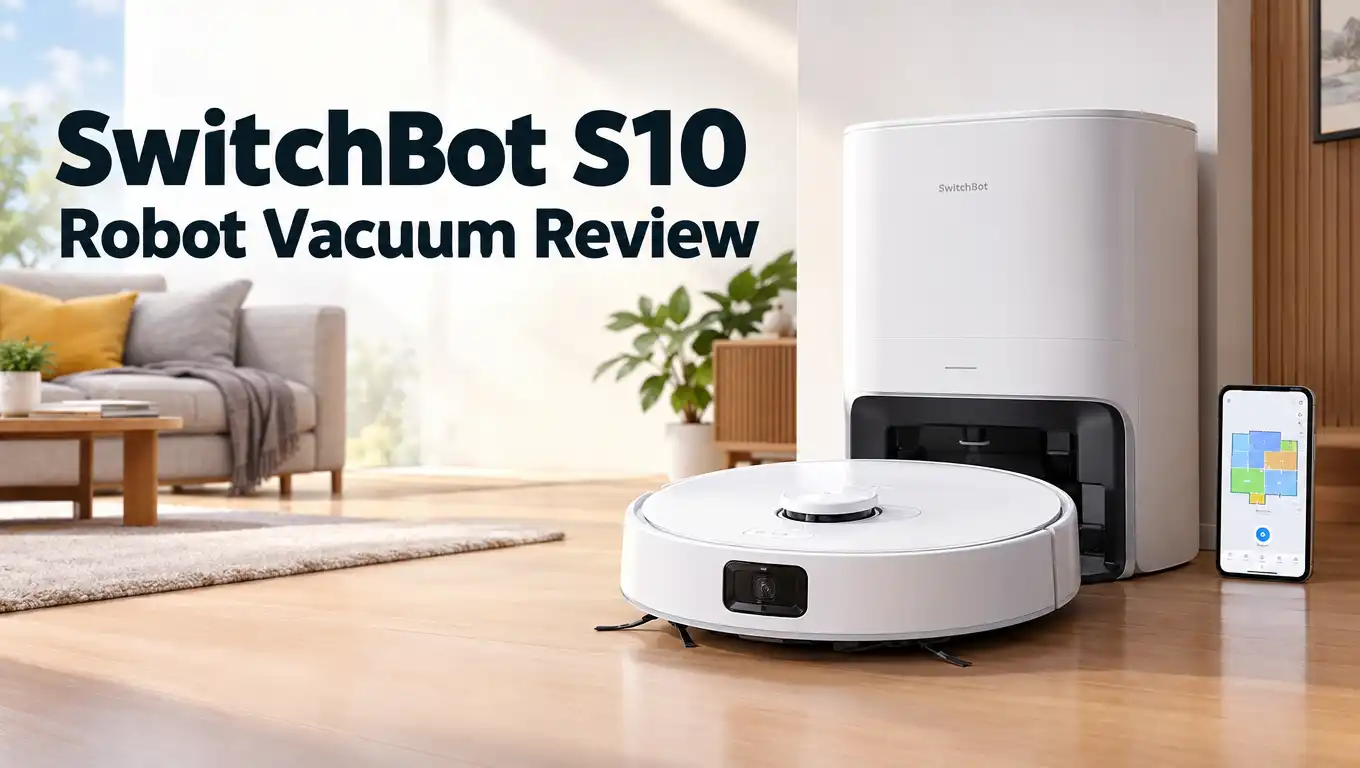
SwitchBot S10 Robot Vacuum Review 2026: Still Worth It?
The SwitchBot S10 does something no other robot vacuum did first. It plugs straight into your home plumbing. It fills its own water tank. It dumps its own dirty water down your drain. You never carry a bucket again.
I spent weeks living with this machine. It cleaned my kitchen tiles, my oak floors, and my low pile rugs. It also annoyed me a few times. This review covers both sides honestly.
The S10 launched at $1,199. In 2026 it sells for far less, often under $500. That price shift changes the whole conversation. A flagship robot at a midrange price sounds great. But SwitchBot has since released the S20, and the S10 now sits in a strange spot.
In a Nutshell:
- The plumbing hookup is the star feature. The S10 connects to your water supply and drain line. It refills clean water and discharges dirty water on its own. You only swap the dust bag every two months. No other robot at this price does this with a battery powered water station.
- Mopping beats vacuuming here. The roller mop applies 10N of downward pressure and cleans itself while it works. Dried milk, juice spills, and muddy paw marks came up easily. Suction sits at 6,500Pa, which was strong in 2024 but looks modest against 2026 rivals pushing 20,000Pa.
- Battery life is the weak link. A 4,000mAh cell gives roughly 140 minutes on paper. In real use at high power, it covered about 860 square feet before returning for a top up. Large homes will see multiple recharge cycles.
- The robot is big and heavy. It measures 14 inches wide and 4.5 inches tall. Tight corners and narrow chair legs give it trouble. It weighs enough that lifting it feels like a chore.
- Installation demands some effort. Hooking the water station to your pipes takes about 30 minutes with a wrench. If you cannot plumb it, skip this robot entirely. The canister add on works but smells bad after a few days.
- Price makes it compelling. At current discounts the S10 offers flagship features for midrange money.
Unboxing the SwitchBot S10

Last update on 2026-09-25 / Affiliate links / Images from Amazon Product Advertising API
The box arrives huge. Mine barely fit through the doorway. Inside you get the robot, the auto empty charging dock, the separate water station, two spare side brushes, four dust bags, two sachets of mopping solution, a cleaning brush, and a large bag of plumbing adapters.
That adapter bag looks intimidating. I genuinely stared at it for a minute. SwitchBot includes fittings for different pipe sizes, right angle connectors, and cable tidy clips. The variety exists because plumbing differs by country and by home.
The robot itself feels dense. It is heavy like a brick. The rubber brush roll pops out with a simple clip release. The roller mop slides out from the side panel instead of the bottom, which means you never flip the machine over.
Quick reference stickers sit on almost every removable part. Even a first time robot owner can find the right component without reading the manual.
Design and Build Quality
The S10 uses a clean white finish with a raised lidar turret on top. The turret adds height, so the robot stands 4.5 inches tall. That blocks it from sliding under low sofas and vanities.
Width matters more. At 14 inches across, this is one of the widest robots I have tested. It handled my open plan living room with ease but struggled between dining chair legs.
Build quality feels solid throughout. Panels fit tightly. The dirty water tank on the rear seals with a rubber gasket, so no odor escapes. The onboard bin holds 310ml and the dock bag holds four liters.
The auto empty dock measures 10 by 8 by 16 inches. The water station is much slimmer at roughly 16 by 6.5 by 4 inches and runs on its own battery. The robot recharges that battery during docking, which removes the need for a second power outlet.
Setting Up the Water Station
This step decides whether you love or hate the S10. The water station connects to a fresh water line and a drain. You can tap a sink supply, a dishwasher line, a washing machine line, or even drain into a toilet bowl.
I placed mine under the kitchen cabinets next to the sink. The station slid in easily because it stands only four inches tall. The robot docks by swiveling in from the side, which looks oddly satisfying.
Threading the tubes took the longest. I ran them behind the cabinet and under the sink, using the included right angle fittings to avoid kinks. Total time was about 30 minutes.
One serious warning applies here. Water lines carry pressure. A bad seal floods your floor. If you feel unsure with a wrench, hire a plumber. SwitchBot also sells an external tank kit for people without plumbing access, but that setup leaves piping exposed and the dirty water starts to smell within days.
Top 3 Alternative for SwitchBot S10

Last update on 2026-09-25 / Affiliate links / Images from Amazon Product Advertising API
SwitchBot S20 Robot Vacuum and Mop

Last update on 2026-09-22 / Affiliate links / Images from Amazon Product Advertising API
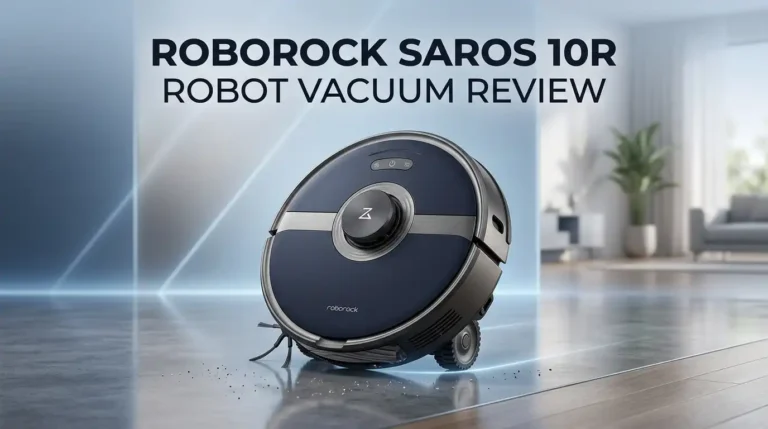
Roborock Saros 10R Robot Vacuum and Mop

Last update on 2026-09-25 / Affiliate links / Images from Amazon Product Advertising API
Dreame X40 Ultra Robot Vacuum and Mop
Vacuuming Performance Tested
The S10 pulls 6,500Pa of suction through a single rubber roller brush. That number looked competitive in 2024. In 2026 it looks small next to robots advertising 20,000Pa or more.
Real results tell a kinder story. On hard floors it collected spilled oatmeal and rice in one pass. On low pile carpet it lifted cat hair well, helped by its own weight pressing the brush into the fibers.
The rubber roller resists tangling. Long hair wound around it far less than bristle brushes I have used before. That saves you cleaning time every week.
High pile rugs are a different matter. Deep embedded grit stayed behind, and two passes only partly fixed it. Max mode also gets loud. It sounds like a regular upright vacuum, so you will leave the room.
Carpet boost works automatically once you mark carpet zones in the app. Suction rises when the robot rolls onto them.
Mopping Performance and the Roller Mop
Mopping is the real reason to buy this machine. The S10 uses a rotating roller mop rather than flat pads or spinning discs. A squeegee scrapes dirty water into the onboard tank while clean water sprays onto the roller.
That means the mop cleans itself continuously during the run. You avoid the cross contamination that plagues robots dragging one damp pad across the whole house.
Downward pressure sits at 10N. Dried milk, orange juice, and sticky food marks came up without scrubbing. My tiles held a visible shine afterward.
I found the water level setting matters. Moist mode left dry patches. Wet mode delivered consistent results on both tile and sealed parquet.
The mop lifts 7mm when the front sensor detects carpet. That worked reliably and my rug edges never got damp. The roller does not oscillate, though, so the faintest dried paw prints sometimes needed a second pass.
Battery Life and Runtime
The S10 carries a 4,000mAh battery rated for 140 minutes. That rating assumes gentle settings.
Push the robot into max suction with wet mopping and the number drops sharply. In my testing it covered roughly 860 square feet before heading back to charge. A 1,000 square foot home split over two levels required a recharge partway through.
The good news is the robot handles this without you. It returns to the dock, charges, then resumes exactly where it stopped. Cleaning still finishes, it just takes longer.
Recharge time ran about three hours for a full top up. That feels slow by 2026 standards, where many rivals reach full charge in half that.
If you schedule cleaning while you are at work, this flaw disappears. If you want a complete run in 60 minutes while you watch television, the S10 will frustrate you.
Navigation, Mapping and Obstacle Avoidance
A 360 degree lidar turret handles mapping. The first map of my apartment took under 15 minutes and came out accurate. Room edges lined up properly and the robot did not bump walls to find them.
You can store up to three maps, add virtual walls, set no go zones, and split or merge rooms. You cannot place furniture icons on the map, which some rival apps allow.
Obstacle avoidance uses a front camera with AI recognition. It dodged cables, socks, and shoes reliably. Pet waste avoidance was less confident. It steered away from my test object but brushed close enough to worry me.
A newer firmware feature drops icons on the map for detected clutter. It flagged shoes, cables, and fabric so I could clear them before the next run. Docking accuracy was perfect throughout testing.
The SwitchBot App Experience
The SwitchBot app is one of the better ones in this category. Onboarding walks you through installation with animated visuals instead of a paper manual. Pairing took under two minutes.
Controls are clear. You get suction levels, water levels, room selection, pass count, scheduling, and a manual drive mode. Manual drive proved genuinely useful when my kids spilled something and I wanted a quick targeted clean.
Carpet settings let you tag light and dark carpets separately. The maintenance screen tracks brush life, filter life, and mop life with countdown timers.
One real gap stands out. There is no mop only mode. The robot always vacuums when it mops. I worked around it by dropping suction to the lowest setting, which made it quiet, but the option should exist.
Firmware updates arrived frequently and each one improved something.
Smart Home and Matter Support
The S10 supports Matter through the SwitchBot Hub 2 or Hub Mini. It also works with Alexa, Google Home, Siri Shortcuts, and IFTTT.
Voice control covers basics. Start, stop, dock, and clean a named room all work. Deeper commands do not.
Matter integration remains shallow. In Home Assistant the robot exposes little more than an on and off switch. Whatever settings you saved last in the SwitchBot app get applied when you trigger it elsewhere. That works, but it is limited.
Inside SwitchBot’s own ecosystem things get more interesting. You can trigger cleaning when your smart lock opens or when lights turn off. The S10 can also refill a compatible SwitchBot evaporative humidifier automatically, which is a genuinely clever trick.
Community feedback on SwitchBot’s smart home integration has been mixed, and slow support response is a recurring complaint worth knowing about.
Maintenance and Running Costs
The S10 asks very little of you day to day. The dust bag needs replacing roughly every two months. That is the main recurring chore.
The dirty water tank still requires occasional attention. Even though it drains automatically, wet debris settles inside. I scooped it out with the included brush every few weeks. The rubber seal prevents odor, so there is no rush.
Replacement parts cost money. A two pack of roller mops runs about $30. Filters, side brushes, and dust bags add up over a year.
Budget roughly $80 to $120 annually for consumables if you run the robot daily. That sits in line with other premium robots.
The self drying function uses hot air after each mopping cycle, so the roller never developed a musty smell during my testing. That alone saves real hassle.
What the SwitchBot S10 Does Not Do Well
Honesty matters, so here is the blunt list.
The robot is too wide and too tall for cramped homes. Narrow gaps between furniture legs defeat it regularly.
Battery life underwhelms for a machine that once cost over $1,000. Multiple recharge cycles are normal in bigger homes.
Suction lags behind 2026 competition badly. Deep carpet cleaning is not its strength.
There is no mop only mode, and you cannot buy a second water station. On floors without a water station, the S10 vacuums but refuses to mop. SwitchBot fixed multi floor mapping through firmware, but the water limitation stands.
Customer support draws criticism. Warranty claims have frustrated owners, with reports of slow replies and odd troubleshooting requests.
The obstacle camera cannot be viewed remotely. Some buyers want that feature and it is absent.
Pros and Cons
Pros
- Direct plumbing connection removes water tank chores completely
- Battery powered water station needs no electrical outlet
- Roller mop cleans itself continuously during the run
- Strong 10N mopping pressure lifts dried spills easily
- Compact split dock design instead of one bulky tower
- Rubber brush roll resists hair tangling
- Excellent lidar mapping and reliable docking
- Intuitive app with helpful maintenance tracking
- Matter, Alexa, Google, and Siri Shortcuts support
- Heavily discounted in 2026 compared to launch price
Cons
- Short battery life at higher power settings
- Only 6,500Pa suction, low by 2026 standards
- Wide and tall body struggles in tight spaces
- Plumbing installation intimidates non DIY owners
- Canister alternative develops bad odors
- No mop only cleaning mode available
- Cannot add a second water station for other floors
- Limited Matter functionality in third party platforms
- Loud at maximum suction
- Mixed reports on customer support quality
Price and Value in 2026
Last update on 2026-09-25 / Affiliate links / Images from Amazon Product Advertising API
At launch the S10 cost $1,199 for the full set. That was a hard sell. Today it frequently drops to the $450 to $650 range, and deep sales have pushed it lower.
At that price the calculation changes completely. You get plumbing integration, a self cleaning roller mop, lidar mapping, and auto emptying for midrange money. Very few robots under $700 offer direct water hookup.
The catch is competition. SwitchBot’s own S20 arrived with 10,000Pa suction and longer runtime at a lower launch price. Roborock and Dreame flagships beat the S10 on raw specs, though they cost more and use bulkier all in one docks.
Value here depends entirely on whether you can plumb the water station. If yes, the S10 delivers a genuinely hands free experience that expensive rivals still charge a premium for. If no, the value evaporates.
Who Should Buy the SwitchBot S10
Buy this robot if you live in a home with mostly hard floors and accessible plumbing under a sink, laundry area, or bathroom. Mopping is where the S10 shines, so hard floor owners get the most benefit.
It suits people who hate the ritual of filling and emptying water tanks. It suits apartments and single level homes between 500 and 1,200 square feet. It also suits existing SwitchBot owners who want everything in one app.
Skip it if your home is heavily carpeted. The suction will disappoint you.
Skip it if you rent somewhere you cannot touch the plumbing. Skip it if your rooms are packed with furniture and narrow gaps. Skip it if you need a full house clean finished in one charge.
For the right home at the current price, the S10 remains a clever and satisfying machine.
Frequently Asked Questions
Does the SwitchBot S10 need plumbing to work?
No, but it works far better with it. You can buy the external water tank accessory and use canisters instead. That setup still cleans well. However, you deal with exposed piping, manual refilling, and dirty water that starts to smell after a few days. The plumbing route is the reason to choose this robot.
Can the SwitchBot S10 mop upstairs?
It can map and vacuum a second floor after firmware updates. Mopping upstairs requires a water station on that level, and SwitchBot does not sell a second water station for one robot. So in practice the S10 mops only on the floor where the station sits.
How much suction does the SwitchBot S10 have?
The S10 delivers 6,500Pa of suction. That performs well on hard floors and low pile carpet. Deep pile rugs expose its limits. Newer robots in 2026 offer far higher figures, so carpet heavy homes should look elsewhere.
How long does the SwitchBot S10 battery last?
The 4,000mAh battery is rated at 140 minutes. At maximum suction with wet mopping, expect closer to 60 to 80 minutes and around 860 square feet of coverage. The robot recharges and resumes automatically, so cleaning always finishes.
Is the SwitchBot S10 loud?
At low and medium suction it stays quiet enough for a conversation. At maximum suction it sounds like a conventional vacuum cleaner. Most owners schedule cleaning while away from home.
Does the SwitchBot S10 work with Alexa and Google?
Yes. It supports Alexa, Google Home, Siri Shortcuts, IFTTT, and Matter through a SwitchBot hub. Voice commands cover starting, stopping, and docking. Advanced control still requires the SwitchBot app.
Is the SwitchBot S10 still worth buying in 2026?
Yes, if you can connect it to plumbing and you mostly have hard floors. The heavy discount makes it strong value. If you want top tier suction or a carpet focused robot, consider the S20 or a Roborock flagship instead.

Hi, I’m Grace Bell, the founder of CleanFloorVault.com, where I personally test and review vacuum cleaners to help you find the perfect tool for a spotless home.