Shark Matrix Robot Vacuum Review 2026: Still Worth It?
Robot vacuums keep getting smarter, and the price tags keep getting scarier. That is exactly why the Shark Matrix still gets so much attention in 2026.
It sits at a price point where most machines skip the good stuff, yet it arrives with laser mapping, a bagless base that empties itself, and suction that punches above its weight.
I have lived with this robot, fed it rice, sugar, cereal, kitty litter, and far too much dog hair. I have also watched it bulldoze a sock like it had a personal grudge.
In A Nutshell:
- Cleaning power is the headline. Independent testing shows the Shark Matrix pulling up around 97.3% of loose debris across hardwood, low pile carpet, and high pile carpet. That number beats robots costing twice as much.
- The bagless base saves real money. The dock holds up to 45 days of dirt with no bags to buy. You dump it in the trash and snap it back. Over three years, that is a genuine saving.
- LiDAR mapping is fast and accurate. It mapped a 350 square foot space in just over five minutes. Older Shark models and several Roomba rivals took five times longer.
- Obstacle avoidance does not exist. There is no camera and no AI object detection. Socks, charging cables, and pet accidents are all fair game. Tidy the floor first.
- Pet hair on thick carpet is the weak point. It cleared only about 43% of embedded pet hair from high pile carpet after two passes. Heavy shedders will want something stronger.
- Value remains the strongest argument. For roughly $280 to $350 depending on sales, nothing else pairs laser navigation with a bagless self empty dock this well.
Shark Matrix Robot Vacuum

Last update on 2026-09-25 / Affiliate links / Images from Amazon Product Advertising API
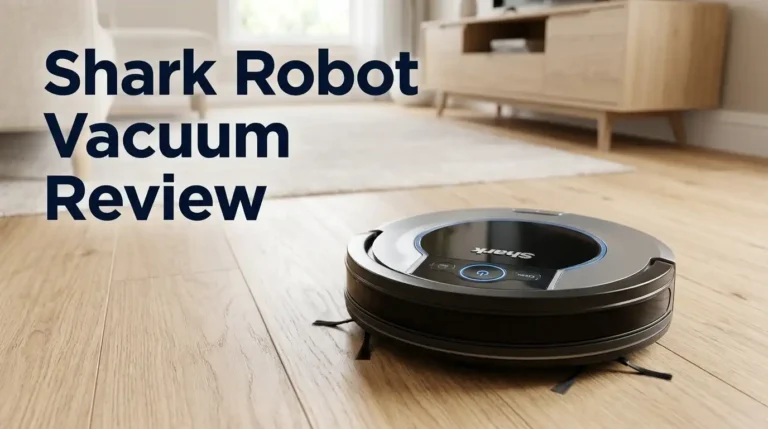
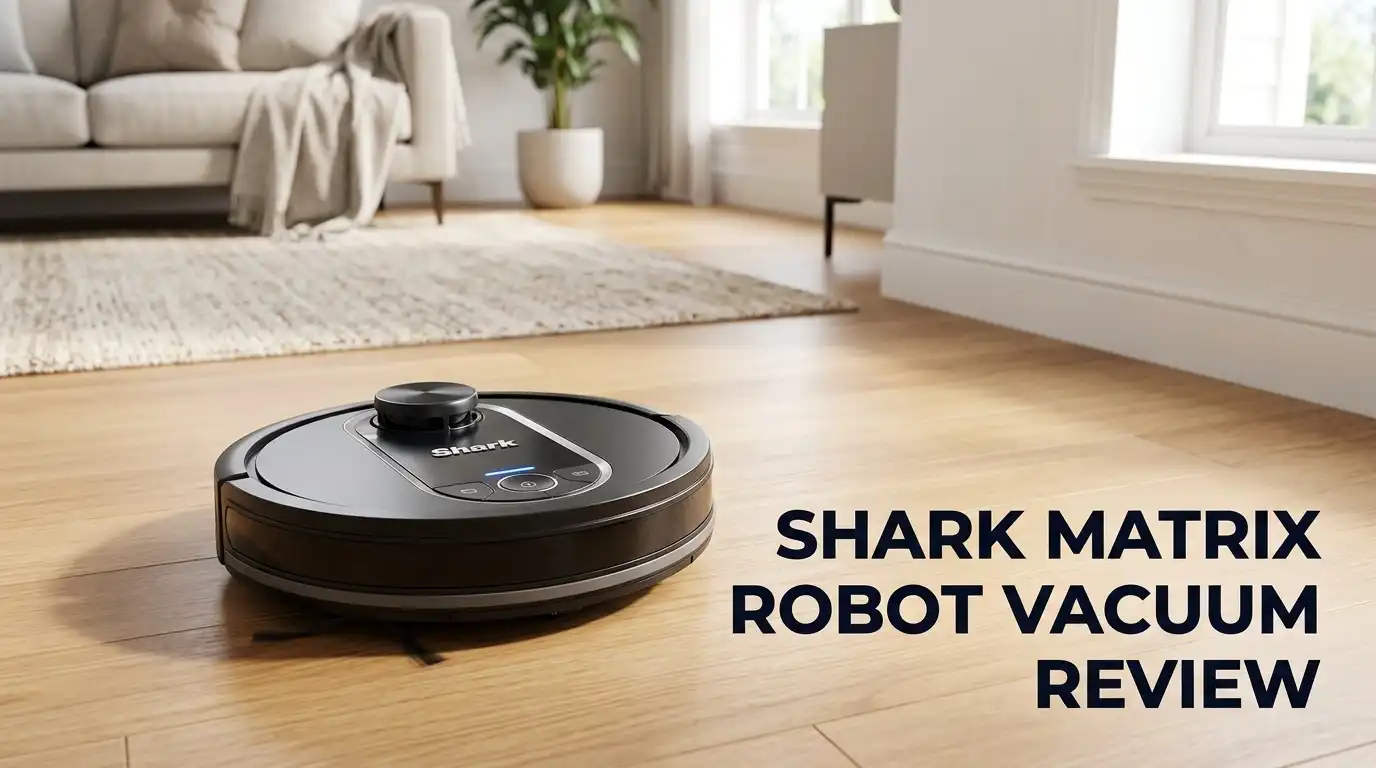
The Shark Matrix, model RV2310AE, is the model most people mean when they search for this robot. It is a round puck, 13.4 inches wide and 4.2 inches tall, weighing 13.2 pounds. A small LiDAR turret sits on top and spins while the robot works.
Shark built this one around three ideas. First, strong suction with a self cleaning brushroll. Second, laser navigation instead of cheap bump and roll movement. Third, a bagless dock that empties the robot and stores dirt for weeks.
The dust bin inside the robot holds only 0.2 quarts, which sounds tiny. It does not matter much, because the robot runs back to the dock and empties itself whenever it fills up. That is the whole point of the design.
You also get Alexa and Google Assistant support, Wi Fi control through the SharkClean app, room selection, no go lines, and scheduling. The cleaning path measures 5.7 inches wide. Warranty is one year, which is standard but not generous.
What you do not get is mopping, a camera, or voice prompts beyond basic beeps. This is a vacuum only machine, and it stays focused on that job. For many homes, that focus is a feature rather than a limit.
The Unboxing Experience
The box is smaller than you expect for a robot with a dock. Shark keeps the packaging simple. Cardboard inserts, no plastic clamshells, and printing on the outside that brags about 45 day capacity and 50% more suction.
Inside you find the robot, the self empty base, one spinning side brush, and the manual with the warranty card. That is genuinely it. No spare filters, no extra side brush, no cleaning tool. Shark expects you to buy those later, which feels a bit stingy at this price.
Setup took me five minutes flat. The side brush clips on with a satisfying snap. The dock plugs in, and you want it against a wall with a few feet of clear space in front. Then you drop the robot on the contacts and let it charge fully before the first run, which Shark specifically recommends.
The app pairing was straightforward on my first try. Scan the code, join the network, name the robot. My unit then ran a quick mapping pass before it ever cleaned anything.
First impressions were positive. The plastics feel dense rather than hollow, the bumper has real travel, and the dock does not slide around. It looks plain next to premium docks, but nothing about it feels cheap.
Design And Build Quality
Everything sits where you expect. Two buttons live on top: Clean and Dock. Hold Clean for five seconds and you trigger a spot clean. Hold Dock for five seconds and the robot powers down. Simple controls that work without the phone.
Flip it over and you see the star of the show, the anti hair wrap brushroll. Small comb like fins sit against the bristles and actively strip hair off as it spins. Shark uses this trick across its upright range and it carries over here.
The side brush is a single arm design rather than a triple arm. It flicks debris from edges into the suction path. It also flings the occasional piece of cereal across the room, which every robot with a side brush does.
Cliff sensors sit along the front edge, and the caster wheel rolls smoothly. The two drive wheels have deep tread and handle the jump from hardwood onto medium carpet without hesitation.
The filter pulls out from the top of the robot with a plastic tab. Access is easy, which matters because you will clean it often. The dust bin releases with one hand.
Build quality is solid mid range. Panel gaps are even. Nothing rattles. It feels like a product built to survive three or four years of daily use, not a disposable gadget.
Suction Power And Real Cleaning Results
This is where the Matrix earns its reputation. Bench testing puts its suction and airflow well above average for the price bracket, and the floor results back that up.
Across a standard debris test using sugar, rice, cereal, and kitty litter on three floor types, the Matrix removed 97.3% of everything. The average robot vacuum in the same test sits around 89% on carpet. That gap is large.
On hardwood it was close to perfect, leaving behind only a whisper of sugar. On low and high pile carpet it left small amounts of sugar and litter, which is the normal failure mode for nearly every robot ever built. Fine particles hide deep in fibers.
The deep carpet clean score surprised me most. It pulled embedded sand out of a test carpet better than robots at triple the price. Crevice pickup along baseboards also beat the Roomba i3 range comfortably.
Long hair handling deserves praise too. In a controlled test with 0.3 grams of long strands, only about 6.7% wrapped around the brushroll. What did wrap came off with fingers, no scissors required. Anyone with long hair in the house will appreciate that.
So for dry crumbs, dust, sand, litter, and hair on hard floors and low pile carpet, this robot cleans like a machine that costs a lot more.
Top 3 Alternative For Shark Matrix Robot Vacuum

Last update on 2026-09-25 / Affiliate links / Images from Amazon Product Advertising API
Roborock Q5 Max+ Robot Vacuum with Self Empty Dock

Last update on 2026-09-25 / Affiliate links / Images from Amazon Product Advertising API
eufy X10 Pro Omni Robot Vacuum and Mop Combo

Last update on 2026-09-25 / Affiliate links / Images from Amazon Product Advertising API
iRobot Roomba j7+ Self Emptying Robot Vacuum
LiDAR Navigation And Mapping Accuracy
The spinning laser on top changes everything about how this robot moves. It builds a map before it commits to a pattern, then cleans in tidy parallel rows.
Mapping speed is the standout number. The Matrix mapped a 350 square foot test floor in a little over five minutes. A Roomba i3+ EVO in the same space took 26 minutes. That is not a small difference, it is a different generation of technology.
Coverage efficiency follows the same trend. In head to head runs, the Matrix covered roughly 15% more area while moving about 28% faster than its closest price rival. Fewer wasted passes means less battery burned on nothing.
In a cluttered 1,000 square foot office and studio space, it finished the job in 40 to 50 minutes, never got stuck, and returned to the dock every single time. For a robot at this price, reliably finding home is a big win.
The app lets you draw no go lines, split rooms, merge rooms, and send it to a single room on demand. Multi floor mapping is supported, though moving the dock between floors is still manual work.
One honest limit remains. LiDAR sees walls and furniture legs, not small objects on the floor. Navigation is excellent. Obstacle awareness is not.
Battery Life And Coverage Per Charge
Shark quotes up to 110 minutes of runtime depending on the power mode you choose. Eco stretches longest, Max drains fastest, and Normal sits in the middle.
Measured battery efficiency came out at roughly 1.29 minutes of cleaning per percentage point of battery when averaged across the three power levels. That is slightly worse than some rivals on paper.
Efficient navigation makes up for it. Because the robot wastes so little time, it covered about 1,000 square feet on a single charge compared to roughly 820 square feet for a slower navigating competitor. Smart routing beats raw endurance.
Recharge and resume is included and works properly. When the battery drops, the robot docks, charges, and returns to the exact spot on the map where it stopped. A large home gets cleaned in two or three legs without you touching anything.
Charging takes a few hours from empty. If you schedule cleaning for the middle of the workday, the robot will be full again by evening.
For apartments and average sized homes, battery life is a non issue. For a sprawling 2,500 square foot single floor plan, expect two or three recharge cycles per full clean. It will still finish, it just takes most of an afternoon.
The Bagless Self Empty Base
The dock is my favourite part of this product, and the reason I keep recommending it to friends.
Most self empty robots use disposable bags. Those bags cost money forever, roughly $15 to $25 for a multi pack, and you will buy several packs a year. Shark skipped bags entirely here.
Instead the base pulls dirt into a reusable bin with a HEPA filter. It holds up to 45 days of debris in a typical home. When it fills, you lift the bin out, hold it over the trash, and press the release. The dirt drops out in one clump.
It is mildly gross and completely satisfying, like emptying a bagless upright vacuum. You will want to do it outside or over a bin liner because fine dust does escape.
The empty cycle itself is loud. Expect 70 to 80 decibels for around 15 seconds, which is normal for this category but startling the first time it happens at 7am.
Long term running costs drop to filters and brushes only. Over three years, that saving adds up to real money compared with bagged systems. This single feature is the strongest value argument for the Matrix.
Matrix Clean Mode Explained
The robot is named after this mode, so it deserves a fair look and an honest verdict.
Normal cleaning uses a single back and forth pattern. Matrix Clean sends the robot over the same patch multiple times in a cross hatch grid, running lines in one direction and then across them. It appears to run at full power while doing it.
The idea makes sense. High traffic patches get dirtier. A doormat area, the floor under a dining table, the zone around a litter box, or the spot where a toddler eats snacks all collect more grit than the rest of the room.
In practice it works. Multiple passes at different angles genuinely lift more embedded grit than one pass. If you have one problem patch, this mode will fix it.
Here is the honest part. Matrix Clean only runs in spot cleaning or room cleaning mode. You cannot apply it to a whole home clean, and you cannot resize the spot clean target area in the app.
So the feature is useful but narrow. It is a nice extra rather than a reason to buy. Most owners try it a few times and then forget it exists, which tells you something about how essential it really is.
Shark Matrix Plus 2 In 1 Robot Vacuum And Mop
No products found.
If you want mopping too, Shark sells the Matrix Plus, model RV2610WA. It keeps the vacuum strengths and adds sonic mopping, where the pad vibrates rapidly instead of just dragging.
The Plus version also upgrades the base. You get an XL HEPA bagless dock rated for up to 60 days of debris, plus a water reservoir and detachable mop pad on the robot itself. Runtime lands around 100 minutes.
It adds CleanEdge too, which blasts air along the edges of rooms to push debris out of corners into the cleaning path. The 360 degree LiDAR mapping carries over unchanged.
Mopping is the compromise you should understand before buying. Sonic scrubbing handles dried coffee drips and light footprint grime well. It will not touch stuck on food or sticky spills, and there is no mop lifting, so you must set carpet no go zones yourself.
You also take on more maintenance. Pads need rinsing after every use, the tank needs filling, and the pad needs removing before any carpet only run.
Buy the Plus if hard floors dominate your home. Buy the standard Matrix if you have lots of carpet, because you will save money and skip the extra chores for a feature you rarely use.
App Experience And Smart Features
The SharkClean app handles the brains of the operation. You get suction control, map management, no go zones, virtual walls, scheduling, cleaning history, robot volume, and do not disturb hours.
The interface is clean but a little clunky. Menus nest deeper than they need to, and map editing feels fiddly compared with the polish of Roborock or Roomba software. You will find everything eventually.
Scheduling is where the app shines. You can set different rooms on different days, which is genuinely useful. Kitchen daily, bedrooms twice a week, guest room never.
Voice control through Alexa and Google Assistant works for basic commands. Start, stop, and dock all respond reliably. Room specific voice commands are hit and miss.
Now the honest problem. Connectivity has been the most common complaint from owners, and reviewers have hit it too. One tester could receive notifications from the robot but could not send commands back to it, while other Shark models on the same network worked perfectly.
My unit behaved, but I lost the connection twice in several weeks and had to power cycle the dock. Firmware updates have improved things over time.
Treat the app as good enough rather than great. The physical buttons always work, which is a useful fallback.
Where The Shark Matrix Falls Short
Every review should name the failures plainly, so here they are.
Pet hair on high pile carpet is the biggest miss. In a controlled test with one gram of pet hair worked into thick carpet fibers, the Matrix recovered only 43% after two full passes. If you own a heavy shedding dog and plush carpet, this robot will frustrate you.
Obstacle avoidance is completely absent. With only LiDAR and internal sensors, it cannot see objects on the floor. In testing it avoided zero of four objects placed in its path and simply drove through them. Socks, cables, and toys all get pushed around or tangled.
That also means no pet waste detection. I do not need to describe what happens if that goes wrong. Owners of puppies or unwell pets should look at a camera equipped robot instead.
The 0.2 quart onboard bin is small, so the robot returns to base often during messy runs. It works, but you hear that empty cycle a lot.
Other limits worth noting: one year warranty, no included spare parts, Matrix Clean restricted to spot and room modes, and a dock that occupies a fair bit of floor space.
None of these are dealbreakers at this price. All of them are reasons to check your own home first.
Maintenance, Noise And Running Costs
Maintenance is refreshingly light. The dock handles emptying, so your jobs are the dock bin, the filters, the brushroll, and the side brush.
Empty the dock bin every four to six weeks in a normal home, sooner with pets. Tap out and rinse the filters monthly, then let them dry fully before refitting. A damp filter kills suction and smells bad.
Check the brushroll every couple of weeks. The anti hair wrap fins do most of the work, but a few strands still find their way to the end caps. Pull them off with fingers.
Side brushes bend over time and need replacing roughly once or twice a year. Filters last a few months. Budget around $30 to $50 a year in consumables, which is cheaper than most bagged systems.
Noise levels are average. Cleaning sits in the 60 to 70 decibel range depending on power mode, similar to a dishwasher or normal conversation. Eco mode is quiet enough for a video call in the next room. Max mode is not.
The self empty burst hits 70 to 80 decibels for a short spell. Schedule cleaning for when the house is empty and you will barely notice the robot exists.
Pros And Cons
Pros
- Outstanding debris pickup, around 97.3% across all floor types in testing, including excellent deep carpet results
- Bagless self empty dock holds up to 45 days of dirt with no bags to buy ever again
- Fast and accurate LiDAR mapping, roughly five minutes for a 350 square foot floor
- Efficient navigation covering close to 1,000 square feet per charge with recharge and resume
- Anti hair wrap brushroll that keeps long hair from strangling the roller
- Five minute setup and dead simple two button controls
- Strong app feature set with no go lines, room select, zones, and scheduling
- Exceptional value for a robot that pairs laser navigation with a bagless auto empty base
Cons
- Poor pet hair recovery on high pile carpet, only about 43% after two passes
- No obstacle avoidance at all, so socks, cables, and pet waste are real hazards
- App connectivity problems reported by multiple owners and reviewers
- Matrix Clean mode is limited to spot and room cleaning with no resizable area
- Tiny 0.2 quart onboard bin means frequent trips back to the dock
- No mopping on the standard model and no accessories included in the box
- One year warranty only, shorter than some competitors offer
- Self empty cycle is loud enough to wake a light sleeper
Who Should Buy The Shark Matrix In 2026
Buy it if you have mostly hard floors and low pile carpet, want laser navigation, and refuse to pay for dock bags forever. In that scenario it is one of the smartest purchases in the category.
It also suits households with long hair rather than pet fur. The anti hair wrap brushroll genuinely reduces the weekly untangling ritual that plagues cheaper robots.
It works well for people who like tidy floors already. If your rooms are clear of cables, socks, and toys, the missing obstacle avoidance costs you nothing at all.
Skip it if you own a heavy shedding pet on thick carpet. The numbers are clear and no firmware update will fix the physics. Look at a higher suction robot instead.
Skip it also if you need serious mopping. Step up to the Matrix Plus for light mopping, or move to a full docking station robot if you want pads washed and dried for you.
My verdict after weeks of use is simple. The Shark Matrix is the best performing budget robot vacuum Shark has built, and in 2026 it still delivers more cleaning power per dollar than almost anything near its price. It is not clever, but it is powerful, fast, and cheap to run. For a lot of homes, that is the right trade.
Frequently Asked Questions
Does the Shark Matrix mop floors?
No. The standard Shark Matrix, model RV2310AE, is a vacuum only robot. If you want mopping, choose the Shark Matrix Plus 2 in 1, model RV2610WA, which adds sonic mopping and a water tank.
How often do I need to empty the Shark Matrix base?
Shark rates the bagless base at up to 45 days of debris for the standard model and up to 60 days for the XL base on the Plus. With pets or a busy household, expect to empty it every three to five weeks.
Can the Shark Matrix avoid pet waste and cables?
No. It uses LiDAR only, with no camera and no AI object recognition. It will drive straight into socks, cables, and pet accidents. Clear the floor before every run.
Is the Shark Matrix good for pet hair?
It handles pet hair well on hard floors and low pile carpet, and the anti hair wrap brushroll resists tangling. It struggles with hair embedded in high pile carpet, clearing only around 43% in testing.
Does the Shark Matrix work on multiple floors?
Yes, the app supports multi floor maps. You will need to carry the robot upstairs and either move the dock or return the robot manually, since only one base is included.
How long does the Shark Matrix battery last?
Runtime reaches about 110 minutes depending on power mode, covering roughly 1,000 square feet per charge. Recharge and resume lets it finish larger homes automatically across multiple charge cycles.
Are replacement parts expensive?
No. Filters, side brushes, and brushrolls are widely available and affordable. Because the dock is bagless, you avoid the ongoing bag cost that other self empty robots carry.

Hi, I’m Grace Bell, the founder of CleanFloorVault.com, where I personally test and review vacuum cleaners to help you find the perfect tool for a spotless home.