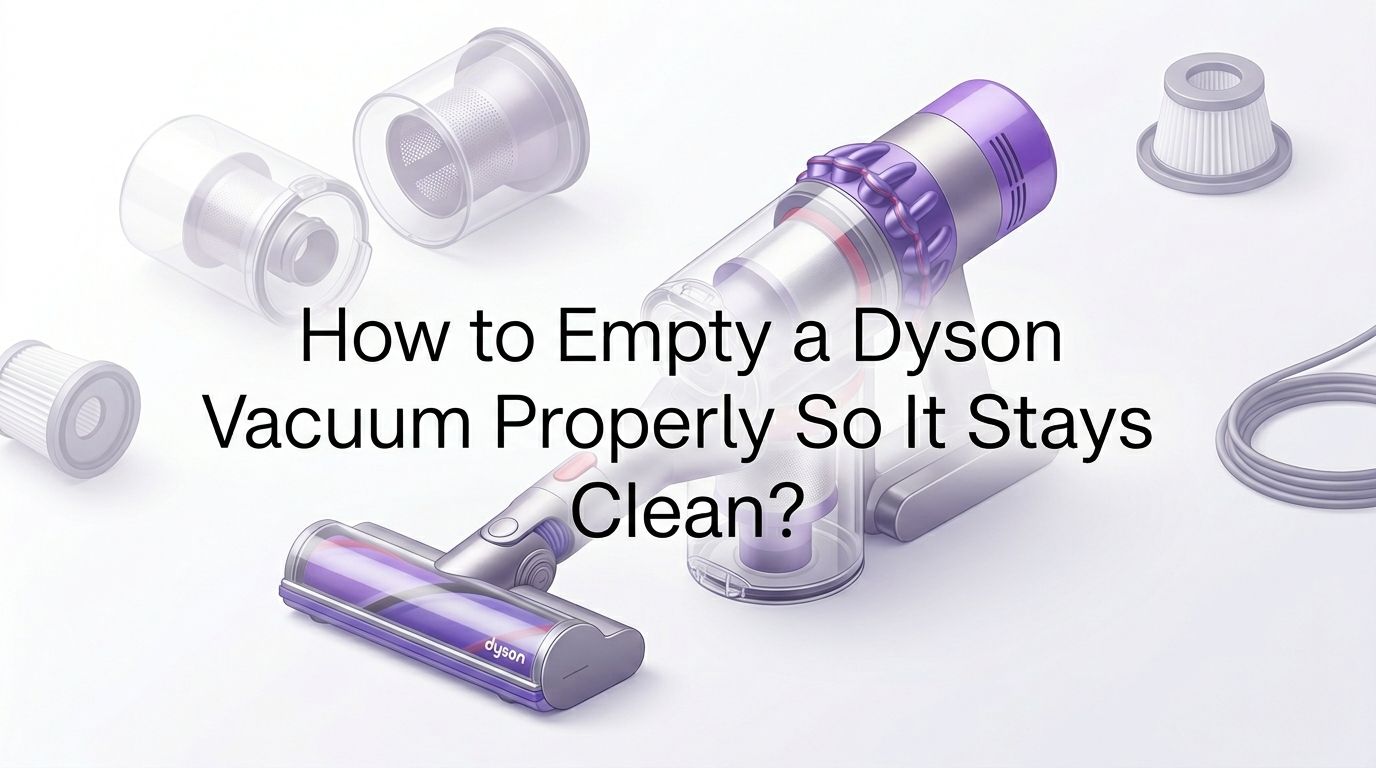
How to Empty a Dyson Vacuum Properly So It Stays Clean?
You just finished vacuuming the whole house and now you’re staring at a dust bin full of dirt, hair, and who knows what else.
The question is simple but the answer trips up more people than you’d think: how do you actually empty a Dyson vacuum without creating a dust cloud all over your kitchen?
Dyson vacuums are bagless machines, which means you need to empty the clear bin regularly. Skip this step or do it wrong, and you’ll lose suction, spread dust everywhere, or even damage internal parts. Whether you own a Dyson cordless stick model like the V8, V10, V11, or V15, or a Dyson Ball upright, the process matters.
Key Takeaways
- Empty at the MAX line. Dyson recommends you empty the dust bin as soon as debris reaches the MAX line printed on the clear bin. Overfilling blocks airflow and reduces suction power immediately. Waiting too long also compresses the dirt and makes emptying harder.
- Always hold the bin over a trash can. Position the bin low inside the trash can before opening the release lever. This one habit prevents 90% of the dust clouds people complain about. A tall kitchen trash can works best.
- Clean the bin with a damp cloth, not soap. After emptying, wipe the inside of the clear bin with a damp, lint free cloth. Avoid dish soap or harsh cleaners because residue can attract dust and create buildup faster.
- Wash your filter monthly. A dirty filter causes suction loss even after you empty the bin. Rinse the filter under cold running water and let it dry completely for at least 24 hours before reinstalling it. Never use hot water.
- Know your model’s release mechanism. Dyson cordless models use a red lever or button to open the bin. Dyson Ball uprights use a different button near the base. Using the wrong motion can jam the mechanism.
- Don’t skip the deep clean. Once a month, remove the bin completely and check for trapped hair or debris around the bin inlet flap and the cyclone shroud. This prevents long term blockages and keeps your Dyson performing at full power.
How to Know When Your Dyson Vacuum Needs Emptying
Your Dyson vacuum gives you a clear visual signal. The dust bin is transparent, and Dyson prints a MAX fill line on the outside. Once dirt reaches this line, it is time to empty.
Don’t wait for suction to drop before emptying. A full bin forces the motor to work harder, which drains battery life faster on cordless models. It also pushes fine dust particles back through the filter.
Some newer Dyson models like the V15 Detect have a digital display that shows real time particle counts. If the display shows reduced airflow or the motor pulses on and off, your bin is likely too full. Pulsing is the vacuum’s way of telling you something is blocking the airflow path.
A good habit is to empty the bin after every full cleaning session, even if the debris hasn’t reached the MAX line. This keeps the filter cleaner and makes each emptying much easier.
How to Empty a Dyson Cordless Stick Vacuum Step by Step
Dyson cordless stick vacuums including the V7, V8, V10, V11, V12, and V15 all follow a similar emptying process. Start by turning off the vacuum and removing it from the charger.
Hold the vacuum over a trash can with the bin pointing downward. Locate the red lever at the top of the bin assembly. Pull this lever upward firmly. The bottom of the bin will swing open and release the dirt.
On models like the V10 and V11, the bin opens in a straight line because the cyclone and bin are aligned horizontally. Push the red lever forward and down to slide the dirt out. You may need to give the bin a gentle shake.
Pro tip: Lower the bin inside the trash can before pulling the lever. This stops dust from escaping into the air. After the bin is empty, push the base flap back into place until it clicks shut.
Pros of this method: Quick, no tools needed, hygienic because you never touch the dirt.
Cons of this method: Fine dust can still puff out if you open the bin too high above the trash can.
How to Empty a Dyson Ball Upright Vacuum Without a Mess
Dyson Ball upright vacuums such as the Dyson Ball Animal and Dyson Ball Multi Floor use a different design. The dust bin sits at the center of the machine and is larger than cordless models.
First, unplug the vacuum from the wall outlet. Press the bin release button, which is usually a red or grey button near the top of the bin housing. Lift the entire bin assembly straight up and off the vacuum body.
Carry the bin to your trash can. Hold it over the opening and press the red base release button on the bottom of the bin. The bottom flap drops open and the contents fall out.
If dirt is stuck inside, hold the bin upside down and tap the sides gently with your palm. Never use sharp objects to scrape the inside because you can scratch the clear plastic and create places where dirt clings.
Pros of this method: Larger bin means less frequent emptying. Easy to carry the bin separately.
Cons of this method: The bin is heavier when full. Fine dust sometimes sticks to the cyclone shroud inside.
How to Remove the Bin Completely for a Deep Clean
Sometimes emptying through the bottom flap is not enough. Hair, lint, and fine dust build up around the bin inlet flap and cyclone assembly over time. A full removal solves this.
For cordless models, press the red catch button underneath the bin while it is in the open position. This releases the entire bin from the main body. You can now see inside the cyclone and check for blockages.
Wipe the inside of the bin with a damp, lint free cloth. Do not submerge the cyclone unit in water. The cyclone contains small channels that trap moisture and can develop mold if they get wet.
Check the rubber seal around the bin opening. If this seal is cracked or loose, air leaks past it and reduces suction power. A damaged seal should be replaced.
Pros of full removal: Allows complete cleaning and inspection. Removes hidden blockages.
Cons of full removal: Takes more time. Risk of losing small parts if you’re not careful during reassembly.
How to Fix a Dyson Vacuum Bin That Won’t Open
A stuck bin is one of the most common Dyson complaints. The red lever feels stiff, or the base flap refuses to swing open. This usually happens because debris is jammed in the hinge area.
Start by checking the base of the bin where the flap connects. Look for hair or string wrapped around the hinge pin. Pull out any visible debris with your fingers or tweezers.
If the lever itself feels stuck, try pressing it while gently pushing the bin base from the bottom with your other hand. On V8 models, people often pull from the top, which creates friction. Pushing from the bottom is much easier.
For severely stuck bins on V10, V11, or V15 models, you may need to remove two small Torx screws at the top bracket of the bin. This releases the entire assembly so you can clean and lubricate the mechanism. Use a dry cloth to clean the latch area. Avoid oil or WD 40 because these attract dust.
How to Empty Your Dyson Vacuum Without Spreading Dust Everywhere
Dust clouds during emptying are the number one frustration Dyson owners report. The good news is that this problem is completely avoidable with the right technique.
Use a tall trash can. Lower the bin as far into the can as possible before releasing the lever. The walls of the trash can act as a barrier and contain the dust cloud.
Empty the bin slowly. Instead of yanking the lever quickly, pull it smoothly and let gravity do the work. A fast release creates a burst of air that pushes fine particles outward.
Some people place a damp paper towel at the bottom of the trash can before emptying. The moisture captures airborne dust as it falls. This simple trick makes a real difference in kitchens and small spaces.
Another option is to empty your Dyson outside. If you have a yard or balcony, take the vacuum or detached bin outside and empty it there. Wind will carry the dust away from your living space.
Pros of outdoor emptying: No indoor dust spread at all.
Cons of outdoor emptying: Not practical in apartments or during bad weather.
How to Clean the Dyson Vacuum Filter After Emptying the Bin
Emptying the bin alone is not enough to keep your Dyson at full power. The filter traps fine dust particles that the cyclone system misses. A clogged filter chokes the airflow and kills suction.
Remove the filter by turning it counterclockwise from its housing. Tap it gently against the side of a trash can to shake loose any dry dust. Then hold it under cold running water and squeeze gently until the water runs clear.
Never use soap, detergent, or hot water. These can damage the filter material or leave residue that blocks the tiny pores. After washing, shake off the excess water and set the filter in a warm, well ventilated area for at least 24 hours.
Do not reinstall a wet filter. A damp filter can cause the motor to overheat and may create mold inside the vacuum. Dyson recommends washing filters at least once a month for best results.
How to Restore Lost Suction on a Dyson Vacuum After Emptying
You emptied the bin and cleaned the filter, but the vacuum still feels weak. This means there is likely a blockage somewhere in the airflow path.
Detach the wand and the cleaning head from the main body. Look through each section and check for clumps of hair, large debris, or compressed dust. A long, thin object like a broom handle can push blockages out of the wand.
Check the bin inlet flap at the top of the dust bin. This small rubber flap can get stuck in the closed position if lint wraps around its hinge. Gently open it with your finger and remove any debris.
Inspect the cyclone shroud for fine dust buildup. The small cone shaped channels inside the cyclone can get coated with a film of dust over time. Tap the cyclone assembly over a bin to knock loose any trapped particles. If suction still doesn’t return, the issue may be a worn seal or a failing motor, which requires professional service.
How to Empty a Dyson Vacuum the Right Way for Pet Owners
Pet hair creates unique challenges for Dyson owners. Hair wraps around the bin’s internal components, tangles in the filter, and compresses into dense clumps that resist simple emptying.
Empty the bin more often than the MAX line suggests. Pet hair takes up more space and tangles faster than regular household dust. Aim to empty after every room if you have multiple pets.
After emptying, check the brush bar and the bin inlet for hair wraps. Use scissors to cut through tangled hair on the brush bar. Pull out any hair stuck around the bin flap hinge.
Consider emptying into a plastic bag inside your trash can rather than directly into the can. This contains pet hair and prevents it from floating back up when you remove the trash bag later. Pet owners should also wash their Dyson filter every two weeks instead of monthly.
How to Maintain Your Dyson Vacuum Between Emptying Sessions
Regular maintenance between emptying sessions extends the life of your Dyson and keeps suction strong. A few minutes of care each week saves you from bigger problems later.
Wipe the clear bin with a dry cloth after each use. This prevents static dust from building up on the inside walls. Static cling is the reason dust sticks to the bin even after you empty it.
Check the brush bar for tangles weekly. Hair and thread wrap around the bar and reduce cleaning performance. Most Dyson models let you remove the brush bar without tools by twisting the end cap.
Store your Dyson in a dry location away from humidity. Moisture in the air can dampen the filter and promote mold growth. If you use the wall mount dock, make sure the area has good airflow.
Once every three months, do a full inspection. Remove the bin, wash the filter, check all seals, and clear any debris from the wand and hose. This quarterly deep clean keeps your Dyson running like new.
How to Avoid Common Mistakes People Make When Emptying a Dyson Vacuum
Many Dyson owners accidentally shorten their vacuum’s lifespan by making simple mistakes during the emptying process. Here are the most common errors and how to avoid them.
Overfilling the bin is the biggest mistake. Packing the bin beyond the MAX line compresses debris into the cyclone channels and reduces suction permanently if not addressed quickly.
Washing the cyclone unit is another common error. The cyclone assembly should never be submerged in water. Only the filter and the clear bin body can handle moisture. The cyclone has narrow internal passages that trap water and breed mold.
Reinstalling a damp filter causes the motor to overheat and can trigger the vacuum’s safety shutoff. Always wait a full 24 hours minimum before putting the filter back.
Pulling the bin release lever too forcefully can crack the plastic latch mechanism. Use firm but controlled pressure. If the lever feels stuck, investigate for trapped debris instead of forcing it.
Frequently Asked Questions
How Often Should You Empty a Dyson Vacuum?
Empty your Dyson vacuum every time the dust and debris reach the MAX fill line on the clear bin. For most households, this means emptying after every one to two cleaning sessions. Homes with pets or heavy foot traffic may need to empty more often. Regular emptying keeps suction strong and protects the filter from premature clogging.
Can You Wash the Dyson Dust Bin With Water?
Yes, you can rinse the clear dust bin under cold running water. Do not use soap or detergent. After rinsing, dry the bin completely with a lint free cloth and let it air dry before reattaching it. Never submerge the cyclone assembly in water because the internal channels will trap moisture and can develop mold.
Why Does Dust Fly Everywhere When I Empty My Dyson?
Dust escapes because you are opening the bin too far above the trash can. Lower the bin deep inside the trash can before pulling the release lever. Open the lever slowly rather than snapping it open. A damp paper towel placed at the bottom of the trash can also helps capture airborne dust particles.
Why Is My Dyson Losing Suction Even After I Empty the Bin?
A dirty or wet filter is the most common cause. Remove the filter and wash it under cold water, then let it dry for at least 24 hours. Also check the wand, hose, and bin inlet flap for hidden blockages. Worn rubber seals around the bin can also cause air leaks that reduce suction.
Can You Use a Dyson Vacuum Without Emptying It First?
You can, but you shouldn’t. Running a Dyson with a full bin strains the motor, reduces suction, and pushes fine dust back through the filter. This shortens the vacuum’s overall lifespan and makes cleaning less effective. Always check the bin before starting a cleaning session.
How Do You Fix a Dyson Bin That Is Stuck Shut?
Check for hair or debris trapped in the hinge of the base flap. Use your fingers or tweezers to remove it. Try pushing the bin base from the bottom while pulling the red lever. If the bin is still stuck, you may need to remove the Torx screws at the top bracket to fully disassemble and clean the release mechanism.

Hi, I’m Grace Bell, the founder of CleanFloorVault.com, where I personally test and review vacuum cleaners to help you find the perfect tool for a spotless home.