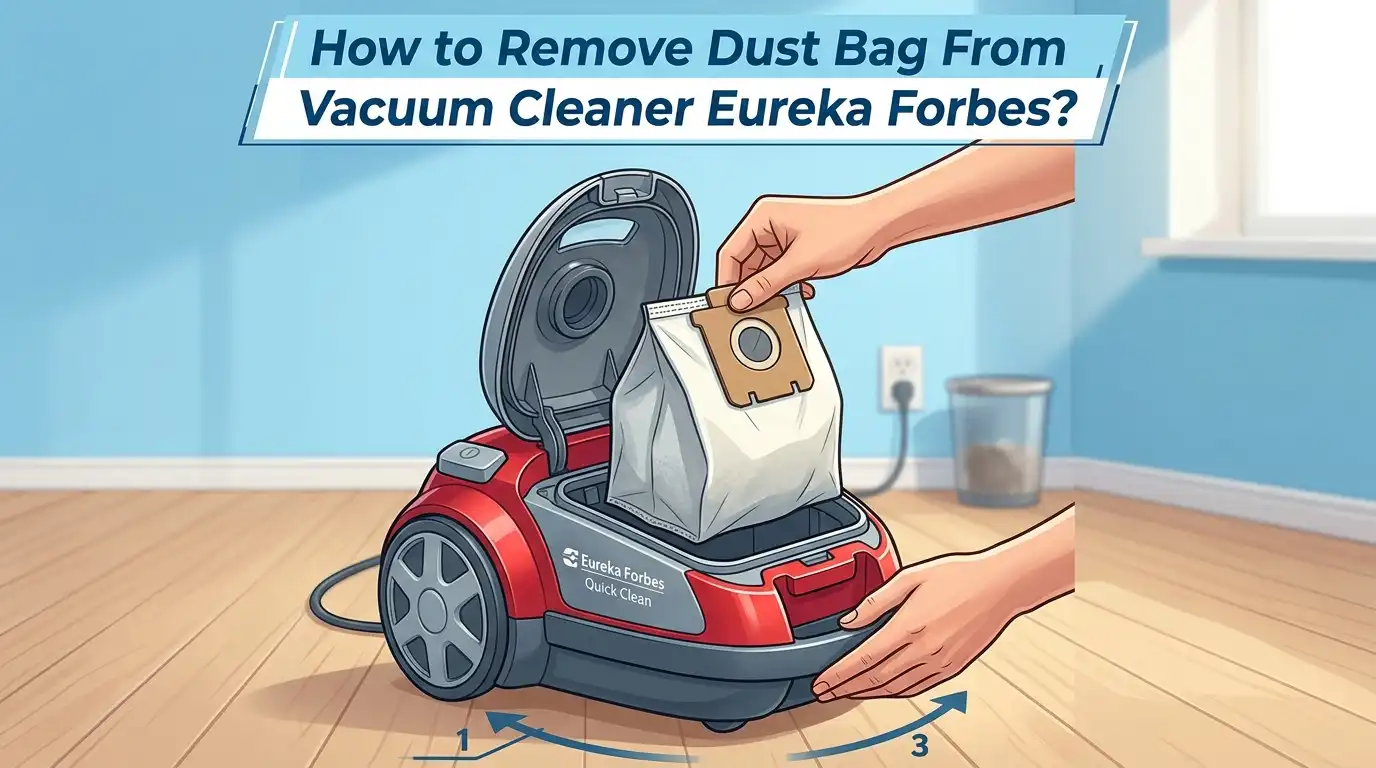
How to Remove Dust Bag From Vacuum Cleaner Eureka Forbes?
Is your Eureka Forbes vacuum cleaner losing suction? Does it leave behind dirt instead of picking it up? The problem is likely a full or clogged dust bag. Many Eureka Forbes users struggle with removing the dust bag because the process varies across different models.
A stuffed dust bag forces the motor to work harder, which can overheat the machine and cut its lifespan short. The good news is that removing and cleaning the dust bag is a quick task you can do at home without any special tools.
This guide walks you through the exact steps for popular Eureka Forbes models like the Quick Clean DX, Trendy Steel, Trendy Nano, Trendy Zip, and the X1 series. You will also learn how to clean the bag, when to replace it, and how to keep your vacuum running at full power. Let’s get right into it.
Key Takeaways
- Always unplug your Eureka Forbes vacuum cleaner before opening the dust bag compartment. This prevents accidental startups and keeps you safe during the process. Electrical safety is the first step in any appliance maintenance task.
- Most Eureka Forbes canister models use a front lid mechanism. You press or release a latch on the front of the body, lift the lid, and pull the dust bag out by its plastic collar or handle. Models like the Trendy Nano, Trendy Zip, and Trendy Steel all follow this basic approach.
- The dust bag full indicator on your Eureka Forbes vacuum turns red when the bag needs attention. Do not wait until the bag is completely stuffed. Empty or replace it when the indicator activates or when the bag is about two thirds full. This keeps suction strong and protects the motor.
- Eureka Forbes vacuum cleaners use both reusable cloth bags and disposable paper bags. Reusable bags can be washed with mild soap and water. Disposable paper bags must be thrown away and replaced with a new one. Always check your model’s user manual to confirm the bag type.
- Regular dust bag maintenance extends the life of your vacuum cleaner. A clean dust bag improves airflow, prevents motor strain, and stops allergens from escaping back into your room. Aim to check the bag after every two or three cleaning sessions for best results.
Why the Dust Bag Matters in Your Eureka Forbes Vacuum
The dust bag is the heart of your vacuum cleaner’s filtration system. It collects all the dirt, dust, pet hair, and debris that the machine picks up from your floors and furniture. When the bag fills up, airflow drops and suction weakens.
A full bag also puts extra pressure on the motor. The motor has to work much harder to pull air through a clogged bag. This generates excess heat and can lead to permanent motor damage over time.
Clean dust bags also play a role in indoor air quality. If the bag is overfilled, fine dust particles can escape back into your room. This is especially harmful for people with allergies or asthma. Keeping the bag clean ensures the vacuum traps and holds allergens inside.
Tools You Need Before You Start
You do not need any specialized equipment to remove a dust bag from a Eureka Forbes vacuum cleaner. However, a few items will make the job cleaner and easier. Gather these before you begin.
A pair of rubber or disposable gloves protects your hands from dust and allergens. A dust mask is helpful if you are sensitive to fine particles. Keep a trash bag or dustbin nearby so you can dispose of the contents right away.
A soft brush or old toothbrush is useful for cleaning dust from the bag compartment after removal. You may also want a damp cloth to wipe down the interior of the vacuum body. If you plan to wash a reusable bag, prepare a bucket of warm water and a small amount of mild liquid detergent.
How to Identify Your Eureka Forbes Vacuum Model
Eureka Forbes sells several vacuum cleaner models in India, and the dust bag removal process differs slightly between them. Knowing your exact model saves you from confusion and potential damage. Check the label on the bottom or back of your vacuum body for the model name and number.
Popular models include the Forbes Quick Clean DX, Forbes Trendy Steel, Forbes Trendy Nano, Forbes Trendy Zip, Forbes Trendy Wet and Dry DX, and the Euroclean X1. Each of these uses a canister design with a front lid or top cover that opens to reveal the dust bag.
Your user manual is the most reliable source of model specific instructions. If you have lost the manual, you can find digital copies on the Eureka Forbes website or by searching for your model number online. Identifying your model first will make the removal process smooth and stress free.
Step by Step Guide to Remove the Dust Bag From Eureka Forbes Canister Models
This process applies to most Eureka Forbes canister vacuum cleaners, including the Trendy Steel, Trendy Nano, Trendy Zip, and Quick Clean DX. Follow each step carefully.
Step 1: Turn off the vacuum cleaner and unplug it from the power outlet. Wait a minute for the motor to cool down. Step 2: Detach the flexible hose pipe from the front of the vacuum body. Most models have a simple click release mechanism.
Step 3: Locate the front lid latch or cover lock button on the vacuum body. Press or slide it to release the front lid. Step 4: Lift the front lid open. You will see the dust bag sitting inside the compartment.
Step 5: Grip the plastic collar or handle at the top of the dust bag. Pull it straight out gently. Avoid shaking the bag to prevent dust from spilling. Step 6: If you have a reusable cloth bag, carry it to a trash bin and empty the contents. If you have a disposable paper bag, remove it completely and discard it.
Removing the Dust Bag From the Eureka Forbes X1 and Euroclean Xforce
The Eureka Forbes X1 and Euroclean Xforce models have a slightly different design. These models use a dust container rather than a traditional front lid compartment. The process is still simple but requires a different approach.
First, unplug the vacuum and remove the hose. Then locate the cover lock button on the top or side of the dust container. Press this button to release the container cover. Lift the cover to expose the dust filter and bag inside.
Carefully pull the dust filter out of the container. The dust bag may be attached to or sitting beneath the filter assembly. Remove it gently. If you have a reusable bag, empty it over a trash bin. Replace the dust filter and bag, then snap the cover back into place until you hear a click.
Pro tip: Clean the dust filter with a soft brush each time you remove the bag. This keeps the airflow path clear and prevents suction loss.
How to Clean a Reusable Cloth Dust Bag
Many Eureka Forbes models come with reusable cloth dust bags that you can wash and reuse multiple times. This saves money and reduces waste. Here is how to clean one properly.
Take the bag outdoors if possible. Open the bag and shake out all loose dust and debris into a trash bin. Turn the bag inside out and tap it a few times to dislodge stubborn particles.
Fill a bucket with warm water and add a few drops of mild liquid detergent. Submerge the bag and gently scrub it with a soft brush. Pay special attention to seams and corners where dirt tends to collect. Rinse the bag thoroughly with clean water until all soap is gone.
Squeeze out excess water gently. Hang the bag in a well ventilated area and let it dry completely before reinserting it. Never put a damp bag back into the vacuum. Moisture inside the vacuum body can cause mold growth and damage the motor.
Pros of reusable bags: Cost effective, eco friendly, easy to wash at home.
Cons of reusable bags: Filtration quality drops over time, bags wear out after several washes, drying takes time.
When to Replace a Disposable Paper Dust Bag
Some Eureka Forbes models use disposable paper dust bags instead of reusable cloth bags. These bags offer better filtration because the paper material traps finer dust particles. However, they cannot be washed or reused.
Replace the paper bag when it is about two thirds full. Do not wait until the bag is completely stuffed. A packed bag restricts airflow and forces the motor to overwork. Most Eureka Forbes models have a dust bag full indicator light that turns red when it is time to change the bag.
You should also replace the bag if you notice a musty or unpleasant smell coming from the vacuum. Organic matter like food crumbs and pet hair can decompose inside the bag over time and create odors.
Pros of disposable bags: Superior filtration, hygienic disposal, no cleaning required.
Cons of disposable bags: Ongoing cost for replacement bags, creates more waste, you need to keep spare bags on hand.
Always purchase replacement bags that match your specific Eureka Forbes model. Using the wrong size or type can cause poor fit and air leaks.
Common Mistakes to Avoid During Dust Bag Removal
Several mistakes can make the dust bag removal process messy or even damage your vacuum. Knowing what to avoid saves you trouble. The most common error is pulling the bag out too fast. A quick pull can tear the bag and scatter dust all over the compartment.
Never operate the vacuum with a missing or improperly seated dust bag. Dust will enter the motor and clog the internal components. This leads to expensive repairs or complete motor failure.
Do not force the lid or cover open if it feels stuck. Check that the hose is fully detached first. Some models lock the lid when the hose is still connected. Also, avoid using a wet or damp reusable bag. This creates a breeding ground for mold and bacteria inside the vacuum.
Skipping the compartment cleaning step is another frequent mistake. Dust builds up inside the bag chamber over each use. A quick wipe with a damp cloth after each bag change keeps the compartment fresh and the vacuum running efficiently.
Signs Your Eureka Forbes Dust Bag Needs Immediate Attention
Your vacuum cleaner gives clear signals when the dust bag is full or clogged. Recognizing these signs early prevents motor damage and keeps cleaning effective.
The dust bag full indicator light is the most obvious signal. On most Eureka Forbes models, this light turns red when the bag reaches capacity. Do not ignore this warning. A second major sign is a sudden drop in suction power. If the vacuum struggles to pick up crumbs or dust from the floor, the bag is likely the cause.
Unusual noises during operation can also point to a full bag. The motor strains harder and may produce a louder or higher pitched sound. If you notice dust escaping from the vacuum or settling on surfaces you just cleaned, the bag may have a tear or may be overfilled.
An overheating vacuum is a serious warning sign. If the body feels very hot to the touch or the machine shuts off by itself, turn it off immediately and check the dust bag.
Tips to Extend the Life of Your Eureka Forbes Dust Bag
A few simple habits can make your dust bags last longer and keep your vacuum performing at its best. These tips apply to both reusable cloth bags and disposable paper bags.
Check the dust bag before every cleaning session. A quick visual inspection takes seconds and helps you catch a full bag before it causes problems. Empty reusable bags when they are about half full rather than waiting for the indicator light.
Pick up large debris by hand before vacuuming. Items like coins, paper clips, small toys, and large food scraps can tear the bag or block the opening. Removing these items first protects the bag and the motor.
Vacuum at a steady, moderate pace rather than rushing. Fast, aggressive strokes push more debris into the bag at once and can pack it tighter than necessary. A calm, even pace allows the airflow to distribute dust evenly inside the bag.
Store your vacuum cleaner in a cool, dry place after use. Heat and moisture can weaken cloth bags and cause paper bags to deteriorate faster.
How to Clean the Dust Bag Compartment
Cleaning the compartment itself is just as important as changing the bag. Residual dust inside the chamber restricts airflow and reduces suction power even with a fresh bag installed.
After removing the dust bag, use a dry soft brush to sweep loose dust from the walls and bottom of the compartment. Pay close attention to the area around the bag holder or mounting point where dust tends to accumulate.
Wipe the inside of the compartment with a slightly damp cloth. Avoid using soaking wet cloths or spraying water directly into the compartment. Electronics and motor components are nearby, and excess moisture can cause damage.
Check the HEPA filter or micro filter located near the dust bag compartment. Some Eureka Forbes models have a filter just behind the bag. Remove it and tap it gently to remove surface dust. Wash it if the manual says it is washable, and let it dry completely before reinstalling. A clean filter and a clean compartment work together to keep your vacuum at peak performance.
When to Contact Eureka Forbes Service Support
Sometimes dust bag issues point to deeper problems that home cleaning cannot fix. Knowing when to call for professional help saves you from making things worse.
Contact Eureka Forbes service support if the dust bag full indicator stays red even after you insert a clean or new bag. This could signal a sensor malfunction or a blockage deeper in the airflow system.
If you hear grinding or scraping noises that continue after the bag change, the motor or brush roll may need professional inspection. Persistent suction loss despite a clean bag, clean filters, and clear hose also calls for expert attention.
Eureka Forbes has service centers in over 750 cities with certified technicians. You can book a service visit through their app or website. Regular professional servicing once a year keeps your vacuum running smoothly and catches problems early before they become costly.
Frequently Asked Questions
How often should I remove and clean the dust bag on my Eureka Forbes vacuum?
You should check the dust bag after every two to three cleaning sessions. Empty or replace it when it is about two thirds full or when the dust bag full indicator turns red. Homes with pets or high foot traffic may need more frequent bag changes. Regular attention to the bag keeps suction strong and prevents motor strain.
Can I wash the paper dust bag in my Eureka Forbes vacuum cleaner?
No. Paper dust bags are disposable and cannot be washed or reused. Water will destroy the paper material and ruin its filtration ability. Always replace a paper dust bag with a new one of the correct type for your model. Only reusable cloth bags can be washed with mild detergent and water.
What happens if I run my Eureka Forbes vacuum without a dust bag?
Running the vacuum without a dust bag sends dust and debris directly into the motor and internal components. This causes clogging, overheating, and can lead to permanent motor failure. Always make sure a clean dust bag is properly installed before you turn on the vacuum.
Where can I buy replacement dust bags for my Eureka Forbes vacuum?
You can purchase replacement dust bags from the official Eureka Forbes website, their service centers, and authorized retail stores. Make sure to match the bag type to your specific vacuum model. Using the correct bag size and type ensures proper fit and optimal performance.
My vacuum still has weak suction after I changed the dust bag. What should I do?
Weak suction after a bag change usually means there is a clog elsewhere. Check the hose, extension tubes, and nozzle for blockages. Also inspect and clean the HEPA filter or micro filter. If the problem continues after clearing all filters and pathways, contact Eureka Forbes service support for a professional inspection.
Is it normal for some dust to spill when I remove the bag?
A small amount of dust may escape during removal, which is normal. To reduce spillage, remove the bag slowly and steadily over a trash bin. Wearing gloves and a dust mask is a good practice, especially if you are sensitive to dust or allergens. Working outdoors or in a well ventilated area also helps keep the mess contained.

Hi, I’m Grace Bell, the founder of CleanFloorVault.com, where I personally test and review vacuum cleaners to help you find the perfect tool for a spotless home.