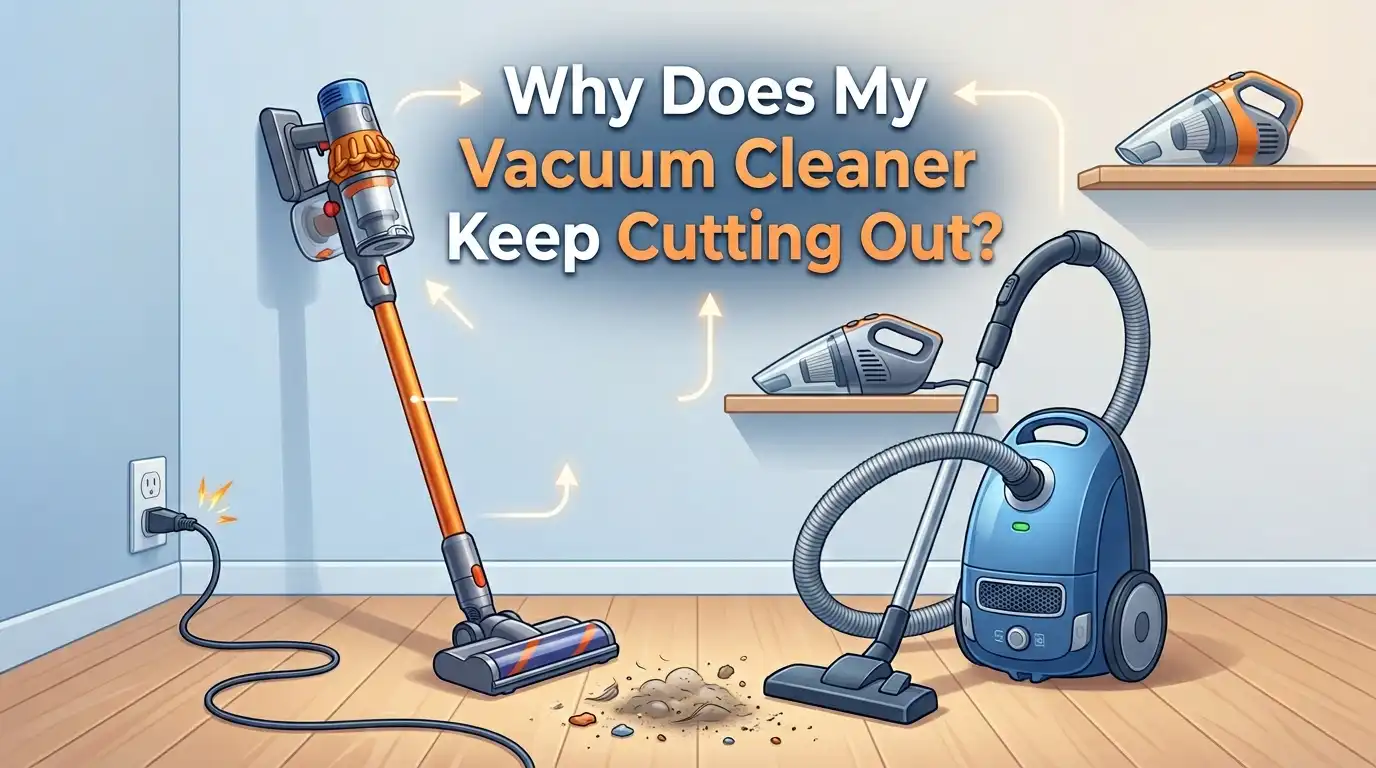
Why Does My Vacuum Cleaner Keep Cutting Out?
You are in the middle of cleaning your living room, and suddenly your vacuum cleaner shuts off. You press the power button again. It starts, runs for a minute, and then cuts out once more. Sound familiar? This is one of the most common and frustrating problems vacuum owners face.
The good news is that a vacuum cleaner that keeps cutting out rarely means the machine is broken beyond repair. Most of the time, the issue comes down to a handful of simple causes.
These include clogged filters, blocked hoses, full dust bags, overheating motors, and faulty power connections. Each of these problems has a clear fix that you can handle at home with basic tools or no tools at all.
In a Nutshell
- A clogged or dirty filter is the number one reason vacuum cleaners cut out during use. Filters trap fine dust particles to keep exhaust air clean, but they also restrict airflow when they get too dirty. A restricted airflow causes the motor to work harder, overheat, and trigger a built in safety shutoff called a thermal cutout. You should check and clean your filters before doing anything else.
- Blockages in the hose, wand, or brush head are the second most common cause. Items like socks, hair clumps, and large debris can get lodged in the airway. This forces the motor into overdrive and leads to the same overheating and shutoff cycle. Always inspect the entire air path from the brush head to the dust container.
- A full dust bag or canister can also cause your vacuum to cut out. When there is no room for debris, the airflow stalls, pressure builds, and the motor overheats. Empty or replace the bag well before it reaches maximum capacity.
- Battery problems cause cordless vacuums to cut out suddenly. A degraded battery, dirty contacts, or a faulty charger can make your cordless vacuum die after just a few seconds. Cleaning the contacts or replacing the battery often solves the issue.
- Damaged power cords and faulty electrical connections lead to intermittent power loss in corded vacuums. A frayed cord, loose plug, or damaged internal wiring can cause the vacuum to flicker on and off during use. Inspect the cord from plug to machine for any visible damage.
Understanding the Thermal Cutout Safety Feature
Most modern vacuum cleaners have a thermal cutout switch built into the motor housing. This switch monitors the temperature inside the machine. When the motor gets too hot, the thermal cutout disconnects the electrical supply to prevent permanent damage.
This safety feature is the reason your vacuum shuts off and then starts working again after a cooling period. If your vacuum cuts out and you can restart it 30 to 60 minutes later, the thermal cutout has almost certainly been triggered. The motor overheated, the switch tripped, and the machine needed time to cool down.
The thermal cutout itself is not the problem. It is doing its job. Your real task is to find out why the motor is getting too hot in the first place. The sections below cover every common cause of overheating, from dirty filters to worn motor brushes.
Pros: Protects the motor from burning out and prevents potential fire hazards.
Cons: Can be annoying during long cleaning sessions if the root cause of overheating is not addressed.
Clogged or Dirty Filters
Filters are the most frequent cause of vacuum cleaners cutting out. Every vacuum has at least one filter, and many models have two or three. These filters catch fine dust, allergens, and particles before exhaust air leaves the machine. Over time, dust builds up on the filter surface and blocks the airflow the motor needs to stay cool.
To fix this, remove all filters from your vacuum. Check your user manual to find their exact locations. Tap the filters gently over a trash can to shake off loose dust. If your filters are washable, rinse them under cool running water and let them air dry completely for at least 24 hours before reinstalling them.
Never put a wet filter back into your vacuum. A damp filter restricts airflow even more than a dusty one and can cause mold growth inside the machine. If your filters are not washable or look damaged, replace them.
Pros: This fix costs nothing if your filters are washable and takes only a few minutes.
Cons: Forgetting to let filters dry fully can make the problem worse or introduce mold.
Blockages in the Hose and Wand
A blockage anywhere in the vacuum’s air path forces the motor to work much harder than normal. Hair, small toys, socks, and compressed dust clumps are the usual culprits. The motor strains against the restriction, heats up quickly, and the thermal cutout shuts everything down.
Start by detaching the hose from the vacuum body. Hold it up to a light and look through it. If you cannot see light at the other end, something is stuck inside. You can use a broom handle or a long, flexible brush to push the obstruction out gently. Check the wand and any connecting tubes the same way.
Also examine the point where the hose connects to the vacuum body. Debris often collects at this junction because the diameter of the airway changes slightly. A quick inspection and cleanout of this area can solve cutting out problems instantly.
Pros: Clearing a blockage provides an immediate fix and restores full suction power.
Cons: Some blockages are deep inside the hose and can be difficult to reach without the right tools.
Full Dust Bag or Canister
This one sounds obvious, but it is easy to overlook. A dust bag or canister that is too full restricts airflow in the same way a clogged filter does. The motor cannot draw enough air through the system, overheats, and the thermal cutout kicks in.
For bagged vacuums, replace the bag when it is about two thirds full. Do not wait until it is completely packed. Fine dust in the bag’s fabric clogs the pores over time, so even a bag that looks half full can restrict airflow significantly. For bagless vacuums, empty the canister after every use or at least when it reaches the maximum fill line.
Also check the area around the dust container. Dust and debris sometimes escape and settle in the chamber that holds the bag or canister. Wipe this area clean each time you empty or replace the bag.
Pros: This is the quickest and easiest fix, requiring no tools at all.
Cons: Bagged vacuums have an ongoing cost for replacement bags, and fine dust can reduce bag performance before it looks full.
Overheating Motor
If you have cleaned the filters, cleared blockages, and emptied the dust container but your vacuum still cuts out, the motor itself may be overheating due to internal issues. Worn bearings, damaged fan blades, or excessive dust buildup inside the motor housing can all cause heat to build up faster than normal.
Unplug your vacuum and let it cool for at least 60 minutes. Then remove the housing cover if your model allows it. Look for dust buildup on the motor vents, fan blades, and internal airways. Use a dry cloth or compressed air to clean these components carefully. Do not use water near the motor.
If the fan blades are cracked or chipped, they will not move air efficiently and the motor will run hot. Replacing damaged fan blades is a straightforward repair on many models. If the motor bearings make a grinding noise, the motor may need professional servicing or replacement.
Pros: Cleaning internal motor components can extend the life of your vacuum by years.
Cons: Opening the motor housing may void your warranty, and some internal repairs require a professional.
Worn Carbon Brushes in the Motor
Many vacuum cleaners use motors with carbon brushes that transfer electrical current to the spinning armature. These brushes wear down gradually over time. When they get too short, they lose consistent contact with the armature, causing the motor to cut in and out or stop entirely.
Signs of worn carbon brushes include excessive sparking visible through motor vents, a burning smell, reduced suction power, and intermittent shutoffs. To check, unplug the vacuum and locate the brush holders on either side of the motor. Remove the brushes and measure their length. If they are worn down to about 5 millimeters or less, they need to be replaced.
Replacement carbon brushes are inexpensive and widely available. The swap takes about 10 to 15 minutes with a basic screwdriver. Always replace both brushes at the same time, even if only one looks worn. This ensures even contact and consistent motor performance.
Pros: Carbon brushes are cheap, and replacing them is a simple DIY job that can bring a dying vacuum back to life.
Cons: Identifying worn brushes requires opening the motor housing, which may intimidate less experienced users.
Damaged Power Cord or Plug (Corded Vacuums)
A frayed, cracked, or internally broken power cord can cause a vacuum to cut out at random moments. This happens because the damaged wire makes and breaks electrical contact as the cord moves during vacuuming. You might notice the vacuum flickering or cutting out only when you move it in a certain direction.
Unplug the vacuum and inspect the entire length of the cord. Pay special attention to the points where the cord meets the plug and where it enters the vacuum body. These are the areas that experience the most bending stress. Look for exposed wires, kinks, burn marks, or soft spots in the insulation.
If you find damage, the safest option is to replace the entire cord. Splicing a vacuum cord is possible but not recommended for safety reasons. Also check the plug prongs. Loose or bent prongs can cause a poor connection with the wall outlet, leading to intermittent power loss.
Pros: Replacing a damaged cord eliminates a potential fire hazard and solves the cutting out problem.
Cons: Cord replacement on some models requires partial disassembly, which can be tricky.
Battery Issues (Cordless Vacuums)
Cordless vacuums rely entirely on their battery pack. A failing battery is the most common reason cordless models cut out after just a few seconds of use. Lithium ion batteries degrade over time, losing their ability to hold a charge. After two to three years of regular use, most cordless vacuum batteries deliver noticeably less runtime.
If your cordless vacuum starts and then dies almost immediately, remove the battery and check the metal contacts. Dirty or corroded contacts prevent the battery from delivering consistent power to the motor. Clean them gently with a dry cloth or a cotton swab dipped in rubbing alcohol.
Try fully discharging the battery and then charging it to 100 percent without interruption. If the vacuum still cuts out after a full charge cycle, the battery likely needs to be replaced. Also verify that the charger is working correctly by testing it with a multimeter if you have one.
Pros: Cleaning battery contacts is free and often fixes intermittent cutouts instantly.
Cons: Replacement batteries can be expensive, sometimes costing a significant fraction of a new vacuum’s price.
Brush Roll Jams and Tangles
The brush roll spins at high speed to agitate carpet fibers and lift dirt. Long hair, string, and thread wrap around the brush roll over time and create resistance. This resistance forces the motor to draw more power, which generates excess heat and can trigger the thermal cutout.
Flip your vacuum over and examine the brush roll. If you see hair or string wrapped tightly around it, use scissors to carefully cut the tangled material and pull it free. Be careful not to cut the bristles themselves. Some models have a removable brush roll that you can slide out for easier cleaning.
Check that the brush roll spins freely after cleaning. If it feels stiff or does not spin at all, the bearings inside the end caps may be worn out. Replacing the end caps or the entire brush roll will fix this. A vacuum with a jammed brush roll not only cuts out but also does a poor job of cleaning.
Pros: Clearing brush roll tangles takes five minutes and immediately reduces motor strain.
Cons: This needs to be done regularly, especially in homes with long haired people or pets.
Faulty Wall Outlet or Extension Cord
Sometimes the problem is not with your vacuum at all. A faulty wall outlet can cause intermittent power loss that makes it seem like the vacuum is cutting out. Extension cords can also be the culprit, especially if they are too long, too thin, or damaged.
Test the outlet by plugging in a different appliance like a lamp or a fan. If that appliance also flickers or loses power, the outlet has a problem. Try plugging your vacuum into a different outlet in another room to see if the cutting out stops. If it does, you have found your answer.
Extension cords are a common issue because vacuum motors draw a lot of current. A lightweight or overly long extension cord may not deliver enough power, causing the motor to starve and shut off. Always plug your vacuum directly into a wall outlet if possible. If you must use an extension cord, choose a short, heavy duty one rated for at least 15 amps.
Pros: This fix requires no repair work on the vacuum itself.
Cons: Outlet repairs require an electrician, and heavy duty extension cords cost more than standard ones.
Improper Assembly or Loose Components
Many vacuum cleaners have safety switches that prevent the machine from running if parts are not assembled correctly. A canister lid that is not fully latched, a dust container that is slightly off its seat, or a filter cover that is not snapped shut can trigger these switches and cause the vacuum to cut out.
After cleaning or emptying your vacuum, take a moment to make sure everything is reassembled correctly. Press each component firmly into place and listen for the click that confirms it is seated. Check the dust container, filter housing, hose connections, and any covers or doors.
If your vacuum still cuts out after confirming proper assembly, inspect the safety switch contacts for dust or debris. These small electrical contacts can get dirty and fail to register that a component is in place. A quick wipe with a dry cloth can restore the connection.
Pros: This fix requires no tools and takes less than a minute.
Cons: Safety switch locations are not always obvious and may require consulting the user manual to find.
When to Call a Professional or Replace Your Vacuum
If you have worked through every fix in this guide and your vacuum still keeps cutting out, it may be time to consider professional repair or replacement. A motor with burnt windings, a cracked housing, or a damaged circuit board are problems that go beyond DIY repair for most people.
As a general rule, if the cost of a professional repair exceeds 50 percent of the price of a comparable new vacuum, replacement is usually the better financial decision. Older vacuums with outdated motor technology also tend to be less energy efficient, so upgrading can save you money over time.
Before you decide, call a local vacuum repair shop for a diagnostic estimate. Many shops will inspect your machine for a small fee or even for free. Getting a professional opinion can save you from spending money on a new vacuum when a simple part replacement would have done the job.
Pros: Professional repair can extend a quality vacuum’s life significantly at a fraction of the replacement cost.
Cons: Repair turnaround times vary, and you may be without your vacuum for several days.
Frequently Asked Questions
Why does my vacuum cut out after a few minutes and then start again?
This is almost always caused by the thermal cutout switch. Your vacuum’s motor gets too hot, and the safety switch shuts it down to prevent damage. The most common causes are clogged filters, blocked hoses, and a full dust container. Once the motor cools down, the switch resets, and the vacuum runs again until it overheats once more. Clean your filters and clear any blockages to fix this cycle.
Can a full dust bag really cause my vacuum to shut off?
Yes, absolutely. A full or nearly full dust bag restricts the airflow that cools the motor. Even a bag that appears only half full can restrict airflow if fine dust has clogged its fabric pores. Replace your bag when it reaches about two thirds full for the best performance and to prevent overheating shutoffs.
Why does my cordless vacuum cut out after just a few seconds?
A cordless vacuum that dies within seconds of turning on usually has a battery problem. The battery may be degraded and unable to deliver sustained power. Dirty or corroded battery contacts can also cause this. Clean the contacts first, and if that does not help, try a full discharge and recharge cycle. A replacement battery is often the final solution.
How often should I clean my vacuum filters to prevent cutouts?
Most manufacturers recommend cleaning or replacing filters every one to three months, depending on how frequently you vacuum. If you have pets or live in a dusty environment, clean your filters every two to four weeks. Washable filters should be rinsed under cool water and allowed to dry completely for 24 hours before reinstalling.
Is it safe to keep using a vacuum that keeps cutting out?
You should not ignore a vacuum that repeatedly cuts out. The thermal cutout is protecting the motor from serious damage, and repeatedly triggering it can shorten the motor’s lifespan. Persistent overheating can also pose a fire risk in extreme cases. Diagnose and fix the underlying problem before continuing to use the machine.
My vacuum cuts out only on certain floor types. Why?
This usually happens on thick or high pile carpets. Dense carpet fibers can seal against the vacuum’s suction opening, blocking airflow completely. This causes the motor to overheat quickly. Try raising the height adjustment on your vacuum if it has one, or reduce the suction setting. Some vacuums also have a suction release valve that you can open slightly to let in extra air on thick carpets.

Hi, I’m Grace Bell, the founder of CleanFloorVault.com, where I personally test and review vacuum cleaners to help you find the perfect tool for a spotless home.