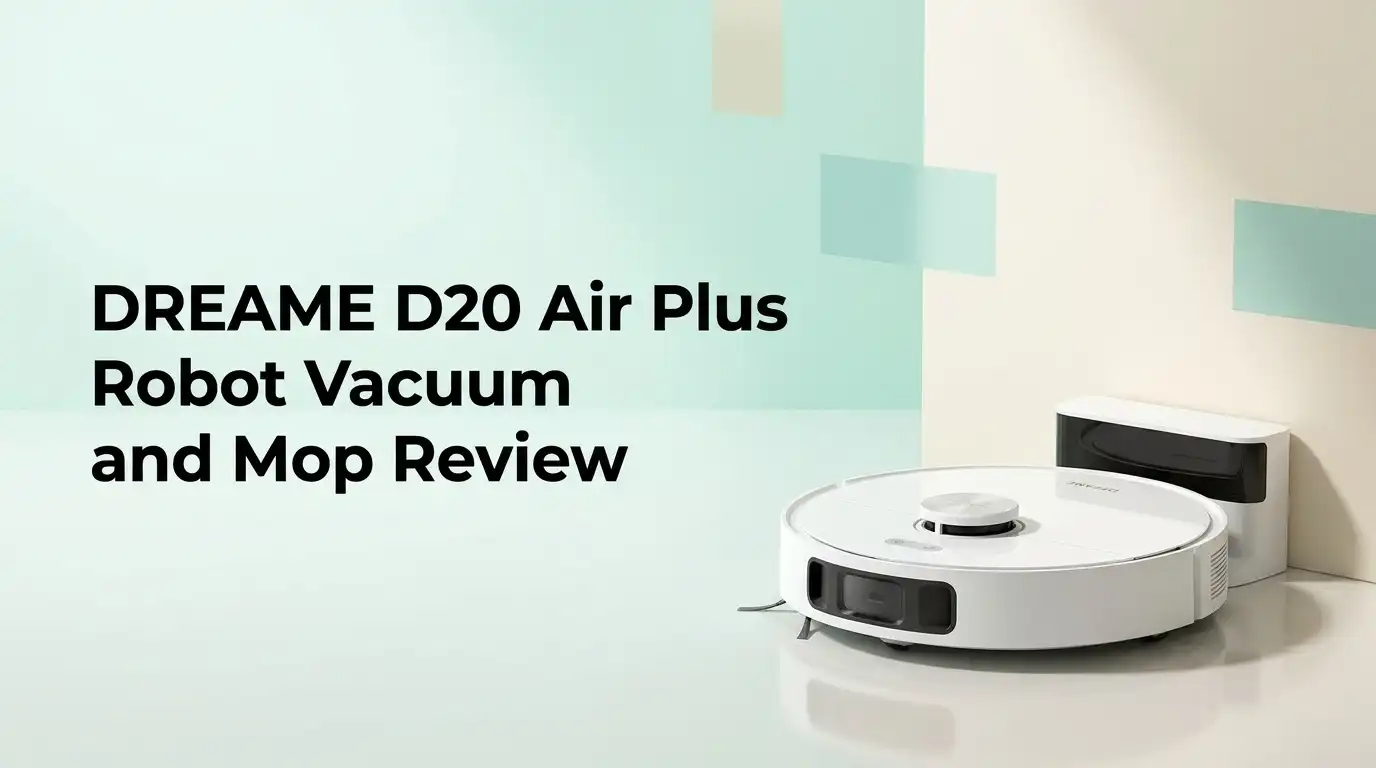
DREAME D20 Air Plus Robot Vacuum and Mop Review 2026: Worth Buying?
Robot vacuums keep getting fancier and pricier. The DREAME D20 Air Plus goes the other way. It costs around $269.99 at list price, and it often drops near $199.99 during sales. For that money you get 20,000Pa suction, LiDAR mapping, and a base station that empties the robot for you. That mix used to cost twice as much.
So what is the catch? There is one, and this review will not hide it. The mopping is basic. The robot is louder than premium models. Lightweight mats annoy it. But the vacuuming? That part surprised me.
If you want honest answers before you spend your money, keep reading. This review covers the unboxing, the app, real cleaning results, the weak points, and three solid alternatives.
In a Nutshell:
- Suction is the headline feature. The D20 Air Plus delivers 20,000Pa Vormax suction, which is strong for a budget robot. It pulls pet hair, crumbs, leaf bits, and fine dust out of low pile carpet without complaint.
- The base station empties the robot automatically. A 4L dust bag holds up to 120 days of debris. You empty the bag roughly three times a year instead of every other day.
- Mopping is the weak link. A single flat pad drags across the floor. It does not spin, it does not lift over carpet, and the dock does not wash it. You wet it yourself and you rinse it yourself.
- Navigation works well. LiDAR mapping draws straight parallel lines, slows near table legs, and slides under low furniture. It builds the map while it cleans, so no separate mapping run is needed.
- Battery lasts up to 150 minutes. A full downstairs clean finished in about 33 minutes and left roughly 77 percent charge remaining in testing.
- Best for: renters, pet owners, apartment dwellers, and anyone who wants reliable daily vacuuming without a $1,000 price tag. Skip it if you want real mopping power.
What Is the DREAME D20 Air Plus?


Last update on 2026-11-18 / Affiliate links / Images from Amazon Product Advertising API
The DREAME D20 Air Plus is a 2 in 1 robot vacuum and mop with a self emptying base station. It sits in Dreame’s D Series, below the D20 Plus and D20 Pro Plus, but it actually beats both on raw suction.
The robot uses a laser distance sensor on top for mapping. It carries a dust box inside, a single side brush, a dual anti tangle main brush, and a 280ml water tank with a flat mop pad.
The core idea is simple. Dreame stripped out the expensive dock features like mop washing and hot air drying, then spent the savings on the motor and the auto empty system. You get premium suction at a budget price, and you accept a basic mop in return.
Unboxing Experience: What Arrives in the Box
The box is smaller and lighter than I expected for a self emptying model. Dreame packs everything in molded cardboard trays rather than foam, which feels tidy and easy to recycle.
Inside you find the robot itself, the base station, a 4L dust bag already installed, one side brush, the mop plate with a pad attached, a power cable, and a short manual.
The first thing you notice is the dock size. It is noticeably more compact than the towering docks on premium robots. It fits beside a bookshelf or behind a door without dominating the room.
The robot feels solid in the hand. The plastic is matte, the LiDAR turret spins freely, and the dust box slides out of the back as a wedge shaped tray. Nothing about the packaging feels cheap, even at this price.
Setup and First Run in the App
Setup took me under ten minutes. You clip the side brush onto the base, plug in the dock, and let the app do the rest.
One warning saves you some confusion. There is a physical power switch on the back of the base station. Plug it in and nothing happens until you flip that switch. I stared at a silent dock for several minutes before spotting it.
The Dreamehome app connects over 2.4GHz WiFi. It walks you through pairing, naming the robot, and starting the first clean.
You do not need a separate mapping run. The D20 Air Plus builds its map while it cleans the first time. The live map shows the robot’s position and shades the areas it already covered, so you can spot missed spots right away.
Suction Power and Vacuuming Performance
Last update on 2026-11-18 / Affiliate links / Images from Amazon Product Advertising API
Vacuuming is where this robot earns its keep. The 20,000Pa rating is not marketing fluff. On hard floors it clears crumbs, dust, and tracked in dirt in one pass.
On low pile carpet it ramps up automatically. Ultrasonic carpet detection tells the robot to boost suction, and you can hear the motor shift into a higher gear.
Pet hair handling impressed me most. Long dog hair, short cat hair, and the fine undercoat that sticks to rugs all went into the bin. The dual anti tangle brush kept wrapping to a minimum, though I still trimmed a few strands off after two weeks.
You get four suction levels: Quiet, Standard, Intense, and Max. Standard handles daily dust fine. Max drains the battery faster, so save it for carpet days.
Top 3 Alternative for DREAME D20 Air Plus

Last update on 2026-11-18 / Affiliate links / Images from Amazon Product Advertising API
DREAME D10 Plus Gen 2 Robot Vacuum and Mop

Last update on 2026-11-19 / Affiliate links / Images from Amazon Product Advertising API
roborock Q7 M5+ Robot Vacuum and Mop

Last update on 2026-11-18 / Affiliate links / Images from Amazon Product Advertising API
eufy L60 Robot Vacuum with Self Empty Station
Mopping Performance: The Honest Weak Spot
Here is where the budget shows. The D20 Air Plus uses one flat microfiber pad clipped to a plate on the underside.
The pad does not vibrate. It does not spin. It does not lift when the robot crosses a rug. You fill the 280ml tank yourself, and you dampen the pad yourself before each run.
The result is light maintenance mopping, not real floor scrubbing. It wipes away settled dust and faint shoe marks on sealed hardwood or tile. Dried juice, sauce splatter, and sticky patches survive the pass.
The dock does not wash or dry the pad either. After mopping you pull the plate off, rinse it in the sink, and hang it to dry. Skip that step and the pad smells within a day. Treat mopping as a free extra, not a reason to buy.
Navigation and Mapping with LiDAR
Navigation is quietly excellent for this price bracket. The laser turret spins constantly and feeds a clean floor plan into the app.
The robot cleans in straight parallel rows. There is no random bouncing and no repeated backtracking. It slows down as it approaches chair legs instead of slamming into them.
Edge coverage surprised me. The side brush flicks debris out of corners, and the robot hugs baseboards closely rather than leaving a dusty border.
It also slid under a low entertainment center that I assumed would block it, LiDAR turret and all. Cliff sensors kept it off the stairs during every test.
One flaw stands out. Lightweight mats get pushed around rather than driven over. My sliding door mat ended up bunched against the wall more than once.
Self Emptying Base Station and the 120 Day Dust Bag
The auto empty dock is the feature that changes daily life. When the robot returns, the dock sucks the dust box contents into a sealed 4L bag.
Dreame rates that bag for up to 120 days of hands free dust collection. In a two person home with one shedding dog, that estimate felt realistic. Heavier households will swap bags sooner.
The emptying cycle is loud but short. It runs for roughly ten seconds and sounds like a hair dryer. Schedule cleans for when you are out if the noise bothers you.
Replacement bags cost a few dollars each and come in three packs. Factor roughly $15 to $25 per year into your budget for bags, plus occasional filter and brush replacements.
Battery Life and Real Runtime
The D20 Air Plus carries a 3,200mAh battery rated for up to 150 minutes of runtime. That number assumes Quiet mode on bare floors.
Real results tell a better story. A full downstairs clean, roughly 600 square feet with rugs, finished in about 33 minutes and left around 77 percent battery.
That math suggests a single charge covers most apartments and small homes easily. Larger homes trigger recharge and resume, where the robot docks, charges, then returns to the spot it stopped.
Battery drain climbs fast on Max suction and on thick carpet. Standard mode gives the best balance of runtime and cleaning power. Charging from empty takes several hours, so overnight scheduling works best.
Noise Levels in Daily Use
Let me be direct. This robot is louder than premium models in the same room.
On Standard it sits at a steady hum you can talk over. On Intense and Max it becomes intrusive, especially on carpet where the motor ramps up on purpose.
Compared with a $1,000 flagship, the difference is obvious. The budget motor and simpler sound insulation show up here.
The dock emptying cycle is the loudest moment of the whole process. It is brief, but it will interrupt a phone call or wake a light sleeper.
My advice is simple. Schedule cleaning for the middle of the workday or while you run errands. Treat this as a background appliance rather than something you run during a movie night.
App Features and Smart Controls
The Dreamehome app keeps things refreshingly simple. Many robot apps bury you in menus. This one does not.
You pick vacuum only, mop only, vacuum and mop together, or a custom mode. Suction level and water level sit right there on the main screen.
Room editing works well. You can split rooms, merge them, rename them, and set no go zones after the first map builds. Zone cleaning and spot cleaning are both included.
Scheduling supports different settings per room, so the kitchen can get Max suction while bedrooms stay on Quiet. Voice control through Alexa and Google Assistant works for basic start, stop, and dock commands.
The app lacks advanced features like AI object recognition or camera monitoring, because the hardware lacks a camera.
What the D20 Air Plus Does Not Do Well
Honest reviews list the misses. Here are the real ones after weeks of use.
It does not mop properly. The flat static pad smears more than it scrubs, and the dock gives you zero mop maintenance help.
It does not lift the mop over carpet. Run a vacuum and mop pass with rugs in the room and you will dampen those rugs. You must remove the plate first.
It does not avoid objects visually. No camera means no obstacle recognition. Socks, charging cables, and pet messes get hit, pushed, or dragged.
It also struggles with thin mats, pushing them instead of climbing cleanly. Threshold heights above roughly 20mm will stop it.
Finally, the dust box is modest in size, so Max suction sessions on carpet fill it quickly between dock visits.
Maintenance and Long Term Ownership
Upkeep is straightforward but not zero. Plan a short routine every two weeks.
Pull the main brush and trim any wrapped hair. The anti tangle design cuts most of it, yet long human hair still finds the bearing ends.
Rinse the washable filter under cold water, then let it dry fully for 24 hours before reinstalling. A damp filter kills suction and smells bad.
Wipe the cliff sensors and the LiDAR window with a dry cloth monthly. Dusty sensors cause odd navigation behavior more often than people expect.
Consumables to budget for: dust bags every few months, a side brush yearly, a filter every six months, and mop pads as they wear. Dreame sells all of these cheaply, which keeps running costs low.
Who Should Buy the DREAME D20 Air Plus?
This robot fits a specific buyer very well.
Buy it if you have mostly hard floors with some low pile rugs, you own pets, and you want daily vacuuming handled automatically. The suction and the auto empty dock deliver exactly that.
Apartment renters get strong value here, since the compact dock does not swallow floor space and the battery easily covers a smaller footprint.
Skip it if you need genuine mopping. Homes with large tile areas, kids who spill, or sticky kitchen floors deserve a model with spinning pads and a self washing dock.
Also skip it if noise sensitivity matters, or if clutter on your floors means you need camera based obstacle avoidance to protect cables and shoes.
Pros and Cons
Pros
- Strong 20,000Pa suction that handles pet hair, crumbs, and carpet dust in a single pass
- 120 day self emptying dock with a 4L bag that removes daily emptying chores
- Accurate LiDAR navigation with straight cleaning rows and good edge coverage
- Compact base station that fits in tight corners unlike bulky premium docks
- Simple app with clear modes, room editing, no go zones, and scheduling
- Up to 150 minutes of runtime with recharge and resume support
- Excellent value, especially during sales near the $199.99 mark
Cons
- Basic mopping with a static pad that wipes rather than scrubs
- No mop lifting, so rugs get damp during combined cleaning runs
- No self washing or drying of the mop pad at the dock
- Louder than premium models, especially on carpet and during auto empty
- No camera or AI obstacle avoidance, so cables and socks get dragged
- Pushes lightweight mats around instead of driving over them
Final Verdict: Is It Worth It in 2026?
The DREAME D20 Air Plus does the basics very well and skips the rest. That is a deliberate trade, and for most buyers it is the right one.
Vacuuming performance is the star. You get suction that matches robots costing far more, paired with navigation that rarely gets confused and a dock that handles dust for months.
The mop is the compromise. Treat it as a bonus for light dust wiping and you will stay happy. Expect scrubbing and you will feel let down.
At $269.99 this is good value. At $199.99 it becomes one of the strongest budget robot vacuums available. Buy it for the vacuum, enjoy the auto empty dock, and keep a traditional mop in the closet for real spills.
Frequently Asked Questions
How much suction does the DREAME D20 Air Plus have?
It delivers 20,000Pa of Vormax suction across four levels: Quiet, Standard, Intense, and Max. The robot boosts suction automatically when ultrasonic sensors detect carpet.
Does the base station wash the mop pad?
No. The dock only empties dust into the 4L bag. You remove the pad, rinse it by hand, and let it air dry after every mopping session.
How long does the dust bag last?
Dreame rates the 4L bag for up to 120 days of hands free use. Homes with pets or heavy foot traffic will replace it sooner, typically every two to three months.
Can it climb over door thresholds?
It handles standard thresholds and low transitions without trouble. Taller barriers above roughly 20mm will stop it, and thin lightweight mats sometimes get pushed instead of crossed.
Does it avoid cables and socks on the floor?
No. The D20 Air Plus has no camera and no AI obstacle recognition. Clear small items off the floor before each run to avoid tangles.
How does it compare with the D20 Plus?
The D20 Air Plus has higher suction at 20,000Pa versus 13,000Pa. The D20 Plus offers a larger battery and longer runtime, so pick based on home size versus raw cleaning power.
Is the D20 Air Plus good for pet hair?
Yes. The dual anti tangle brush system and high suction handle shedding well. Expect to trim occasional long hair from the brush ends every couple of weeks.

Hi, I’m Grace Bell, the founder of CleanFloorVault.com, where I personally test and review vacuum cleaners to help you find the perfect tool for a spotless home.