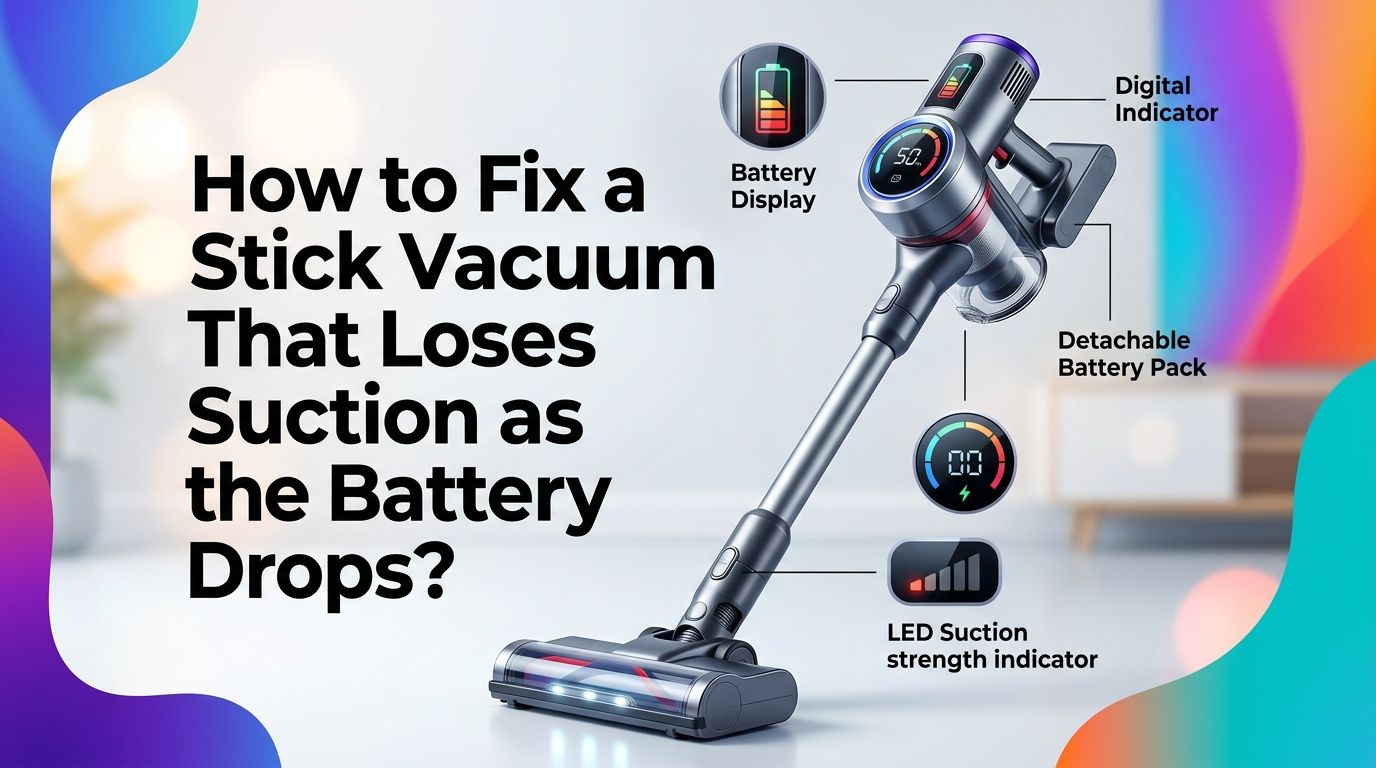
How to Fix a Stick Vacuum That Loses Suction as the Battery Drops?
You grab your stick vacuum, start cleaning, and everything works fine for the first few minutes. Then the battery bar starts dropping, and so does the suction. Dust bunnies laugh at you from under the couch. Sound familiar?
This is one of the most common and frustrating problems with cordless stick vacuums. The motor depends directly on battery voltage to spin at full speed.
As that voltage decreases, the motor slows down and suction power drops with it. But here is the good news: this problem is almost always fixable at home without spending a fortune or calling a repair technician.
In a Nutshell
- A dirty or clogged filter is the number one reason your stick vacuum loses suction faster as the battery drops. A clean motor can run efficiently even at lower voltage. A clogged filter forces the motor to work harder, draining the battery and cutting suction at the same time.
- Your battery may be degraded after hundreds of charge cycles. Lithium ion batteries typically lose 20% to 30% of their capacity after 300 to 500 full charge cycles. This means less voltage is available to the motor, especially during the last 10 to 15 minutes of runtime.
- Blockages in the hose, brush roll, or dust bin create resistance that the motor cannot overcome at lower power levels. Clearing these blockages restores airflow and helps the vacuum maintain suction even as the battery dips.
- Using high power or boost mode constantly accelerates battery drain and makes the suction drop more noticeable. Switching to eco or normal mode helps the vacuum deliver consistent performance through the entire cleaning session.
- Cleaning the battery contacts with a dry cloth or pencil eraser can fix poor electrical connections that cause intermittent power drops and sudden suction loss.
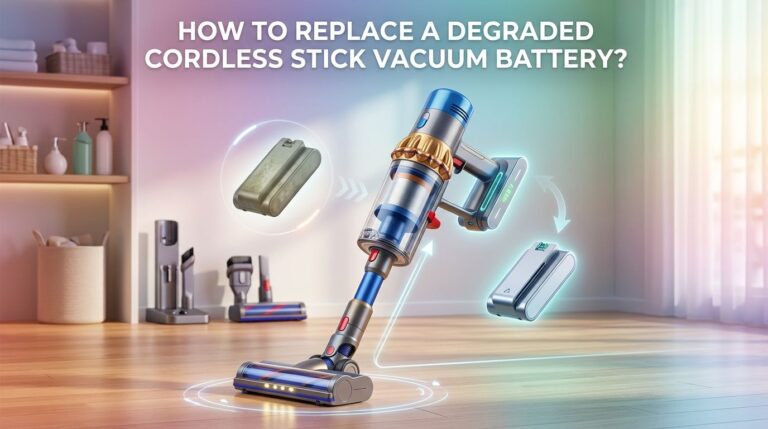
- Replacing the battery is sometimes the only real fix, especially if the vacuum is more than two years old and the runtime has dropped below half of what it was when new. A fresh battery restores both runtime and suction stability.
How to Understand Why Suction Drops With Battery Level?
Stick vacuums use brushless DC motors powered by lithium ion battery packs. These motors spin faster when they receive higher voltage. A fully charged battery delivers peak voltage, and the motor runs at maximum RPM, creating strong suction.
As the battery discharges, the voltage gradually decreases. The motor receives less electrical energy and spins slower. This directly reduces the airflow speed inside the vacuum, which is what creates suction.
Some premium models use electronic controllers that regulate motor speed and maintain consistent suction until the battery hits a certain threshold. Budget models often lack this feature. Their suction drops gradually from the moment you turn them on.
Pros: Understanding this relationship helps you diagnose whether your issue is battery related or caused by blockages.
Cons: You cannot change the physics of voltage drop, but you can reduce the factors that make it worse.
How to Check and Clean Clogged Filters?
Filters are the first thing you should inspect. A clogged filter restricts airflow, and the motor must work harder to pull air through the system. This extra effort drains the battery faster and causes suction to drop much sooner.
Remove the filter from your vacuum. Most stick vacuums have a pre motor filter and sometimes a post motor HEPA filter. Hold the filter up to a light source. If you cannot see light passing through, the filter is too dirty.
Wash the filter under cool running water. Gently squeeze out excess water and let it air dry completely for at least 24 hours before reinstalling. A damp filter will damage the motor and create a musty smell.
Pros: This fix is free and takes less than five minutes of active effort.
Cons: You need to wait 24 hours for drying, and you cannot vacuum during that time unless you have a spare filter.
How to Clear Blockages in the Hose and Brush Roll?
Blockages are silent suction killers. Hair, string, small toys, and large debris can get stuck in the hose, brush roll chamber, or the connection between the wand and the floor head.
Detach the wand from the main body and the floor head. Look through the wand tube to check for visible clogs. Use a broom handle or a long, thin object to push out any stuck debris.
Flip the floor head over and inspect the brush roll. Cut away wrapped hair and fibers using scissors. Spin the brush roll with your hand to make sure it turns freely. A stuck brush roll adds drag that the motor must overcome, draining the battery faster.
Pros: Clearing blockages often produces an immediate and noticeable improvement in suction.
Cons: Some blockages are deep inside the wand and hard to see or reach without partially disassembling the vacuum.
How to Empty the Dust Bin at the Right Time?
Many people wait until the dust bin is completely full before emptying it. This is a mistake. A full dust bin reduces the space available for airflow, which weakens suction even when the battery is fully charged.
The problem gets worse as the battery drops. With less motor power available, the vacuum cannot push air through a packed dust bin efficiently. This creates a double penalty: less power and more resistance.
Empty the dust bin when it reaches about two thirds of its capacity. Some newer models have a fill line indicator. If yours does not, make it a habit to empty the bin after every room or every other cleaning session.
Pros: This is the easiest and fastest fix. It takes seconds and costs nothing.
Cons: Frequent emptying can be inconvenient, especially during longer cleaning sessions.
How to Inspect and Clean Battery Contacts?
Dirty or corroded battery contacts can cause intermittent power delivery to the motor. This leads to sudden suction drops, flickering power, or the vacuum shutting off unexpectedly.
Remove the battery from your stick vacuum. Look at the metal contact points on both the battery and the vacuum body. If you see dust, grime, or slight corrosion, clean the contacts with a dry microfiber cloth or a pencil eraser.
A pencil eraser works surprisingly well for light corrosion. Gently rub the contacts until they appear shiny and clean. Reattach the battery firmly and make sure it clicks into place with no wobble.
Pros: This fix takes under two minutes and can resolve mysterious power fluctuations instantly.
Cons: If the contacts are heavily corroded or physically damaged, cleaning alone will not fix the problem and you may need a replacement part.
How to Test if Your Battery Needs Replacement?
Batteries do not last forever. After 300 to 500 full charge cycles, a lithium ion battery pack will retain only about 70% to 80% of its original capacity. This means shorter runtime and weaker suction during the final stretch of each charge.
To test your battery, fully charge it and then run the vacuum on normal mode. Time how long it runs before shutting off. Compare this to the runtime listed in your vacuum’s manual. If you are getting less than half the original runtime, the battery is likely degraded.
Another sign of a worn battery is the vacuum dropping suction very quickly after starting. If suction is strong for three minutes and then drops sharply, the battery voltage is falling too fast under load.
Pros: A new battery can restore your vacuum to like new performance.
Cons: Replacement batteries can cost between $30 and $100 depending on the brand and model.
How to Use the Right Power Mode for Longer Suction?
Most stick vacuums offer two or three power modes: eco, normal, and boost (or max). Boost mode delivers the strongest suction but drains the battery three to five times faster than eco mode.
If you use boost mode for entire cleaning sessions, the battery voltage drops quickly and suction fades much sooner. Reserve boost mode for stubborn dirt, pet hair, or deep carpet spots. Use eco or normal mode for hard floors and light dust.
Many users report that switching to normal mode gives them consistent suction for 20 to 40 minutes, while boost mode lasts only 5 to 10 minutes. This simple change in habit can eliminate the suction drop problem entirely for many people.
Pros: No cost, no tools, and no disassembly required. Just press a different button.
Cons: Eco mode may not provide enough suction for thick carpets or heavy messes.
How to Check for Air Leaks in Seals and Gaskets?
Air leaks allow suction to escape before it reaches the floor head. A cracked gasket or loose seal between the dust bin and the motor housing is a very common cause of gradual suction loss.
Remove the dust bin and inspect the rubber gasket or O ring that sits around its opening. Look for cracks, tears, or warping. Press the gasket with your finger. It should feel firm and springy, not flat or brittle.
Also check the seals where the wand connects to the body and where the floor head connects to the wand. Any gap in these connections bleeds air and reduces effective suction. Some users fix minor leaks with a thin wrap of plumber’s tape around loose connection points.
Pros: Fixing air leaks can dramatically improve suction with minimal effort.
Cons: Replacement gaskets are not always easy to find for every vacuum model, and some require contacting the manufacturer directly.
How to Store Your Vacuum to Protect Battery Health?
How you store your stick vacuum between uses has a big impact on battery life and suction performance over time. Lithium ion batteries degrade faster in extreme temperatures.
Store your vacuum in a cool, dry place with temperatures between 10°C and 25°C (50°F to 77°F). Avoid leaving it in a hot garage, an unheated shed, or near a window that gets direct sunlight.
Do not leave the vacuum on the charger 24/7 if your model does not have a smart charging circuit. Overcharging generates heat inside the battery cells and accelerates capacity loss. Charge the vacuum before you plan to use it and remove it from the charger once it reaches full.
Pros: Proper storage costs nothing and can extend your battery’s useful life by months or even years.
Cons: It requires changing habits, which can be easy to forget.
How to Recondition a Weak Stick Vacuum Battery?
Battery reconditioning is a technique that can sometimes restore a small amount of lost capacity to a lithium ion battery. It works by recalibrating the battery management system (BMS) inside the battery pack.
To try this, fully charge your vacuum battery. Then run the vacuum on normal mode until it shuts off completely. Leave it off for at least one hour. Charge it again to 100% without interrupting the charge cycle. Repeat this full discharge and full charge process two to three times.
This does not actually restore dead cells inside the battery. What it does is help the BMS recalculate the remaining capacity more accurately. This can fix situations where the vacuum shuts off early because the BMS thinks the battery is empty when it still has charge left.
Pros: This method is free, safe, and can fix inaccurate battery readings.
Cons: It will not help if the battery cells themselves are genuinely degraded. Results vary depending on the battery’s condition.
How to Know When Your Stick Vacuum Is Beyond Repair?
Sometimes the vacuum itself is the problem, not just the battery or filters. If you have cleaned every filter, cleared all blockages, replaced the battery, and suction still drops quickly, the motor may be failing.
Brushless motors in stick vacuums are durable, but they do wear out after several years of regular use. A motor that makes unusual whining, grinding, or rattling noises is likely near the end of its life.
Compare the cost of a motor replacement to the price of a new vacuum. In most cases, a motor replacement costs 50% to 70% of the price of a new unit, making replacement the better financial choice. If the vacuum is still under warranty, contact the manufacturer before attempting any repairs.
Pros: Knowing when to stop repairing saves money and frustration.
Cons: Accepting that a vacuum is beyond repair is never fun, especially if you liked the model.
How to Prevent Suction Loss From Happening Again?
Prevention is always better than repair. A few simple habits will keep your stick vacuum performing at full suction for years.
Clean or wash your filters every month. Mark a reminder on your phone or calendar. Replace filters every six to twelve months depending on use. Empty the dust bin after every cleaning session, not just when it is full.
Check the brush roll for tangled hair every two weeks. Store the vacuum at room temperature and avoid overcharging the battery. Use normal mode for daily cleaning and save boost mode for spot treatments only.
These small actions reduce the strain on both the battery and motor. A well maintained vacuum holds strong suction from a full charge all the way down to the last few minutes of battery life.
Pros: Regular maintenance adds only a few minutes to your routine and extends the vacuum’s life significantly.
Cons: It requires consistency and forming new habits.
Frequently Asked Questions
How to Tell if My Stick Vacuum Battery Is Dying?
The clearest sign is a dramatic reduction in runtime. If your vacuum used to run for 30 minutes and now dies after 10 to 15 minutes, the battery has lost significant capacity. Sudden shutoffs during use and suction that drops within the first few minutes are also strong indicators. A healthy battery delivers steady power throughout most of its charge cycle.
How to Clean a Stick Vacuum Filter Without Damaging It?
Rinse the filter under cool, running water. Do not use soap, detergent, or hot water as these can damage the filter material. Gently tap the filter against the edge of a sink to remove excess water. Let it air dry completely for 24 hours before putting it back. Never place a wet filter in the vacuum because moisture will harm the motor.
How to Make My Stick Vacuum Battery Last Longer?
Use eco or normal mode for most cleaning tasks. Avoid leaving the vacuum on the charger continuously. Store it at room temperature and keep the dust bin and filters clean. A clogged filter or full bin forces the motor to work harder, which drains the battery faster. Following these practices can help your battery maintain its capacity much longer.
How to Fix a Stick Vacuum That Shuts Off Randomly?
Random shutoffs are usually caused by overheating, dirty battery contacts, or a failing battery. Let the vacuum cool for 15 minutes and try again. Clean the battery contacts with a dry cloth. If the problem continues, test with a new battery. Some vacuums also shut off when the filter is extremely clogged as a safety feature to protect the motor.
How to Know if I Should Replace the Battery or Buy a New Vacuum?
Check the price of a replacement battery for your specific model. If the battery costs less than 30% of the price of a new vacuum and the motor still works well, replacing the battery is the smarter choice. If the motor is also struggling or multiple parts need repair, investing in a new vacuum will give you better long term value.

Hi, I’m Grace Bell, the founder of CleanFloorVault.com, where I personally test and review vacuum cleaners to help you find the perfect tool for a spotless home.