How to Maximize Battery Life on Smart Sensing Cordless Vacuums?
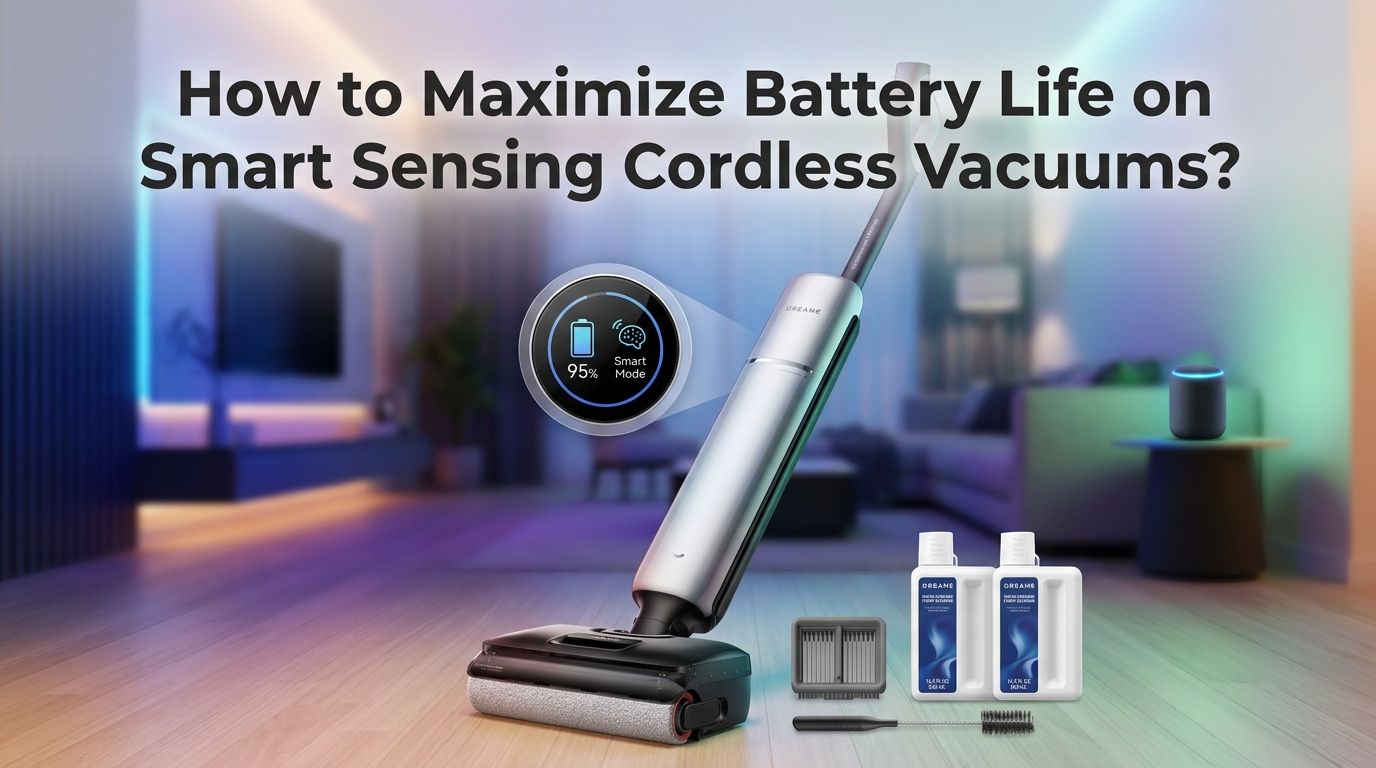
Smart sensing cordless vacuums are powerful tools that adjust suction based on dirt levels, but that intelligence comes at a cost: battery drain. The good news is that most battery problems are fixable with a few simple changes to how you charge, store, and use your vacuum.
Modern cordless vacuums with smart sensors use lithium ion batteries that respond well to proper care. A little attention to charging habits, filter maintenance, and power mode selection can double your effective runtime.
This guide walks you through every proven method to squeeze the most life out of your vacuum’s battery, both per session and over the long term. Whether your vacuum loses charge too fast during a single clean or its overall battery health has started to decline, the answers are here.
In a Nutshell
- Use Auto or Eco mode for everyday cleaning. Smart sensing vacuums ramp up suction only when they detect heavy dirt. Staying in Auto mode lets the sensor do the thinking, and the battery lasts significantly longer compared to running on Max or Boost power all the time.
- Follow the 20 to 80 percent charging rule. Lithium ion batteries last longest when you keep them between 20% and 80% charge. Avoid draining the battery to zero regularly, and do not leave it plugged in at 100% for days. This single habit can extend your battery’s total lifespan by months.
- Clean your filters every two to four weeks. A clogged filter forces the motor to work harder, which pulls more power from the battery. Regular filter cleaning restores airflow and reduces the energy the motor needs, giving you more runtime per charge.
- Store the vacuum at room temperature. Heat and cold both damage lithium ion cells. Keep your vacuum in a dry, cool area away from direct sunlight and never store it in a garage that gets extremely hot or cold.
- Empty the dustbin before it gets full. A packed dustbin restricts airflow the same way a dirty filter does. The motor compensates by spinning faster, and the battery drains quicker as a result.
- Let the vacuum cool down before charging. Plugging in a hot battery after a long cleaning session stresses the cells. Wait 10 to 15 minutes after use before you connect the charger. This small pause protects battery health over time.
How to Use Auto Mode to Save Battery on Smart Sensing Vacuums?
Smart sensing vacuums come with a built in dust sensor that detects particle concentration in real time. In Auto mode, the vacuum increases suction only when it passes over a dirty patch and drops back down on clean floors. This dynamic adjustment prevents the motor from running at full power the entire time.
Most users make the mistake of leaving their vacuum on Max or Boost mode for every session. Max mode can cut runtime by more than half. For example, a vacuum that lasts 60 minutes on Eco mode may run for only 15 to 20 minutes on Max. Auto mode sits in the middle and gives you strong cleaning without constant high power draw.
The sensor technology in brands like those using iLoop or PowerDetect systems is accurate enough for daily cleaning. Let the sensor work for you. Save Max mode for deep carpet cleaning sessions and use Auto for everything else.
Pros: Significant battery savings, less motor wear, effective cleaning on most surfaces.
Cons: May not deep clean heavily soiled carpets as well as Max mode does.
How to Charge Your Cordless Vacuum Battery the Right Way?
Charging habits have the biggest impact on long term battery health. Lithium ion batteries, the type used in nearly all modern cordless vacuums, prefer partial charges over full cycles. The 20 to 80 rule is the gold standard: start charging at around 20% and unplug at about 80%.
Many people leave their vacuum on the charger 24/7 between uses. While most newer models have overcharge protection, keeping a battery at 100% for extended periods still causes chemical stress on the cells and speeds up degradation. Unplug the charger once the battery reaches a full or near full charge.
Also, avoid letting the battery die completely on a regular basis. Deep discharges force the cells through extreme voltage drops that reduce capacity over time. One full drain per month is fine for calibration, but daily deep discharge is harmful.
Pros: Extends overall battery lifespan by months or even years, maintains charge capacity.
Cons: Requires more attention to charge levels, slightly less convenient than leaving it docked.
How to Clean Filters to Improve Battery Runtime?
A dirty filter is one of the most common and overlooked causes of short battery life. When the filter gets clogged with dust and debris, airflow drops. The motor has to spin faster to maintain suction, and that extra effort drains the battery much faster.
Most manufacturers recommend washing or replacing filters every two to four weeks depending on use. Check your vacuum’s manual for specific guidance. Many cordless vacuums use washable HEPA filters that you can rinse under cold water and air dry for at least 24 hours before reinstalling.
Never put a wet filter back into the vacuum. Moisture can damage the motor and create mold. Keep a spare filter on hand so you can rotate them during drying periods. Clean filters restore the vacuum to its factory airflow level and give you noticeably longer battery sessions.
Pros: Free and easy to do, immediately improves runtime and suction.
Cons: Requires regular habit, wet filters need full drying time before reuse.
How to Empty the Dustbin for Better Battery Efficiency?
A full or nearly full dustbin creates the same problem as a clogged filter: restricted airflow. The motor compensates by drawing more power, and the battery drains faster. Many users wait until the dustbin is completely packed before emptying it, which is a mistake.
Empty the dustbin after every cleaning session, or at minimum when it reaches the halfway mark. This keeps airflow consistent and reduces strain on the motor. Some smart vacuums have indicators that tell you when the bin needs emptying, so pay attention to those alerts.
Self emptying docks solve this issue automatically for robot vacuums, but most cordless stick vacuums still require manual emptying. Make it part of your routine: finish vacuuming, pop the bin, dump it, and put it back. This 10 second habit protects both your battery life and your suction power.
Pros: Takes seconds, immediately restores optimal airflow and battery efficiency.
Cons: None significant, just requires consistency.
How to Store Your Cordless Vacuum to Protect the Battery?
Storage conditions matter more than most people realize. Lithium ion batteries are sensitive to temperature extremes. Storing your vacuum in a hot garage, near a heater, or in a freezing shed accelerates chemical degradation inside the cells.
The ideal storage temperature is between 50°F and 77°F (10°C to 25°C). Keep the vacuum in a dry, indoor space away from direct sunlight. If you plan to store the vacuum for an extended period without use, charge the battery to around 40 to 50% before putting it away. A battery stored at full charge or completely empty for weeks will lose capacity faster.
Also, store the vacuum upright on its wall mount or stand if one is provided. This keeps it off the ground, away from moisture, and in a position that does not stress the battery compartment or trigger accidental power on.
Pros: Prevents long term battery degradation, costs nothing.
Cons: May require finding a new indoor storage spot if you currently keep it in a garage.
How to Cool Down the Battery Before and After Charging?
Heat is the number one enemy of lithium ion batteries. After a cleaning session, your vacuum’s motor and battery are warm. Plugging in the charger immediately forces the battery to accept current while already hot, which generates even more heat and damages the cells over time.
Wait 10 to 15 minutes after vacuuming before you connect the charger. Let the battery return to a normal temperature first. Similarly, if you have been charging for a while, give the vacuum a few minutes to rest before you start a cleaning session.
This is especially important on high power sessions where you used Boost or Max mode. Those modes push the motor hard, and the resulting heat needs time to dissipate. Think of it like letting a car engine cool before checking the oil. A brief pause goes a long way for battery longevity.
Pros: Directly reduces heat damage, one of the most effective longevity habits.
Cons: Requires a short wait before charging, easy to forget.
How to Choose the Right Power Mode for Each Floor Type?
Not every floor needs the same suction level, and choosing the right mode saves significant battery power. Hard floors like tile, hardwood, and laminate require very little suction. Eco or Low mode handles them easily. Carpets, especially thick pile, benefit from Medium or Auto mode.
Reserve Max or Boost mode only for high traffic carpeted areas with embedded dirt or pet hair. Running Max on a hardwood floor wastes battery power with no cleaning benefit. Smart sensing vacuums in Auto mode handle this transition automatically, but if you prefer manual control, switch modes as you move between rooms.
Some vacuums also have a dedicated hard floor attachment that uses a softer brush roll. Pairing the right attachment with the right power mode maximizes efficiency. You clean better while using less energy per minute.
Pros: Extends runtime dramatically, tailors cleaning to actual need.
Cons: Requires awareness of floor types, manual switching if not using Auto mode.
How to Maintain the Brush Roll to Reduce Battery Drain?
A tangled brush roll forces the motor to work overtime. Hair, string, and fibers wrap around the roller over time and create physical resistance. The motor pulls extra current from the battery to push through that resistance, and your runtime drops.
Check the brush roll after every few uses. Remove tangled hair and fibers with scissors or the cleaning tool that came with your vacuum. Many modern vacuums have anti tangle brush rolls that reduce this problem, but they still need occasional cleaning.
Also inspect the brush roll for wear. Worn bristles do not agitate carpet fibers properly, which tempts you to switch to a higher power mode. Replacing a worn brush roll restores cleaning effectiveness and lets you stay on a lower, more battery friendly setting.
Pros: Reduces motor strain, keeps power consumption low, improves cleaning results.
Cons: Requires manual inspection, replacement brush rolls have a cost.
How to Use a Spare Battery to Extend Cleaning Time?
If your vacuum supports a removable battery, buying a second one is one of the easiest ways to double your cleaning time. Swap the depleted battery for a fully charged one and keep going. No waiting for a recharge in the middle of a cleaning session.
Check whether your vacuum model offers interchangeable batteries. Many brands sell additional battery packs separately. Keep both batteries in the 20 to 80 percent range when storing them, and rotate their use to ensure even wear on both cells.
A spare battery is especially useful for larger homes where a single charge may not cover every room. It also serves as a backup when the original battery starts losing capacity after a year or two of use.
Pros: Doubles cleaning time instantly, provides a backup as batteries age.
Cons: Additional cost, not all models support removable batteries.
How to Update Firmware to Optimize Battery Performance?
Many smart sensing cordless vacuums connect to a companion app that receives firmware updates. These updates often include improvements to power management, sensor calibration, and motor efficiency. Running outdated firmware means you could be missing battery optimizations that the manufacturer has already released.
Check the app periodically for available updates. The update process usually takes just a few minutes and happens over WiFi. Some updates recalibrate the smart sensor so it adjusts suction more accurately, which directly reduces unnecessary power spikes on clean surfaces.
If your vacuum does not have app connectivity, check the manufacturer’s website for any manual update instructions. Keeping the software current is a simple step that many owners skip entirely.
Pros: Free, can improve runtime without any hardware changes.
Cons: Requires app setup and WiFi connection, updates may be infrequent.
How to Recognize When Your Battery Needs Replacement?
Even with perfect care, lithium ion batteries lose capacity over time. Most cordless vacuum batteries last two to four years before they need replacement. Knowing the signs of a dying battery helps you act before performance becomes frustrating.
Watch for these indicators: the vacuum runs for noticeably less time than it used to, the battery percentage drops rapidly during use, or the vacuum shuts off suddenly even when the indicator shows remaining charge. If cleaning your filters and brush roll does not fix the problem, the battery is likely degraded.
Replace the battery with an official manufacturer battery when possible. Third party batteries may be cheaper but can have lower capacity, poor build quality, or missing safety features. After installing a new battery, follow the charging best practices from the start to get the longest possible life from it.
Pros: Restores vacuum to like new runtime, often cheaper than buying a new vacuum.
Cons: Replacement batteries have a cost, some models make battery replacement difficult.
How to Plan Cleaning Sessions to Get the Most From One Charge?
Strategic cleaning saves battery power. Instead of vacuuming randomly, plan a route through your home that starts with the areas that need the least suction and finishes with the dirtiest spots. Begin with hard floors on Eco mode, then move to carpets on Auto or Medium.
Pick up large debris by hand before you vacuum. Items like paper scraps, crumbs, and pet toys force the vacuum to work harder and waste suction power on things you could grab in seconds. A quick pre clean doubles your vacuum’s efficiency.
Also consider vacuuming more frequently with shorter sessions rather than one marathon clean once a week. Shorter sessions mean less dirt buildup between cleans, so the vacuum runs on lower power settings. This approach keeps the battery in a healthy charge range too, since you are not draining it to zero every time.
Pros: Maximizes coverage per charge, reduces wear on motor and battery.
Cons: Requires a bit of planning, more frequent but shorter sessions.
Frequently Asked Questions
How long do cordless vacuum batteries last before they need replacing?
Most lithium ion batteries in cordless vacuums last between two and four years with regular use. The exact lifespan depends on charging habits, usage frequency, and storage conditions. Following the 20 to 80 percent charging rule and avoiding heat exposure can push battery life closer to the four year mark. You will notice the battery needs replacement when runtime drops significantly even after cleaning filters and the brush roll.
Does leaving my cordless vacuum on the charger ruin the battery?
Most modern cordless vacuums have overcharge protection circuits that reduce current once the battery is full. However, keeping the battery at 100% for long periods still causes gradual capacity loss. It is better to unplug the vacuum once it reaches full charge and store it at a moderate charge level between uses.
Is Auto mode better for battery life than Eco mode?
Eco mode uses the least battery because it runs at a fixed low suction level. Auto mode uses more power on dirty sections but drops suction on clean areas. For most homes, Auto mode offers the best balance between battery savings and cleaning quality. Use Eco mode if you need maximum runtime on lightly soiled floors.
How often should I clean the filter on my cordless vacuum?
Clean the filter every two to four weeks under normal use. If you have pets or vacuum frequently, check it weekly. A clogged filter reduces airflow and forces the motor to draw more power, which shortens battery life per charge. Always let washed filters dry completely for at least 24 hours before reinstalling.
Can I use a third party battery in my cordless vacuum?
You can, but official manufacturer batteries are recommended. Third party batteries may fit physically but can differ in capacity, voltage regulation, and safety features. A poorly made replacement battery may overheat, deliver inconsistent power, or damage the vacuum’s electronics. If you choose a third party option, read reviews carefully and confirm it matches your vacuum’s voltage and amperage specifications.

Hi, I’m Grace Bell, the founder of CleanFloorVault.com, where I personally test and review vacuum cleaners to help you find the perfect tool for a spotless home.